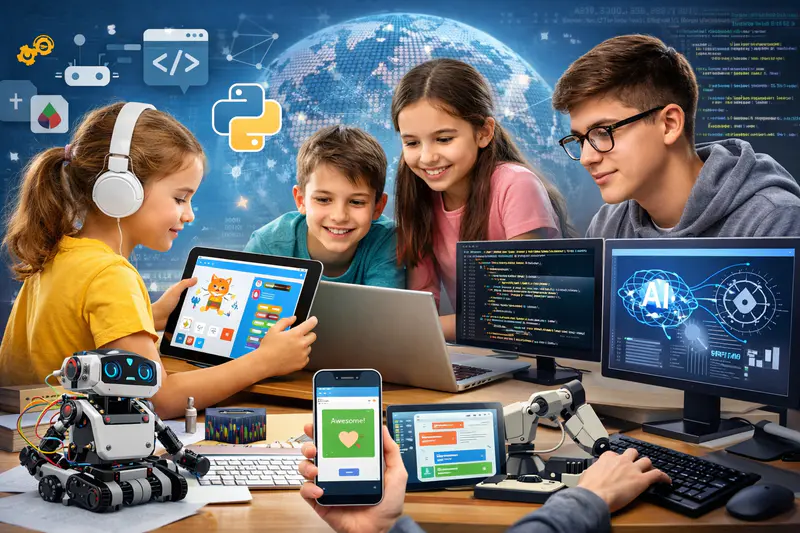
Coding for Kids: The Complete Parent Guide (Ages 6–17)
By 2030, an estimated 97 million new technology-related roles will emerge globally, according to the World Economic Forum. The children who will fill those roles are in school right now. Most of them haven't written a single line of code.
But here's the thing most parents miss when they read statistics like that: coding for kids isn't primarily about future employment. A child who learns to code before age 12 isn't just building career readiness. They're developing a fundamentally different way of approaching problems: systematic, creative, persistent, and precise. Those cognitive habits transfer into maths, science, writing, and every other discipline they encounter throughout their education.
This guide covers everything a parent needs to know about coding for children aged 6 to 17: what it actually involves at each age, which tools and languages are appropriate when, what children build, how to choose a quality course, and what genuine progress looks like over months and years.
No prior technical knowledge required to read it. And none required to support your child, either.
Key Takeaways
Children can start learning coding from age 6 using visual, block-based tools like Scratch. No reading or typing required at the earliest stage.
The optimal progression is Scratch (ages 6–10), Python or web development (ages 10–14), then specialisation in AI/ML, Java, game dev, or app dev (ages 13–17).
Coding builds logical thinking, persistence, creative confidence, and mathematical reasoning, benefits that show up across all school subjects, not just computing.
Instruction format matters more than curriculum: live 1:1 instruction produces significantly faster and more durable results than group classes or self-paced video.
Children don't need to be "good at maths" or naturally technical to learn coding well. The right starting point and a skilled instructor remove both barriers.
Codeyoung has taught coding to 45,000+ students aged 6 to 17 across the USA, UK, Canada, and Australia through live 1:1 instruction.
What Is Coding for Kids, Really?
Coding is the process of giving a computer precise instructions to produce a specific result. Those instructions are written in a programming language: a structured set of rules the computer can interpret. At the children's education level, coding means learning to think in that structured way and express that thinking in a language a machine can execute.
But that definition undersells what actually happens when a child learns to code. The real activity is learning to break a complex goal into small, ordered steps, test whether each step works, fix what doesn't, and combine the working parts into something complete. That process (decompose, build, test, debug, iterate) is genuinely one of the most valuable thinking patterns a child can develop.
It's worth being clear about what coding is not. It's not typing fast. It's not memorising syntax. It's not a talent reserved for children who are naturally mathematical or technical. The most consistent finding across children's coding education research is that motivation and a well-matched starting point matter far more than innate aptitude. A curious 9-year-old with the right tool and the right instructor will make faster progress than a technically gifted 12-year-old in the wrong programme.
Is coding the same as computer science?
Not exactly, though they overlap significantly. Computer science is the broader academic discipline covering algorithms, data structures, theory of computation, and the mathematical foundations of software. Coding is the practical skill of writing programmes in a specific language. Children typically encounter coding first and computer science concepts as a natural byproduct: when a child writes a sorting algorithm in Python, they're doing both simultaneously without necessarily distinguishing between them.
The Coding Journey: What Children Learn at Each Age
The biggest mistake parents make when starting their child in coding is using an age-inappropriate tool. A 7-year-old in a Python course will spend most of their time confused by syntax rather than learning programming concepts. A 14-year-old placed on Scratch will be bored within two sessions. Age-appropriate entry points are not just pedagogically sound. They are the difference between a child who continues for years and one who quits in the first month.
Coding Learning Progression by Age Group
Each stage in this table builds directly on the previous one. The child who spends two years on Scratch arrives at Python with an intuitive understanding of loops, variables, and event-driven logic. They just need to learn the new syntax for expressing familiar ideas. This is why rushing the progression is counterproductive: a shaky Scratch foundation makes Python harder, not easier.
For a detailed look at how Scratch and Python specifically relate to each other and when to transition, see Scratch vs Python for Kids: Which Should They Learn First?
The 10 Real Benefits of Coding for Children
Parents most often start with a career framing: will coding help my child get a job? The answer is yes, but that's the least immediate and the least important benefit for a child who is currently 8 or 11 or 14. The benefits that matter right now are cognitive, academic, and personal.
1. Logical and Structured Thinking
A computer does exactly what you tell it, nothing more. Writing code forces children to be precise about their thinking in a way that almost no other learning activity does. This habit of explicit, ordered reasoning transfers directly into maths problem-solving, essay structuring, and scientific investigation.
2. Persistence Through Debugging
Every child who codes encounters errors. Fixing them (reading the error message, isolating the cause, testing a solution) normalises failure as a step in the process. Children who debug regularly develop a specific resilience: they don't read a broken result as evidence of inability. They read it as information.
3. Creative Confidence
A game, a website, an app: these are things a child made from nothing. Unlike most school tasks with predetermined right answers, a coding project is an act of genuine authorship. This creative ownership changes how children see themselves in relation to technology, from passive users to active builders.
4. Stronger Maths Performance
Research from the Journal of Educational Psychology found that children who received coding instruction showed statistically significant improvements in maths reasoning, even when the coding curriculum wasn't explicitly maths-focused. Variables, functions, coordinates, and logical conditionals all appear in coding with exactly the same structure they take in algebra. Children encounter these ideas in purposeful, concrete form first, which makes the abstract school versions more accessible.
5. Problem Decomposition
You cannot write a complex programme all at once. You write the movement first, then the scoring, then the levels. This habit of breaking a large goal into manageable sequential parts is transferable to any challenge: a long essay, a difficult homework problem, a multi-step science experiment.
6. Systems Thinking
A programme is a set of interdependent parts. Changing one affects others. Children who build complex projects learn to think about how components of a system interact, a habit of mind that applies to engineering, business, science, and almost every technical field.
7. Self-Directed Learning
Coding resources are abundant online. A child who reaches a concept they haven't been taught yet has the option to look it up, try it, see what happens. This builds the capacity for self-directed learning that is increasingly essential in a world where the relevant knowledge base changes faster than any formal curriculum can track.
8. AI and Technology Literacy
In 2026, AI is embedded in healthcare, finance, content creation, and education. A child who understands how programmes are built, how data is processed, how models are trained, how systems fail, is not just technically prepared. They are a more capable critical thinker about the technology that surrounds them.
9. Academic Confidence Across Subjects
Children who experience genuine mastery in coding, building something difficult through their own effort, carry that sense of capability into other academic contexts. The confidence that comes from debugging a programme and getting it right translates into a willingness to try hard problems elsewhere.
10. Early Advantage That Compounds
Cognitive science research consistently shows that skills acquired in primary school are retained more durably than those learned in late adolescence. A child who builds solid coding foundations before age 12 enters secondary school with an intuitive base that makes every subsequent technical concept more accessible. That head start compounds over years.
For a deeper look at how each of these benefits manifests in practice, see Coding Benefits for Kids: 10 Reasons Every Child Should Learn to Code.
Which Coding Language Should Your Child Learn First?
The right first language depends almost entirely on age. Recommending Python to a 7-year-old is like handing a child a professional chef's knife before they've learned to use a butter knife. The tool is excellent, for the right person, at the right time.
Best First Coding Language by Age Group
A few important notes on this table. First, children who start with Scratch are not wasting time. They are building the conceptual foundation that makes every subsequent language faster to learn. Second, Python and web development are not mutually exclusive. Many children at Codeyoung pursue both because the skills genuinely complement each other. Third, for children aged 12 and above with no prior coding experience, it is entirely appropriate to start directly with Python or web development without going through Scratch first.
For a detailed comparison of Python and Java specifically, see Python vs Java: Differences and Similarities in 9 Key Areas.
Not sure which coding track is right for your child's age and interests? Codeyoung's instructors assess every new student before recommending a starting point. Book a free trial class with no commitment: and the first session tells you everything you need to know.
What Children Actually Build: A Realistic Picture of Progress
Parents sometimes enrol children in coding courses and aren't sure whether the work they're seeing represents real progress. Here is a realistic picture of what children build at different stages, not best-case demonstrations but typical output from children receiving consistent weekly instruction.
After 1 to 3 months (beginner)
A child aged 7 to 9 on Scratch builds a complete, playable game with score tracking, multiple stages, and custom art. A child aged 10 to 12 learning Python writes programmes that respond to user input, use functions and loops, and produce visible results in the console. A web development beginner has a styled personal website with multiple pages, live in a browser.
After 4 to 8 months (early intermediate)
A Scratch student builds complex multi-screen projects with custom variables and their own sprite artwork. A Python student has completed 2 to 3 complete projects (a game, a tool, a data visualisation) and can begin new projects independently without needing step-by-step guidance. A web development student's site includes JavaScript interactivity: buttons that respond, forms that work, content that changes dynamically.
After 9 to 18 months (intermediate)
Python students at this stage are building object-oriented projects using classes, handling files, and starting to work with libraries for game development, data analysis, or AI. A web development student is building full web applications. A Java student is producing console-based applications with inheritance and polymorphism. These projects are portfolio-worthy: the kind of work that stands out on a university application or a first internship portfolio.
For parents researching what the home-based version of this journey looks like, see Coding for Kids at Home: How to Start With No Experience.
How Do You Choose the Right Coding Course for Your Child?
The coding education market is large and uneven. Marketing language is consistent across programmes regardless of quality. These are the criteria that actually predict good outcomes.
What is the most important factor when choosing a coding course for kids?
Instruction format. This is the single most important structural decision, and most parents underweight it relative to curriculum. Live 1:1 instruction produces measurably better outcomes than group classes or self-paced video for the majority of children, because the instructor can adapt to exactly where each child is confused, what projects motivate them, and how fast they are ready to advance. No group class or recorded lesson can do this.
The second most important factor is age-appropriateness. A course built for adults or for teenagers teaches at the wrong pace, uses the wrong examples, and expects the wrong level of reading fluency and abstract thinking for younger children. Ask explicitly: is this curriculum designed for my child's age group, or adapted from an adult programme?
Third is project focus. The child should be building something real in every session. If a coding session ends without working output (however small), the time wasn't well spent. A child who can show you what they made after each class is learning. One who can only describe what they watched the instructor do is not.
For a detailed framework including specific questions to ask before enrolling, see How to Choose the Right Coding Course for Your Child: An Age-by-Age Guide. For a direct comparison of 1:1 and group formats, see 1:1 vs Group Coding Classes for Kids: Which Actually Works Better?
Common Myths About Coding for Kids, Addressed Directly
Several persistent assumptions cause parents to delay starting or to choose the wrong programme. They're worth naming and addressing plainly.
Myth 1: "My child isn't a maths person, so coding probably isn't for them."
The correlation between maths ability and coding ability is real but modest, and it runs in both directions. Children who struggle with abstract maths often find coding makes it more accessible rather than harder, because the maths appears in purposeful, concrete form. Many Codeyoung students who described themselves as "not maths people" found their school maths performance improved after several months of coding, not because the coding taught them maths directly, but because it changed their relationship with structured logical thinking.
Myth 2: "They're too young. Coding is for older kids."
Children aged 6 and above can begin meaningful coding instruction. The tool needs to match the age: Scratch Jr for 5 to 6-year-olds, Scratch for 7 to 9-year-olds. but the cognitive benefits of early coding are well-documented. Skills acquired at younger ages are retained more durably. The argument for starting early is strong.
Myth 3: "They'll just be staring at a screen. That's not good for them."
There is a meaningful difference between passive and active screen time. Watching videos or playing games is consumption. Writing code is creation. The cognitive engagement is entirely different, and the research on active screen time does not show the same developmental concerns associated with passive consumption. A child building a game for an hour is learning. A child watching other people play games for an hour is not.
For a detailed look at this distinction, see Productive Screen Time for Kids: How Coding Classes Turn Devices Into Learning Tools.
Myth 4: "There are free apps and games that teach coding. Why pay for a course?"
Free apps and platforms are useful for initial exposure and for supplementary practice. They consistently fail at the intermediate level, when concepts get harder and a child needs someone to respond to their specific confusion in real time. Most children who learn exclusively through apps plateau quickly. The investment in live instruction is what takes children from beginner engagement to genuine, durable capability.
Myth 5: "I don't know anything about coding, so I can't help them."
You don't need to. A parent's role in a child's coding education is not to explain concepts but to create the conditions for learning: consistent time, a supportive environment, genuine interest in what the child is building, and good quality instruction. You don't need to understand Python to ask "what did you make this week?" and mean it.
How Codeyoung Teaches Coding to Children Aged 6 to 17
Codeyoung's approach is built on a single foundational principle: live 1:1 instruction produces better outcomes than any other format. Every session is one child, one qualified instructor, for the full duration. There are no group classes. No pre-recorded lessons. No shared instructor attention.
The curriculum spans the full age range from 6 to 17, with tracks in Scratch, Python, web development, app development, MIT App Inventor, Java, Python game development, and Python AI/ML. Each track is built specifically for the age group it serves, not adapted from adult content.
Before any new student begins, an instructor conducts an informal assessment during the trial session to understand the child's current experience, interests, and goals. The recommended starting track comes from that assessment, not from a default enrolment path. A child who enters at age 13 with no prior coding experience starts differently from one who enters at 13 with two years of Scratch. Both are served.
Across more than 45,000 students in the USA, UK, Canada, and Australia, the consistent finding is this: children who receive consistent, well-matched 1:1 coding instruction build genuinely durable skills. They continue coding between sessions. They bring their instructor new ideas. They show their projects to people they care about. These are the signals that real learning has happened.
Frequently Asked Questions About Coding for Kids
What age should kids start learning to code?
Children can start as young as age 5 or 6 with visual, play-based tools like Scratch Jr. Most children begin structured coding instruction between ages 7 and 9, using Scratch to learn programming concepts through games and animations. Text-based coding languages like Python are appropriate from around age 10. There is no upper age limit. Children who start at 14 or 15 with no prior experience can still build strong, career-relevant skills within 12 to 18 months of consistent instruction.
Does my child need to be good at maths to learn coding?
No. Comfortable school-level arithmetic is sufficient to begin coding, and strong advanced maths is only relevant for specialised tracks like AI/ML or data science, which are typically pursued at ages 14 and above. Many children who consider themselves weak at maths find coding accessible because the mathematical concepts appear in purposeful, concrete form. Coding often improves maths performance as a byproduct rather than requiring strong maths as a prerequisite.
How long does it take for kids to learn to code?
With one live 1:1 session per week, most children can write simple working programmes within 4 to 6 sessions and complete their first real project within 8 to 12 sessions. Genuine intermediate proficiency (building independently, debugging confidently, starting new projects without guidance) typically develops over 6 to 12 months of consistent weekly instruction. The timeline depends heavily on the instruction format: 1:1 live instruction produces significantly faster progress than group classes or self-paced content covering the same curriculum.
What is the best coding language for kids to learn first?
For children aged 6 to 9, Scratch is the best starting point because it teaches real programming logic visually without syntax pressure. For children aged 10 and above, Python is the strongest first text-based language: it's readable, versatile, and used professionally in AI, data science, and web development. HTML and CSS are also excellent for children aged 10 and above who are drawn to design and website creation. The right choice depends on the child's age, interests, and whether they have prior coding experience.
Can girls learn coding as effectively as boys?
Yes, with identical results when given equivalent instruction and encouragement. Research from the Computing Research Association shows that girls who engage with coding before age 12 are more than twice as likely to pursue computing in secondary school than those who don't. Apparent gaps in participation are attributable to differential early exposure, not to any difference in aptitude or capability. The 1:1 format is particularly effective for girls because it removes the social dynamics of group settings that can reduce willingness to ask questions or share incomplete work.
How much does coding for kids cost?
Self-paced apps and platforms are free or low-cost but produce limited durable results. Group live coding classes typically cost $15 to $50 per session. Live 1:1 instruction from a qualified instructor ranges from $30 to $100 per session. The outcome per dollar invested is highest with 1:1 instruction because children reach the same skill milestones in significantly fewer sessions than in group formats. A child who completes 20 well-structured 1:1 sessions typically reaches a higher skill level than one who attends 50 group sessions.
What is Scratch and why do children start with it?
Scratch is a free, browser-based visual programming environment developed at MIT. Children drag and snap instruction blocks together rather than typing code, which removes syntax as a barrier and lets them focus entirely on programming logic. Scratch teaches sequences, loops, conditionals, variables, and event handling: the same foundational concepts that Python and every other language use. Children who spend 6 to 12 months on Scratch before moving to Python typically progress through Python 30 to 40% faster than those who start text-based coding without that conceptual foundation.
What is the difference between coding for kids and regular computer classes?
Standard computer classes typically teach digital literacy: how to use word processors, spreadsheets, the internet, and presentation tools. Coding education teaches children to create technology rather than just use it, writing programmes, building applications, and producing software that didn't exist before they made it. The skills developed are also fundamentally different: typing speed and document formatting, versus logical thinking, problem decomposition, and systematic debugging.
How do I know if my child is making real progress in their coding course?
Behavioural signals are more reliable than test scores. A child who mentions their project unprompted, who continues coding between sessions without being asked, who can explain what a specific piece of their code does, and who brings the instructor new ideas is making genuine progress. A child who attends sessions but never mentions them, produces no visible projects, or cannot demonstrate anything they built after 4 or more sessions is likely in the wrong programme or format.
Is coding at home as effective as attending a class in person?
For coding specifically, live online 1:1 instruction is as effective as in-person, and research comparing the two formats shows no significant outcome difference when the instruction quality and format are held constant. Online sessions remove commute time, allow the child to code on their own familiar device, and give access to qualified instructors regardless of geographic location. The critical variable is always the format: live and 1:1 versus group or recorded, not the physical setting.
The Best Time to Start Is Now, Whatever the Age
Coding for kids is not a single subject with a single starting point. It's a progression that evolves from playful visual logic at age 6 to career-relevant AI work at 16, with every stage building on the one before it. The children who benefit most are not necessarily the most technically gifted. They're the ones who start early enough to build the foundational intuition that makes every subsequent stage easier, and who have the right instruction at each step to keep momentum going.
The most important decision a parent makes is not which language or which platform. It's whether to start, and when. The research consistently says: the answer to both is now. A child who begins coding today has years of compounding skill development ahead. That advantage doesn't close quickly, but the longer it's delayed, the less time there is to build it.
Explore Codeyoung's full coding curriculum for children aged 6 to 17 and find the right starting track for your child's age, experience, and interests.
Ready to find the right coding starting point for your child?
Codeyoung offers personalised 1:1 live coding classes for children aged 6 to 17 across every major track: Scratch, Python, web development, Java, app development, game development, and AI/ML. Expert instructors, flexible scheduling, and a completely free first class with no commitment required.