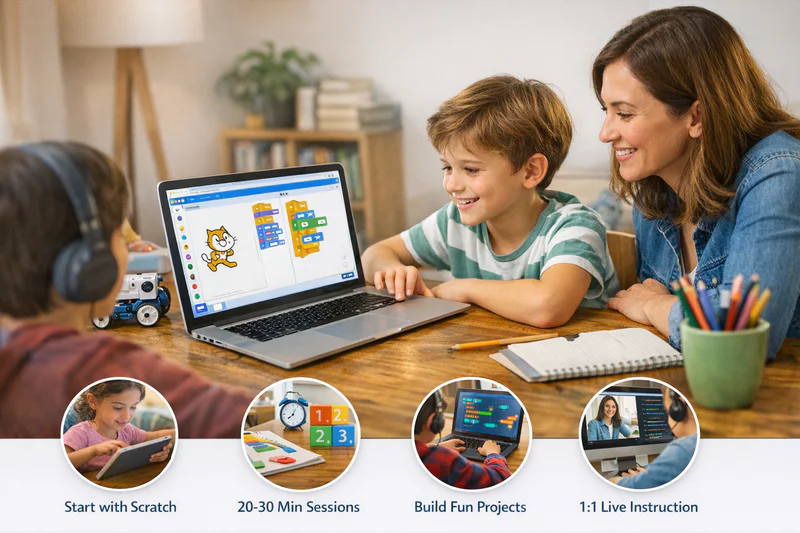
Coding for Kids at Home: How to Start With No Experience
Most parents who want to introduce coding at home share the same worry: "I don't know how to code myself. How am I supposed to help my child?" The good news is that you don't need to. The tools available today are designed precisely for children learning independently or with minimal parental guidance. What matters isn't your technical background. It's helping your child get started, stay consistent, and find the kind of projects that keep them genuinely curious.
Coding for kids at home has never been more accessible. Free platforms, structured online courses, and 1:1 live instruction have removed most of the old barriers. What remains is knowing which option suits your child's age and learning style, and understanding how to build a routine that makes the skills stick.
This guide walks through everything: the best starting points by age, common mistakes parents make, what a good home coding setup looks like, and when a live instructor makes a real difference.
Key Takeaways
Parents don't need any coding knowledge to help their child start learning at home.
Children aged 6 to 8 should start with visual, block-based tools like Scratch; text-based coding suits ages 10 and above.
Short, consistent sessions work better than long infrequent ones. Twenty to 30 minutes three times a week is a strong starting cadence.
Project-based learning keeps children engaged far longer than exercise-based platforms that feel like homework.
Live 1:1 instruction accelerates progress significantly over self-paced tools, particularly once children move past the beginner stage.
Where Should Kids Start When Learning to Code at Home?
The answer depends almost entirely on age. A coding tool that's perfect for a 7-year-old will bore a 13-year-old within a week. And a tool designed for older beginners can frustrate a younger child to the point of giving up. Getting the entry point right matters more than which specific platform you choose within that age band.
Recommended Coding Starting Points by Age
One thing worth noting: many children jump ahead of the age ranges above when they're highly motivated. A curious 9-year-old who asks "how do real programmers code?" is probably ready to start Python, regardless of the general guideline. Treat the table as a starting assumption, not a hard rule.
The Free Tools Worth Using (and the Ones to Skip)
There's no shortage of free platforms promising to teach children to code. Most are fine for the first couple of sessions. Fewer are good enough to take a child from beginner to genuinely capable. Here's a practical breakdown.
Free Coding Platforms for Kids: Honest Assessment
The pattern worth noticing: free tools are excellent for getting started and staying engaged in the early stages. They're less effective at pushing children through the difficult middle period of learning, when concepts get harder, motivation dips, and having someone to explain and encourage in real time makes the biggest difference.
Setting Up a Coding Routine at Home That Actually Sticks
Motivation alone won't build a coding skill. Routine will. The children who make the most consistent progress at home share a few common habits, none of which require a lot of parental technical knowledge.
How much time should kids spend coding each week at home?
For children aged 6 to 10, two to three sessions of 20 to 30 minutes per week is enough to build real momentum without creating pressure. Older children aged 10 to 14 can handle 30 to 45-minute sessions three to four times a week. Beyond that, diminishing returns set in quickly. Frustration accumulates faster than learning. Consistency over months matters far more than intensity over a single week.
Practical habits that make home coding routines work:
Same time, same place. Coding after school at the kitchen table is easier to maintain than "whenever there's time." Remove the decision about when.
Start with something the child wants to build. A game about their favourite sport, a website about their pet, a quiz about a TV show they love. The topic doesn't matter. The ownership does.
Stay nearby without hovering. Children code better when a parent is present but not watching every line. Be available to help with reading a concept or celebrating a win without becoming the one doing the work.
Track projects, not sessions. Counting minutes feels like a chore. Working toward a finished project feels like progress. Let the project be the measure of success.
Want your child to have a qualified instructor guiding each session, so you don't have to? Book a free trial class at Codeyoung and see what structured 1:1 coding instruction looks like in practice.
What Are the Biggest Mistakes Parents Make When Starting Coding at Home?
Most parents who introduce coding at home mean well and still make a handful of common errors that slow their child's progress or kill their enthusiasm. Recognising these in advance is useful.
Starting with the wrong tool for the age. A 7-year-old placed in front of a Python tutorial will get frustrated fast. A 14-year-old put on Scratch will get bored. Age-appropriate starting points matter enormously for early motivation.
Treating coding like homework. Timed sessions with a parent watching over the shoulder, correcting every mistake, create exactly the wrong conditions. Coding learns best in low-stakes, playful conditions where failure is expected and normal.
Choosing a platform over a goal. "We're going to do Code.org" is less motivating than "we're going to build a game about dinosaurs." The platform is a tool. The project is the reason.
Expecting linear progress. Children will have sessions where they create nothing and sessions where they build something in 15 minutes. Progress in coding isn't steady. Don't read a slow week as failure.
Stopping at the first wall. Every child hits a concept that won't click. Variables, loops, CSS layouts: something will feel impossible for a week and then suddenly obvious. Quitting at that moment is the most common reason children don't make it past beginner level.

When Free Tools Aren't Enough: The Case for Live Instruction
Self-paced tools get children started. They rarely get children through the harder middle stages of learning. There's a specific point in every child's coding journey where the gap between "I can follow a tutorial" and "I can build something independently" becomes hard to cross alone. That's where live instruction earns its value.
The difference isn't the content. Most structured coding programmes cover similar concepts. The difference is human feedback in real time. When a child types something that doesn't work, a video can't tell them why their specific error happened. An instructor can. When a child loses motivation for two sessions in a row, a platform can't notice or respond. An instructor can shift the project, the tone, or the difficulty on the spot.
Is 1:1 coding instruction better than group classes for kids at home?
For children learning at home, 1:1 instruction is significantly more effective than group classes. In a group setting, the instructor must pace for the middle of the class, which means the faster learners wait and the slower learners fall behind. In a 1:1 session, the instructor adapts entirely to one child's specific gaps, interests, and pace. Children in 1:1 programmes consistently advance faster and show stronger retention than those in group formats of comparable duration.
Codeyoung's model is built on this principle. Every session is live, 1:1, and taught by a vetted instructor trained to work with children aged 6 to 17. Across more than 45,000 students in the USA, UK, Canada, and Australia, the consistent finding is that children make the most meaningful progress when the instruction adapts to them, not the other way around. Explore the full coding curriculum to see which track suits your child's age and starting level.
How Coding at Home Connects to Long-Term Academic and Career Benefits
Parents sometimes treat coding as a standalone skill, separate from "real" school subjects. The research doesn't support that separation. A 2021 study from the University of Chicago found that children who engaged in structured computer science learning showed statistically significant improvements in maths reasoning, reading comprehension, and self-directed problem-solving compared to non-coding peers.
The skills that coding builds are the same skills school subjects test. Logical sequencing. Pattern recognition. Persistence through difficulty. The ability to break a complex problem into smaller, manageable parts. These transfer. A child who debugs code regularly is practising the same mental habits as a child who works through multi-step maths problems or edits a draft essay for clarity.
The career dimension is real too, though it's worth keeping in proportion for parents of young children. The more immediate benefit is the confidence and capability that comes from genuinely knowing how to build things. That self-efficacy shows up in school, in other extracurriculars, and in how a child approaches challenges in general.
Frequently Asked Questions: Coding for Kids at Home
Can kids really learn to code at home without a teacher?
Yes, particularly in the early stages. Tools like Scratch, Code.org, and Khan Academy Computing are designed for independent or lightly guided home learning. Children aged 7 to 12 can make genuine progress with free platforms, especially if they have a clear project goal to work toward. The self-paced model tends to hit its limits around the intermediate level, when concepts get harder and real-time feedback becomes valuable.
What is the best first coding language for a child learning at home?
For children aged 6 to 10, Scratch is the best starting point because it teaches real programming logic through visual blocks, with no typing required. For children aged 10 and above, Python is the strongest choice: it's readable, versatile, and used in professional settings, so skills built at home translate directly into genuine capability. HTML and CSS are also excellent for children interested in design and websites.
How do I keep my child motivated to code at home?
The most reliable motivator is a project the child actually wants to finish. Let them choose the topic: a game about their interests, a website about their pet, a quiz for their friends. Progress toward a self-chosen goal sustains motivation far longer than structured exercises. Celebrating milestones helps too. Share their project with family, put it on a screen during dinner, let them explain how it works. That kind of recognition matters at any age.
Do I need a special computer or setup for kids to code at home?
No special hardware is required. Any laptop or desktop computer manufactured in the last 6 to 7 years can run the tools most children use for home coding. Scratch and Code.org run entirely in a browser. Python can be used free through browser-based environments like Replit, requiring no installation. A stable internet connection, a reasonably modern browser, and a comfortable workspace are all that's needed to get started.
At what age should kids start coding at home?
Children can start as young as 5 to 6 years old with age-appropriate visual tools like Scratch Jr or Code.org's earliest courses. These build logical thinking through play rather than formal instruction. For text-based coding, most children are ready around age 10. There's no upper age limit either. Children who start at 13 or 14 with no prior experience can still make rapid, meaningful progress with the right instruction.
How is coding at home different from coding at school?
School coding lessons are typically short, infrequent, and designed for a whole class at the same pace. Home coding allows children to move at their own speed, choose their own projects, and spend more time on the areas they find interesting. This self-direction tends to produce deeper engagement. The limitation is that home learning requires either strong self-motivation or parental support to maintain consistency over weeks and months.
What should a child be able to build after 3 months of coding at home?
With consistent practice of 2 to 3 sessions per week, a child aged 8 to 10 working in Scratch can build a complete multi-level game or interactive quiz after 3 months. A child aged 11 to 13 learning Python can write programmes that process user input, use functions and loops, and produce visible outputs. Web development beginners can build a styled, multi-page personal website. The specific outcome depends on the tool, the pace, and whether they have live instructor support.
Is Roblox or Minecraft coding a good start for kids learning at home?
Both are worthwhile entry points for children who are already passionate about those games. Roblox uses Lua scripting; Minecraft's Education Edition uses Python and block-based coding. The engagement is high because children are modifying something they already love. The limitation is that the skills stay somewhat siloed inside those platforms. They're better treated as supplementary motivation than as a complete coding education.
How do I know when my child is ready to move from beginner to more advanced coding?
Watch for a few specific signals. They start finding their current tool repetitive or limiting. They ask how "real" programmers write code, or want to build something their current platform can't support. They complete projects without much help and look bored rather than challenged. Any of these is a good sign that the next level of instruction is overdue, not something to wait on.
Should I choose a self-paced course or live classes for my child coding at home?
For children aged 6 to 9, self-paced tools are usually a fine starting point. For children aged 10 and above, live 1:1 instruction produces noticeably faster and more durable progress than self-paced content, because the instructor can respond to exactly where each child is struggling. The accountability of a scheduled session also helps children maintain consistency, which is the single biggest predictor of coding progress at home.
Getting Started Is Easier Than Most Parents Think
You don't need coding knowledge, special equipment, or a structured curriculum in place before your child writes their first line of code. You need a device, an age-appropriate starting tool, and a project your child cares about. The rest follows from there.
The children who get furthest with coding at home aren't the ones with the most technically minded parents. They're the ones whose parents made it easy to start, normal to struggle, and worthwhile to continue. Build those three conditions at home, and the skill takes care of itself.
When your child outgrows free tools and needs real instruction, explore Codeyoung's 1:1 live coding classes for ages 6 to 17, or book a free trial session to see how it works firsthand.
Ready to give your child structured coding support at home?
Codeyoung offers personalised 1:1 live coding classes for children aged 6 to 17. Sessions fit around school schedules, instructors adapt to each child's pace, and the first class is completely free.