How to Choose the Right Coding Course for Your Child: An Age-by-Age Guide
A parent who searches "coding course for kids" today will find hundreds of options. Scratch-based platforms, Python bootcamps, app development programmes, AI courses, group classes, 1:1 sessions, self-paced video libraries, gamified apps. All of them promise that children will learn to code. Not all of them deliver on that promise in any meaningful or lasting way.
Choosing the right coding course for kids requires knowing what questions to ask, which features actually predict good outcomes, and what is appropriate for your child's specific age and starting level. A course that is excellent for a motivated 14-year-old will bore a 7-year-old into giving up within two sessions. A platform that keeps a 7-year-old engaged may leave a 13-year-old feeling unchallenged.
This guide gives you the framework to make a confident, well-informed choice, with specific criteria for each age group, a list of non-negotiable questions to ask any programme, and the red flags that signal a programme is likely to underdeliver.
Key Takeaways
The right coding course depends on the child's age, prior experience, and specific goals, not on which programme has the best marketing.
Instruction format is the most important structural factor: live 1:1 sessions consistently outperform group classes and self-paced content for skill development.
Every reputable programme should offer a free trial session with no commitment required before parents decide to enrol.
Age-appropriate language and project types are non-negotiable: a course built for adults or teenagers will not hold a younger child's engagement or serve their developmental needs.
The clearest indicator of a good course is this: the child should be actively building something in every session, not just watching or listening.
The Right Coding Course by Age: What to Look for at Each Stage
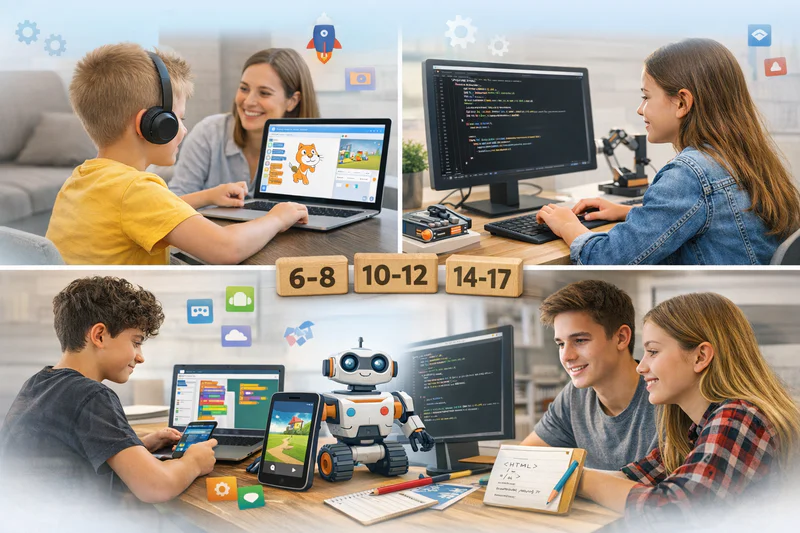
Age is the most important starting filter when evaluating coding programmes. A child's cognitive development, reading fluency, attention span, and ability to handle abstract concepts all change significantly between ages 6 and 17. A programme that doesn't account for these differences will produce frustration rather than progress.
Recommended Coding Course Criteria by Age Group
The quality indicators in the final column are behavioural, not test-based, and they are the most reliable signals that genuine learning is occurring. A child who spontaneously shows their project to a sibling or parent has internalised ownership of their work. That ownership is what produces sustained engagement over months, not just the first few sessions.
What Questions Should Parents Ask Before Enrolling in Any Coding Course?
Most coding programme websites contain the same marketing language. "Engaging curriculum." "Expert instructors." "Future-ready skills." These phrases tell you very little about whether the programme will produce meaningful results for your specific child. These questions cut through the noise.
Questions to Ask Any Coding Programme Before Enrolling
Format First: Why Instruction Structure Matters More Than Curriculum
Parents naturally focus on curriculum when comparing coding programmes. Which language? Which platform? How many modules? These are secondary questions. The most important decision is the instruction format, because format largely determines how well the curriculum is delivered, and therefore how much the child actually learns.
There are four main formats available for children's coding education. Here is an honest assessment of each.
Live 1:1 instruction. One child, one instructor, for the duration of the session. The instructor adapts pacing, project type, and difficulty to this specific child in real time. Errors are corrected immediately. Confusion is addressed on the spot. This format produces the fastest and most durable skill development. It costs more per session than alternatives, but fewer sessions are needed to reach the same skill level.
Live group classes (small). Six or fewer students with one instructor. Some individual attention is possible. Children benefit from the social energy of learning alongside peers. Less adaptive than 1:1 but significantly more effective than large group classes or self-paced content. A reasonable choice for highly self-motivated children who are already at a similar level to classmates.
Live group classes (large). More than six students per instructor. Individual attention is practically impossible. The instructor paces for the average student, meaning both faster and slower learners are underserved. Completion rates for children in this format tend to be lower than for 1:1 instruction. Acceptable for initial exposure; not adequate for sustained skill development.
Self-paced video content. Pre-recorded lessons the child works through independently. Cannot respond to individual confusion or error. Most children stall within the first month when material becomes challenging. Useful as a supplement to live instruction but not as a primary learning vehicle.
Codeyoung offers 1:1 live coding classes for children aged 6 to 17, with a free first session and no commitment. See the format in action before deciding.
What Red Flags Should Parents Walk Away From?
The coding education market contains programmes at every quality level. Some red flags are obvious; others are subtle enough that parents miss them until several months and significant money have been spent. These are the warning signs worth knowing before you commit.
No free trial. Any programme that will not offer a first session at no cost is not confident its product holds up on first contact. Walk away.
Proprietary platform with no real-world equivalent. If the language or tool a child learns exists only within that programme's ecosystem, the skills don't transfer anywhere. When the programme ends, the child has nothing portable.
No visible output by the end of a session. A coding session where the child has not built or meaningfully extended something by the end is a session where the time was wasted. Good instruction always produces working output, even if small.
Vague curriculum progression. A programme that cannot tell you specifically what a child will have learned after 10, 20, and 30 sessions has not designed a coherent learning path. Enrolment is a leap of faith rather than an informed investment.
Instructor does most of the typing. This is one of the most telling session-level warning signs. If the instructor writes the code while the child watches, the child is learning to watch someone else code. The child should be typing from the first session.
Overpromised timelines. "Your child will build an app in 3 sessions." "Coding master in 30 days." Any programme that promises rapid transformation is optimising for marketing rather than education. Meaningful coding skill development takes months of consistent practice.
No assessment before enrolment. Placing a child in a course without understanding their current level first guarantees a mismatch. Either the content is too easy and the child disengages, or too hard and they become frustrated.

Matching the Course to the Child's Specific Goals
Beyond age and format, the right coding course also depends on what the child (and parent) actually wants to achieve. These goals are different, and different programmes serve them better or worse.
Matching Coding Course Type to Child's Goal
How Do You Know the Coding Course Is Working After Enrolment?
Choosing well is the first step. Monitoring progress after enrolment is the second. These are the signals worth tracking after a child has been in a coding programme for four to eight weeks.
Positive signs the course is working well:
The child mentions what they're building unprompted, either to you or to friends or siblings
They continue working on projects between sessions without being asked
They ask questions about things they want to add to their project that haven't been covered yet
They can explain what a specific piece of their code does in their own words
They look forward to sessions rather than treating them as an obligation
Signs the course may not be the right fit:
The child attends sessions but never mentions what they did in them
They cannot show you any working projects after four or more sessions
They describe sessions as boring or too easy (underchallenged) or confusing and impossible (overchallenged)
Motivation is declining rather than building over time
If the signs point toward a poor fit, the right response is a conversation with the programme, not immediate cancellation. A good programme will adjust. If it cannot, finding a better fit quickly is more valuable than persisting out of obligation.
Frequently Asked Questions: Choosing a Coding Course for Kids
What is the best coding course for a child just starting out?
For children aged 6 to 10 starting from zero, a Scratch-based live instruction programme is the right starting point. Scratch teaches real programming logic through visual blocks, produces immediately visible results, and is well-suited to the attention span and reading level of this age group. For children aged 10 and above starting from zero, a Python-based live instruction programme is the strongest choice, offering professional-grade language skills from the first session in an accessible, readable format.
How much should a coding course for kids cost?
Self-paced platforms range from free to around $20 per month. Group live coding classes typically cost $15 to $50 per session depending on group size and provider. Live 1:1 instruction from a qualified instructor typically ranges from $30 to $100 per session. The cost difference between formats is real, but so is the outcome difference. A child who makes genuine progress in 20 1:1 sessions has received more lasting value than one who attends 60 group sessions without building transferable independent skills.
How many sessions per week should a child attend?
One live session per week is the practical minimum for meaningful progress. Two sessions per week produces noticeably faster skill development. More than three sessions per week typically produces diminishing returns for most children, particularly those under 13, because the cognitive load of learning a new technical skill is significant. Whatever frequency is chosen, consistency across months matters far more than intensity in any single week.
Should my child learn to code individually or in a group?
For most children, 1:1 instruction produces better and faster outcomes than group instruction because the instructor can adapt entirely to one child's pace, errors, and interests. Group classes suit highly self-motivated children who find social energy genuinely motivating. For children with any degree of coding anxiety, specific learning gaps, or faster-than-average advancement, 1:1 instruction is strongly preferable. The format decision matters more than most parents initially realise.
Is a coding camp a good alternative to a regular coding course?
Coding camps are good for generating initial enthusiasm and for exposing children to coding for the first time in an intensive, social format. They are not adequate substitutes for ongoing weekly instruction when the goal is durable skill development. Most children who attend a camp experience a spike of motivation followed by a plateau if regular instruction doesn't follow. The best use of a camp is as an entry point that creates the motivation for sustained 1:1 instruction afterward.
My child tried a coding course and quit. Should we try again?
Almost always, yes, but with a different programme. Most children who quit coding courses early did so because the format, difficulty level, or project types were wrong for them, not because they lack the ability to learn to code. A child who quit a large group class might thrive in a 1:1 setting. One who found text-based code overwhelming at age 9 might find it entirely accessible at age 11. One who was bored by generic projects might be highly engaged building something connected to their own interests. The right course for a reluctant child is almost never the same as the one they quit.
How do I know if my child is at beginner, intermediate, or advanced level?
A beginner cannot independently write a simple programme from scratch. An intermediate student can write programmes using functions, loops, and conditionals without much guidance but needs support for complex or unfamiliar problems. An advanced student can independently design and build multi-component projects, debug their own code, and approach new concepts with confidence. Any good coding programme will conduct their own assessment before placing a child, but this framework helps parents have an informed conversation about starting level.
Can children with learning differences succeed in coding courses?
Yes, and often very well. Many children with ADHD, dyslexia, or other learning differences find coding particularly engaging because the immediate visual feedback, the freedom to experiment, and the intrinsic motivation of building something real create a learning environment that suits their strengths. The key is a 1:1 format with an instructor experienced in adapting pacing and task structure to individual needs. Group classes and self-paced content are generally less effective for children with learning differences.
What should I look for in a coding instructor for my child?
Three things matter: technical competence in the language being taught, teaching ability with children specifically (not just adults), and the capacity to build a genuine rapport with the individual child. Technical skill without child-centred teaching ability produces frustrating sessions. Teaching warmth without technical depth produces enjoyable sessions that don't produce real skills. Ask the programme what their instructor vetting process involves and whether you can meet the instructor before committing to a term.
How does Codeyoung help parents choose the right coding track for their child?
Codeyoung's free trial session includes an informal assessment of the child's current coding experience, interests, and goals. Based on this, the instructor recommends the most appropriate starting track from Codeyoung's curriculum: Scratch, Python, web development, MIT App Inventor, Java, Python AI/ML, or game development. Parents don't need to make this decision alone. The recommendation is based on what's genuinely right for the individual child, not on which track is most popular or most profitable.
The Right Course Is the One That Produces a Child Who Builds
Every quality indicator in this guide points toward the same outcome: a child who leaves sessions having built something, who continues independently between sessions, and who develops a genuine sense of ownership over their growing capability. That is what good coding education looks like in practice, at any age and at any level.
The format decision is more important than the curriculum. The instructor quality matters more than the platform. The age-appropriateness matters more than the brand recognition. And the free trial is the most reliable way to check all three before committing.
Explore Codeyoung's full range of coding programmes for children aged 6 to 17, or book a free trial session and let our instructors recommend the right starting point for your child.
Find the right coding course for your child in one free session.
Codeyoung offers personalised 1:1 live coding classes across every major track for children aged 6 to 17. Our instructors assess every child before recommending a path. The first class is completely free, no commitment required.