
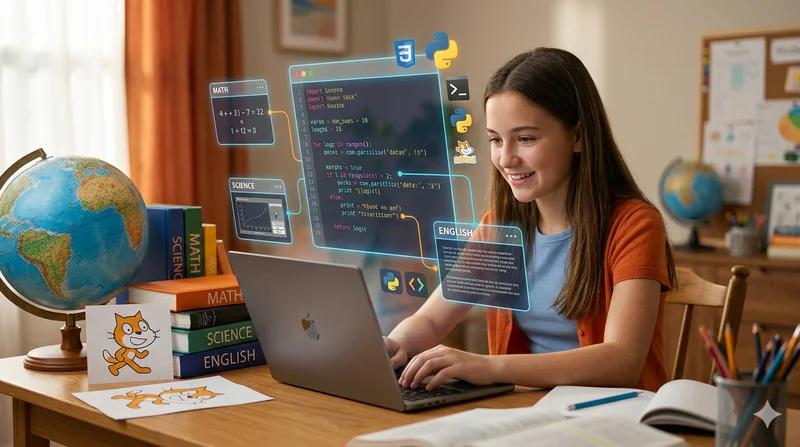
Homeschooling and Coding: How to Add Programming to Your Home Curriculum
Homeschooling parents are often ahead of the curve when it comes to incorporating coding into their children's education. The flexibility of a home curriculum means coding can be given genuine time rather than squeezed into an overloaded school day, and the 1:1 attention available in a homeschool environment mirrors the format that produces the fastest coding progress.
But the question parents ask most often is not whether to include coding in their homeschool curriculum, it's how. Which language? Which tools? How much time per week? How do you structure sessions without a ready-made curriculum? How do you know whether the child is genuinely progressing? And when does home teaching need to be supplemented by external instruction?
This guide answers all of those questions, with specific, practical recommendations for each age group from 6 to 17.
Key Takeaways
Coding integrates naturally with core homeschool subjects: maths (variables, logic, number patterns), science (data recording, simulation), English (algorithmic storytelling, project documentation), and STEM generally.
The right starting tool is Scratch for ages 6 to 10 and Python or web development from age 10 onwards, identical to the progression used in the best school and live-instruction programmes.
Two 30 to 45-minute sessions per week produces strong progress for most homeschool children; consistency matters more than session length.
Progress should be measured by what the child can build independently, not by courses completed or videos watched.
Live 1:1 instruction from a qualified instructor is the most valuable supplement a homeschool parent can add once the child reaches the intermediate stage: the parent teaches the foundations, the expert builds on them.
Why Coding Fits Exceptionally Well Into a Homeschool Curriculum
Homeschool parents design their own curriculum. That means they can give coding the time and integration that school typically cannot. Three specific advantages make homeschooling a particularly strong environment for coding education.
Flexible scheduling. School slots coding into fixed timetable periods that may not align with when a child is most alert and creative. Homeschool families can place coding sessions at the child's peak concentration time, which produces measurably better outcomes for cognitively demanding subjects.
Cross-subject integration. A homeschool parent can genuinely connect coding to the maths, science, and English work happening in the same week. A child who is studying number sequences in maths can build a programme that generates those sequences. One who is writing a story in English can build a text-based interactive version in Python. These connections are difficult to create in a school environment but natural in a flexible homeschool curriculum.
Individualised pacing. A child who grasps functions quickly doesn't have to wait for the class. One who needs more time on loops gets it. The pace matches the child rather than the cohort, which is how coding progresses fastest at every level.
For a broader guide to what children learn through coding and why it matters, see the complete guide to coding for kids.
The Right Coding Tools and Languages by Age Group
The age-appropriate progression for homeschool coding is identical to that recommended for school and live-instruction programmes. The tool needs to match the child's developmental stage, wrong tool for the age produces frustration regardless of the quality of the instruction.
Coding Tools and Structure for Homeschool by Age Group
All tools in this table are free. Scratch is available at scratch.mit.edu. Python is downloaded from python.org. Thonny (free beginner IDE) is available at thonny.org. Replit (browser-based, no installation) is at replit.com. None require purchase.
For a detailed explanation of the Scratch-to-Python progression, see Scratch Programming for Kids: The Complete Beginner's Guide and the Python for Kids complete guide.
How to Structure a Homeschool Coding Session
A well-structured session doesn't require a pre-written lesson plan. It requires a framework that the parent adapts to wherever the child is and what they're currently building.
The five-part session structure (for any age or language)
Review (5 minutes): Ask the child what they built last session. Can they explain how a specific part of it works? This warm-up activates prior knowledge and identifies any concepts that need revisiting before new material is introduced.
Today's goal (2 minutes): Set one specific, achievable goal for the session: "Today we're going to add a scoring system to the game" or "Today we're going to make the programme handle invalid input without crashing." One goal. Not three. The child knows what success looks like before they start.
Build (15 to 35 minutes): The child codes toward the session goal. The parent's role is to ask guiding questions when stuck, not to provide solutions. "What do you think the loop needs to know to stop?" rather than "put the while condition here."
Test and debug (5 to 10 minutes): Run the code. What works? What doesn't? Debugging is not failure, it's the most important part of the process. Children who debug regularly develop persistence and systematic problem-solving that no other activity produces as efficiently.
Reflect (3 minutes): Ask: "What did you figure out today?" "What would you want to add next time?" The reflection closes the loop and plants the seed for the next session's goal.
This structure works whether the child is 7 on Scratch or 15 on Python. The specific content changes; the pedagogical shape doesn't.
How Does Coding Connect to Other Homeschool Subjects?
Coding is not a standalone subject in a homeschool curriculum, it is a cross-cutting skill that connects to and reinforces every other STEM subject. Treating it as isolated loses the most powerful integration opportunities.
Maths integration: Variables in code map directly to algebraic variables. Loops demonstrate arithmetic sequences. Fraction and percentage word problems become more concrete when expressed as code. Coordinate systems in coding reinforce geometry. For the specific connections, see Coding and Maths for Kids: How Learning Both Gives a STEM Edge.
Science integration: Python is the primary data analysis language in science. A child studying data collection in science can write a programme to analyse and graph their results. One studying patterns in nature can write a programme that generates or simulates the pattern.
English integration: Documentation is writing. A child who writes clear comments explaining their code is practising technical writing. A child who builds a text adventure game is writing an interactive story. Algorithmic thinking, breaking a narrative into conditional branches, is a form of structural writing analysis.
History and geography: Data visualisation projects using historical or geographic datasets connect coding directly to humanities subjects. A child who writes a Python programme to visualise population data across countries is doing both data science and geography.
For practical STEM integration activities that pair naturally with coding, see STEM Activities for Kids at Home: 10 Quick Ideas.
Want to add expert live instruction to your homeschool coding curriculum? Codeyoung's 1:1 sessions are used by homeschool families across the USA, UK, Canada, and Australia as the live instruction component of their home curriculum. Book a free trial class.
How Do You Measure Real Progress in Homeschool Coding?
The most common mistake homeschool parents make in measuring coding progress is counting course completions, video hours, or exercises finished. These are activity metrics. They don't tell you whether the child has genuinely developed coding capability.
The only reliable progress metric is this: can the child start and finish a project they haven't been explicitly shown how to build?
At the beginner level, that means building a simple Scratch game or Python script from a description rather than a walkthrough. At the intermediate level, it means designing and implementing a multi-component project with minimal guidance. At the advanced level, it means independently selecting appropriate tools, designing the architecture, building the project, and debugging it without instruction.
A practical monthly check: give the child a brief description of a small project they haven't done before ("build a programme that asks for a name and tells the user how many letters their name has"). Set a timer for 20 minutes. Watch how they approach it. Their confidence, their strategy, and how far they get in 20 minutes tells you more about their genuine capability than any number of completed exercises.
For the full framework of coding milestones by age and level, see How Long Does It Take Kids to Learn Coding?
When Should Homeschool Families Add Live Instruction?
Home teaching handles the early stages of coding education well. A motivated parent with the right tools can take a child from zero to confident beginner in Scratch or Python. Where home teaching typically reaches its limits is at the intermediate stage, when:
The child's questions go beyond what the parent can answer confidently
The projects are complex enough that guidance on architecture and design decisions matters significantly
The child has plateaued and isn't progressing despite regular sessions
Motivation is declining without external stimulation and instructor engagement
The child wants to specialise in a specific track (game development, AI/ML, web development) that requires expert-level knowledge to teach well
These are not failures of home teaching, they are the natural ceiling of generalist instruction. A qualified live instructor adds the expert-level guidance, real-time adaptation, and curriculum depth that home teaching cannot provide beyond the beginner stage. The most effective combination for homeschool families is exactly what many of Codeyoung's families use: home practice sessions to maintain consistency and build between-session skills, with one or two live 1:1 sessions per week for concept introduction, error correction, and project guidance.
For more on how to combine home practice with live instruction effectively, see How to Teach Kids to Code at Home: A Parent Guide and Online Coding Classes for Kids: What to Look for.
Frequently Asked Questions: Homeschooling and Coding
Can I teach my child to code at home if I don't know how to code?
Yes, at least for the early stages. Scratch is self-explanatory enough that a parent with no coding background can navigate it alongside their child. Python beginner concepts (variables, loops, conditionals) are accessible enough that a motivated parent can learn them one session ahead of the child. The more important skill is not technical knowledge but good questioning: asking "what do you think will happen?" and "why isn't it working?" keeps the child's thinking active. Where technical knowledge starts to matter is at the intermediate stage, when expert instruction becomes the better investment.
How much time should homeschool children spend on coding per week?
Two sessions of 30 to 45 minutes per week produces solid progress at every level. This is enough for genuine concept consolidation across the week while leaving time for the other core subjects. For children with strong interest and motivation, three sessions work well without cognitive overload. Daily short sessions (15 to 20 minutes) can also work for younger children on Scratch, where spaced practice is particularly effective for skill consolidation.
What curriculum should I use for homeschool coding?
For ages 6 to 9: Scratch at scratch.mit.edu with a project-based approach, let the child choose what to build and guide them through the concepts as they're needed. For ages 10 and above: Python at python.org, starting with text-based games and progressing through the project sequence in this guide. Code.org provides a free structured curriculum from age 4 through secondary level. Khan Academy Computing covers JavaScript and web development. Codeyoung's live sessions provide the curriculum and the instructor simultaneously for families who want structured progression beyond DIY resources.
How do I integrate coding with other homeschool subjects?
The most natural integrations are: coding + maths (variables mirror algebra, loops mirror arithmetic sequences, coordinate systems in both), coding + science (Python for data analysis and graphing of science experiment results), and coding + English (documentation as writing, text adventures as interactive storytelling). Start with whichever integration connects to what the child is currently studying. The simplest entry point: whenever the child does a maths topic, ask whether there's a programme they could write that uses or demonstrates that concept.
What coding projects are best for homeschooled children?
Projects that connect to the child's interests and other subjects are the most productive in a homeschool context. A child studying history can build a timeline visualisation. One studying geography can build a quiz about countries. One studying science can write a programme to simulate a physical system they've been studying. These cross-subject projects produce deeper engagement than generic coding exercises because the child has existing knowledge and curiosity to bring to the coding work. For a full list of project ideas by age and language, see Python Projects for Kids: 8 Ideas to Build Confidence and Coding Projects for Kids: 10 Ideas That Build Real Skills.
How does homeschool coding prepare children for GCSE and AP Computer Science?
GCSE Computer Science and AP CS both require Python programming competence, algorithm understanding, and computational thinking. Homeschool children who have been building Python projects consistently from age 10 to 12 onwards arrive at GCSE/AP-level study with practical competence that many schooled peers lack. The exam-specific content (algorithms, data structures, networks, databases) requires additional targeted preparation, but children with strong Python foundations cover it significantly faster. A qualified instructor familiar with the relevant exam specification is the most efficient way to add the exam-specific layer to strong foundational practice.
How do Codeyoung's classes fit into a homeschool curriculum?
Many Codeyoung families use the live 1:1 sessions as the expert instruction component of their homeschool coding curriculum, with home practice sessions between. Codeyoung works with homeschool families across the USA, UK, Canada, and Australia to align instruction with their curriculum goals, whether that's foundational coding, GCSE/AP preparation, or specialisation in a specific track. The flexible scheduling accommodates homeschool timetables, and the 1:1 format means instruction adapts to exactly where the individual child is rather than to a class average. Book a free trial class to discuss how live instruction can fit into your home curriculum.
Homeschooling Is One of the Best Environments for Coding Education
The flexibility, individualised pacing, and cross-subject integration opportunities of homeschooling make it one of the most effective environments for coding education available. A homeschool parent who dedicates two sessions per week to coding, uses age-appropriate tools, measures progress by project completion rather than content coverage, and supplements with live expert instruction at the intermediate stage is providing a coding education that most school programmes cannot match.
The key insight is that the parent's most important role is not instruction, it is environment creation. Choosing the right tools, maintaining consistent session scheduling, asking questions rather than providing answers, and showing genuine interest in what the child builds. The learning happens in the child's thinking. The parent creates the conditions for that thinking to flourish.
Explore Codeyoung's coding programmes for children aged 6 to 17 to see how live instruction complements a homeschool curriculum, or book a free trial to discuss your child's specific goals and current level.
Add expert live instruction to your homeschool coding curriculum.
Codeyoung's live 1:1 coding classes are used by homeschool families across four countries. Flexible scheduling, personalised pacing, and a completely free first class.