Is My Child Ready to Learn Coding? An Age-by-Age Readiness Guide
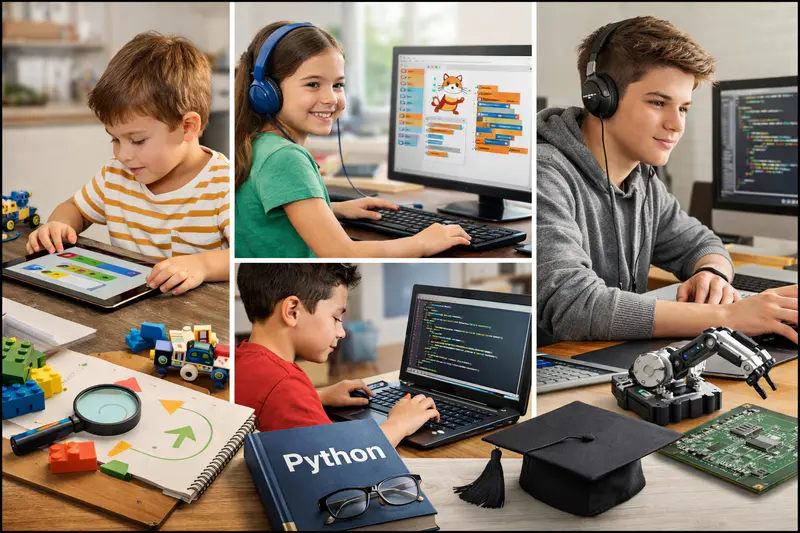
Is My Child Ready to Learn Coding? An Age-by-Age Readiness Guide for 2026
The most common question parents ask before enrolling a child in a coding course isn't "which language?" or "how much does it cost?" It's simpler than that: is my child actually ready for this?
It's a fair question. Coding readiness isn't a single threshold that a child crosses at a particular birthday. A 7-year-old who has been playing with Scratch for six months is more ready for structured coding instruction than a 10-year-old who has never used a computer for anything other than YouTube. Age matters, but it's a starting point rather than the whole answer.
This guide covers the specific readiness signals to look for at every age from 5 to 17, what to do if your child isn't quite there yet, and what the right first step looks like once they are.
Key Takeaways
Coding readiness is determined by a combination of age, cognitive development, and specific practical skills, not by "being good at maths" or showing early technical interest.
Children as young as 5 to 6 can start coding with the right visual, play-based tools, formal text-based coding is appropriate from around age 10.
The clearest readiness signals are curiosity about how things work, the ability to follow multi-step instructions, and comfortable engagement with a screen-based task.
A child who "failed" at coding before may simply have had the wrong tool, the wrong format, or the wrong timing, not the wrong aptitude.
A free trial session with a qualified instructor is the most reliable way to assess readiness, because instructors see the signals that parents and children can't always identify themselves.
What Coding Readiness Actually Means at Each Age
Readiness for coding looks very different at 6 than at 12. The cognitive capabilities that coding requires, sequential reasoning, abstract thinking, symbolic representation, develop gradually throughout childhood. Matching the tool and format to where a child currently is determines whether their first experience with coding is exciting or demoralising.
Coding Readiness Indicators by Age Group
What Are the Real Signs Your Child Is Ready to Code?
Forget the clichés about "being good at maths" or "showing early tech talent." The actual readiness signals are more practical and more observable.
Sign 1: They Ask How Things Work
A child who watches a game and asks "how did they make that move like that?" is demonstrating exactly the kind of curiosity that coding rewards. The question doesn't need to be about technology specifically. A child who asks how a recipe works, how a vending machine decides which button to press, or how a traffic light knows when to change is showing the same underlying instinct: things that seem magical have explanations, and those explanations are worth finding.
Sign 2: They Can Follow Multi-Step Instructions
Coding is fundamentally about giving a computer multi-step instructions in the right order. A child who can follow a LEGO build manual, a recipe, or a set of game rules reliably is demonstrating the sequential thinking that coding requires. This is a more reliable readiness signal than any standardised assessment.
Sign 3: They Persist Through Frustration on Things They Care About
Every coding session involves things that don't work. This is not a bug in the process, it's the process. A child who gives up completely the moment a puzzle is hard is going to struggle with coding. But a child who will try a video game level five times, or spend twenty minutes finding a piece in a jigsaw, is demonstrating the kind of persistence that coding specifically rewards. The same child who seems impatient with school homework often surprises parents by debugging their code for thirty minutes without being asked.
Sign 4: They're Drawn to Making or Building Things
Children who love LEGO, drawing, crafting, building things in Minecraft, or writing stories are natural candidates for coding, because coding is making. It produces something. A child who is more interested in consuming (watching, playing, browsing) than creating can still learn to code and often changes their orientation once they discover they can make things other people want to use. But a child who already has a maker instinct tends to take to coding faster.
Sign 5: They Can Engage With a Screen for a Purpose (Not Just Passive Viewing)
This one surprises parents who worry about screen time. The relevant question isn't how much time a child spends on screens, it's whether they can engage with a screen task that requires active thinking rather than passive consumption. A child who plays strategy games, navigates educational apps, or creates videos is already demonstrating productive screen engagement. That transfers directly.
What If My Child Doesn't Show These Signs Yet?
The absence of readiness signals isn't permanent. Most of the indicators above are developmentally acquired rather than innate, which means they can be encouraged and supported. A few approaches that genuinely help.
Play simple logic games together. Board games, card games, and puzzle apps develop sequential thinking and persistence without any screen-based pressure. Chess, Battleship, or even a well-chosen puzzle app builds the same mental habits that coding requires.
Introduce making activities that aren't digital. LEGO, craft kits, simple cooking projects, anything where following steps produces a visible result. Children who have this experience find the "build something that works" goal of coding intuitive.
Let them watch before they participate. Showing a child a short video of a child their age building a game or a website, without any pressure to do the same, plants a seed. The most common reason children try coding is that they saw something that made them think "I could make that."
Start with a free trial, not an enrolment. The trial session tells you more about readiness than any checklist. A skilled instructor can assess a child's engagement and match the activity to exactly where they are in a single session.
Not sure if your child is ready? Let Codeyoung's instructors find out in a free trial class. One session is more revealing than any readiness quiz, and there's no commitment required.
Readiness by Age: What the Right Starting Point Looks Like
Ages 5 to 7: Play-Based Introduction
Children in this age group are not too young for coding, they're too young for code. The distinction matters. Coding concepts (sequencing, cause and effect, simple logic) are entirely accessible to a 5-year-old through play-based visual tools like Scratch Jr. What isn't appropriate at this age is text-based syntax, long sustained attention requirements, or abstract symbolic reasoning.
A well-run session with a 6-year-old looks more like a guided exploration than a lesson. The child drags blocks, sees what happens, changes something, and sees what changes. The instructor asks questions: "What do you think will happen if you make the cat bigger?" That process of predict, try, observe, adjust is genuine computational thinking.
Ages 8 to 10: Structured Scratch and Visual Tools
This is the golden window for Scratch. Children at this age have the reading ability and attention span for structured sessions, the imaginative engagement to build projects they care about, and the cognitive flexibility to connect cause and effect across multiple steps. A child who starts Scratch at 8 and develops steadily arrives at Python at 10 or 11 with conceptual foundations that make the transition smooth rather than jarring.
For a detailed look at what children build at this stage and how Scratch prepares them for Python, see Scratch vs Python for Kids: Which Should They Learn First?
Ages 10 to 12: The Transition to Text-Based Code
This is the most important readiness window in the whole sequence. Children aged 10 to 12 who are ready for text-based coding have a specific combination of capabilities: comfortable reading, reasonable typing speed, the ability to hold a multi-step mental model, and enough abstract reasoning to understand that a word like score represents a value that changes during the programme.
Children who have this combination and start Python or web development in this window are on track to reach meaningful intermediate proficiency before secondary school. That foundation changes how they engage with school technology, STEM subjects, and their own creative projects for years afterward.
For a full guide to starting coding at home, see Coding for Kids at Home: How to Start With No Experience.
Ages 12 to 17: It's Never Too Late to Start
A 14-year-old with no coding experience is not behind. They're starting later, which means they won't reach the same depth by 17 as someone who started at 10, but they can still build genuine, career-relevant skills before leaving school. Older starters actually have some advantages: stronger abstract reasoning, faster reading comprehension, greater self-motivation, and a clearer sense of what they want to build.
The right question for a 14-year-old isn't "am I too late?" It's "what do I want to build, and what's the fastest path there?" The answer almost always involves Python, and a motivated teenager in a good 1:1 programme can reach intermediate Python in 3 to 4 months of weekly sessions.
My Child Tried Coding Before and Didn't Enjoy It. Should We Try Again?
Almost always, yes, but with a different approach. The most common reasons children disengage from their first coding experience have nothing to do with aptitude.
Wrong tool for the age. A 7-year-old placed in a Python tutorial will spend most of their session confused by syntax rather than making anything. A 13-year-old placed on Scratch will be bored within two sessions. Age-appropriate starting points matter enormously, and many first experiences get this wrong.
Wrong format. A child who struggles with group classes or self-paced apps might thrive in a 1:1 live session where an instructor adapts to them specifically. The format changes the experience more than most parents expect. For more on this, see 1:1 vs Group Coding Classes for Kids: Which Actually Works Better?
Wrong projects. Generic "Hello World" exercises and abstract problem sets are demotivating for most children. A child who builds a game about their favourite sport, a quiz about a topic they love, or an animation of their pet responds completely differently to the same underlying concepts. The topic of the project matters more than most coding programmes acknowledge.
Wrong timing. A child who tried Python at age 9 and found it overwhelming might find it entirely accessible at 11. Cognitive development doesn't announce itself: a concept that seemed impossible six months ago sometimes clicks suddenly when the child's brain has had time to develop the relevant abstract reasoning.
How to Know Whether Your Child Is in the Right Programme Right Now
Once a child has started coding, parents often wonder whether the current programme is actually working. These are the observable signals worth tracking after the first 4 to 8 weeks.
Positive signals:
Mentions the project unprompted in other conversations
Continues working on the project between sessions without being asked
Can explain what a specific part of their code does in their own words
Brings new ideas to the session: "Can we make it do this?"
Looks forward to sessions rather than treating them as an obligation
Signals the fit might be wrong:
Attends sessions but never mentions them outside of being asked directly
Produces no visible project output after 4 or more sessions
Describes sessions as "boring" or "too confusing" consistently
Motivation has been flat or declining since the second or third session
If the signals point toward a poor fit, the right first move is a conversation with the programme, not immediate cancellation. A good instructor in a quality programme will adjust: the project type, the difficulty level, the pace. If that adjustment isn't possible, finding a better fit is more valuable than continuing out of sunk-cost reasoning.
For a fuller framework on evaluating coding programmes, see How to Choose the Right Coding Course: An Age-by-Age Guide.
Frequently Asked Questions: Is My Child Ready to Learn Coding?
What is the youngest age a child can start learning to code?
Children can begin coding activities from around age 5 using visual, play-based tools like Scratch Jr or Code.org's earliest courses. At this age, the goal is not formal instruction but playful exploration of sequences and cause-and-effect logic. Structured coding sessions with longer focus requirements and deliberate concept introduction are generally more productive from around age 7 to 8 onwards, depending on the individual child's reading ability and attention span.
Does my child need to be good at maths to be ready for coding?
No. The readiness signals for coding have very little to do with maths performance. The most predictive indicators are curiosity about how things work, the ability to follow multi-step instructions, and a willingness to try something more than once when it doesn't work. Many children who describe themselves as weak at maths are well-suited to coding and often find that coding actually improves their relationship with mathematical thinking over time.
How do I know if my 8-year-old is ready for coding classes?
For an 8-year-old, look for: comfortable independent reading, the ability to focus on a chosen screen-based activity for 25 to 30 minutes, a natural curiosity about how games or devices work, and some experience with building or making things (LEGO, puzzles, drawing). Prior tech experience is helpful but not required. If most of these are present, a well-structured Scratch programme is likely to be a good fit.
My child is 13 with no coding experience. Is it too late to start?
Not at all. A motivated 13-year-old starting from zero can build genuine coding capability within 6 to 12 months of consistent weekly instruction. Older starters often progress faster through beginner material because their reading comprehension and abstract reasoning are more developed. The limitation isn't aptitude, it's the available time before they need to demonstrate skills in academic applications. Starting at 13 with consistent instruction still leaves 4 to 5 years before university, which is more than enough to reach meaningful proficiency.
What if my child shows interest but gets frustrated quickly?
Quick frustration with difficulty is normal and manageable, not a disqualifying trait. The key is matching the difficulty level carefully to where the child currently is and ensuring early sessions produce satisfying results quickly. Most children who appear frustration-prone in initial sessions become significantly more resilient within 4 to 6 sessions once they've had a few experiences of fixing something that was broken. A skilled instructor reads frustration signals in real time and adjusts before they escalate.
What is the difference between a child who is ready for Scratch vs Python?
Scratch is appropriate from around age 6 because it requires no reading or typing, teaches logic through visual blocks, and produces immediate results without syntax errors. Python requires comfortable reading, confident typing, and the ability to understand that a word on screen represents a stored value rather than just a label. Most children develop these capabilities between ages 10 and 12. A child who meets the Python readiness criteria doesn't need Scratch first, though prior Scratch experience significantly accelerates Python progress.
How can I tell if my child is bored or actually struggling with coding?
Boredom and struggle look similar from the outside (disengagement, short attention, reluctance) but have opposite solutions. Boredom means the work is too easy: the fix is harder projects, a more advanced tool, or faster pacing. Struggle means the work is too hard: the fix is simpler projects, more foundational review, or more time on the current concept. A good instructor distinguishes between these quickly. A parent can check by asking the child to explain what they're working on: if they can explain it fluently but seem uninterested, it's likely boredom; if they struggle to explain it, it's likely genuine difficulty.
Should siblings at different ages start coding at the same time?
Siblings can absolutely start at the same time, but they should be placed on age-appropriate tracks rather than in the same programme together. A 7-year-old starting Scratch and an 11-year-old starting Python at the same time is a fine and common arrangement. Placing both in the same group class because it's convenient almost always means one is bored and one is struggling. Age-appropriate starting points matter more than the administrative convenience of shared sessions.
My child watches coding videos but won't try coding themselves. What should I do?
This is actually an encouraging sign. A child who watches coding videos is demonstrating both interest and a learning orientation. The gap between watching and trying usually closes with a low-stakes, no-pressure introduction: a single free trial session with a skilled instructor, framed as exploration rather than commitment. Many children who appeared reluctant become genuinely engaged once they've seen that they can produce a working result in a single session. The barrier is often not disinterest but anxiety about not being good enough.
What is the most reliable way to test if my child is ready for coding?
A free trial session with a qualified instructor is significantly more reliable than any readiness quiz or checklist, including this one. An experienced instructor can assess a child's engagement, reading level, logical reasoning, attention span, and natural curiosity within the first 15 to 20 minutes of a session and recommend the right starting point accordingly. Codeyoung offers a completely free first session for exactly this reason: one session tells parents and instructors everything needed to decide whether to continue and where to start.
Readiness Is a Starting Point, Not a Verdict
The question "is my child ready?" has a practical answer at every age. For a 6-year-old, the answer is yes with the right visual tool. For a 10-year-old, it depends on a handful of practical signals. For a 14-year-old, the answer is almost always yes regardless of prior experience. The real risk isn't starting too early or too late. It's starting with the wrong tool, wrong format, or wrong project, and drawing the wrong conclusion from a poor first experience.
Coding for kids in 2026 is more accessible than at any point in the past. The tools are better, the instruction formats are more flexible, and the evidence for starting early is clearer. If your child shows even one or two of the readiness signals described here, a single free trial session will tell you more than any checklist can.
Explore Codeyoung's complete guide to coding for kids for the full picture on learning paths, ages, and what children build at each stage.
Find out if your child is ready in one free session.
Codeyoung's instructors assess every new student during the free trial class and recommend the right starting point. No commitment, no pressure, just a clear, expert answer to the question you're already asking.