The Ultimate Guide to Minecraft Commands for Young Builders
The Ultimate Guide to Minecraft Commands for Young Builders
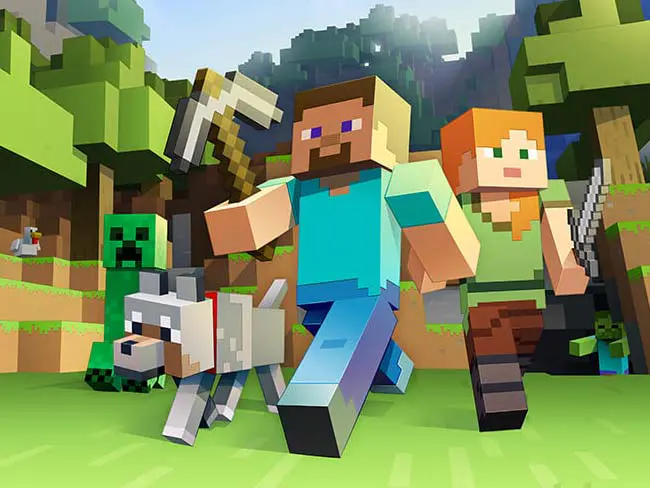
When young builders first discover commands in Minecraft, they often start with simple goals like changing time or weather. Typing a command and watching the world instantly respond creates a powerful moment understanding that they can control the game environment through text instructions.
Minecraft is already an incredible game but what if your child could control the world using words? Imagine typing a few magical lines into the chat window, pressing Enter, and watching Minecraft instantly respond. That’s exactly what minecraft commands for kids unlock: power, creativity, and confidence. These commands often called slash commands because they begin with a forward slash are like secret tools built into Minecraft gameplay.
This guide is written especially for young builders and beginners, helping them understand minecraft commands, console commands, and even hidden commands command description concepts in a fun, non-intimidating way. Parents will also love how commands introduce logic, sequencing, and problem-solving skills closely related to coding and computational thinking.
Instead of passively playing, kids actively learn how command execution, command parsing, and commands command description work inside the game engine. Whether your child plays in creative mode, survival mode, or a multiplayer server, this guide shows how commands turn Minecraft into a learning playground safely and creatively.
Key Takeaways:
Minecraft commands are text-based instructions (slash commands starting with /) that teach computational thinking children learn cause-and-effect, sequencing, precise syntax, and debugging through gameplay while controlling time, weather, teleportation, and world features.
Commands transform Minecraft from passive play to active creation kids progress from simple commands (/time, /weather) to complex automation using command blocks, learning how systems respond to instructions and building confidence through trial-and-error experimentation.
Age-appropriate progression: ages 7-8 start with basic commands producing visible results, ages 9-11 handle coordinates and complex syntax, ages 12+ learn command blocks and automation matching developmental readiness for abstract thinking and multi-step logic.
Commands aren't cheats but learning tools they teach children that computers follow exact rules, spelling matters, syntax creates meaning, and errors provide debugging opportunities, all foundational concepts for coding education without requiring actual programming languages initially.
Introduction to Minecraft Commands
What are Minecraft commands?
Minecraft commands are special text-based instructions typed into the chat window that tell the game to do something immediately. When kids enter commands, Minecraft sends them through a command parsing system (also known as the new command parsing system) that reads the text, checks for errors, and then performs the action. This process called parse commands is why spelling, spacing, and syntax matter.
Think of commands as:
Magic spells 🪄
Remote controls for the game
Developer-style tools hidden inside Minecraft
For example:
/time set day
This slash command tells Minecraft to instantly change the time. If typed incorrectly, the game may show a syntax error message, unknown command, or a nicer error message depending on the command description version being used.
These systems also power automatic command suggestions, command suggestion UI, and basic entity selector suggestions, which help kids learn by guiding them step by step. Over time, children begin to understand how corresponding commands, ambiguous commands, and only those values apply in different situations.
This is why Minecraft commands for kids are not cheats they’re learning tools.
Commands are powerful because they teach kids how systems think. Every time a child types a command, Minecraft checks permissions like operator status, verifies game rules, and runs command execution. This teaches kids that computers follow rules exactly like coding.
Using Minecraft commands helps kids:
Understand cause and effect
Learn structured thinking
Experiment safely
Build confidence through trial and error
In Creative Mode, commands are often paired with command blocks, accessed through the command block screen, allowing automation and logic chains. Kids also learn about spawn point, default spawn location, world spawn, and specified position (x y z) coordinates early exposure to 3D space and math.
In classrooms and learning servers, educators often use server commands, developer commands, and agent commands while the server owner running commands manages the environment. This shows kids how collaboration works on a dedicated server, LAN play, or start LAN world setups.
Simply put, commands turn Minecraft into a thinking game, not just a playing one.
Getting Started with Commands
Start by enabling cheats in world settings, pressing `/` to open chat, typing a simple command like `/time set day`, and pressing Enter Minecraft provides automatic suggestions while typing, helping children learn correct syntax through immediate feedback and error messages that teach debugging skills.
Minecraft commands become clearer when explained through simple concepts rather than technical terms like command parsing system or command execution. A simple way to explain this is: “Minecraft listens to words.” Every time a command is typed, the game reads it, checks if it makes sense, and then decides what to do next. If a mistake is made, Minecraft simply shows an error message or syntax warning, similar to a teacher saying, “Try again.”

How to open the chat window for commands
Before entering commands, kids must access the command UI which appears inside the chat window. This interface also stores previously executed commands, making learning easier over time.
PC / Laptop: Press T
Console: Use the chat button on the controller
Tablet / Mobile: Tap the chat icon
Once the chat window is open, type a forward slash (/) and then the command you want to use.
Once opened, kids type slash commands starting with /. The command suggestion UI instantly appears, showing slash command options, new slash command options, and automatic command suggestions. These suggestions reduce errors and help kids understand command description and applicable values appears in real time.
Parents can also adjust command behavior from the settings menu, such as:
Toggle automatic command suggestions
Permanently enable cheats
Enabling cheats for creative learning
This ensures commands work smoothly in the current game session.
Basic command syntax for beginners
All commands begin with a forward slash /. Minecraft then checks the text through its command parsing system.
Example:
/tp @p 100 65 200
Here:
/tp = teleport command
@p = player selector
x y z = coordinates
If typed incorrectly, kids may see:
syntax error
syntax error message
unknown command
commands fail
Minecraft now shows a nicer error message, helping beginners understand mistakes. This is part of the new command parsing system, designed to be more kid-friendly.
Understanding Command Blocks
Command blocks are special programmable blocks obtained through `/give @p command_block` that execute commands automatically when powered by redstone allowing children to create automated doors, secret passages, custom games, and complex logic chains teaching sequencing and conditional thinking similar to programming.
Command blocks allow Minecraft to perform actions automatically, such as opening secret doors, teleporting players, or triggering music at the right moment. Command blocks are special blocks in Minecraft that let you run powerful console commands (also known as slash commands) with the push of a button or the flick of a switch. They’re like having a programmable robot inside your world, ready to follow your instructions and bring your wildest ideas to life.
Whether you want to create custom adventures, automate tricky tasks, or surprise your friends with hidden features, command blocks open up a whole new level of creativity and control in Minecraft gameplay. Let’s explore how they work and how you can start using them!
What are command blocks?

Command blocks are unique blocks in Minecraft that allow players to execute commands automatically, without having to type them into the chat window each time. Unlike regular blocks, command blocks can’t be found in the creative inventory they’re a special tool designed for players who want to take their worlds to the next level. With command blocks, you can set up everything from simple teleporters to complex mini-games, all by entering commands directly into the command block screen.
How to get and use command blocks
Getting your first command block is easy if you know the right command. Since command blocks are a type of server command, you’ll need to use the ``` /give
command to add one to your inventory. Just type:
/give @p command_block
This will give you a command block, ready to be placed anywhere in your world.
Once you’ve placed your command block, right-click it to open the command block screen. Here, you can enter any command you want the block to run—just like you would in the chat window, but with even more possibilities. After entering your command, click “Done.” To activate the command block, you’ll need to power it with a redstone signal, such as a button, lever, or pressure plate. When the block receives power, it will instantly execute the command you’ve set.
Fun projects with command blocks
The real magic of command blocks comes from the amazing projects you can create with them. Here are just a few ideas to spark your imagination:
Automated doors and gates: Use command blocks to make doors that open automatically when you step on a pressure plate, or gates that close behind you for extra security.
Hidden passages: Design secret rooms and hidden tunnels that only open when you solve a puzzle or press a special button perfect for adventure maps and treasure hunts.
Custom game modes: Create your own survival mode challenges, where players must complete tasks to survive, or set up a creative mode playground with unlimited resources and instant building tools.
Redstone contraptions: Combine command blocks with redstone to build clocks, counters, or even simple computers that can track scores or control events in your world.
Music and sound effects: Program command blocks to play music or sound effects at key moments, making your builds feel more alive and immersive.
Whether you’re playing in survival mode or creative mode, command blocks let you shape Minecraft gameplay in ways that go far beyond what’s possible with regular blocks. They’re a fantastic way to learn about logic, sequencing, and problem-solving all while having a blast building your own unique creations. So go ahead, experiment with command blocks, and see just how much you can do!
Creative Mode Commands for Kids
Essential creative mode commands include /give for instant blocks, /tp for navigation, /time and /weather for environment control, and /gamemode for switching modes these commands remove resource limitations allowing children to focus on creative building, design experimentation, and understanding how systems respond to instructions.
Essential commands for building
In creative mode, commands remove limitations. Using the /give command lets kids instantly access blocks without inventory restrictions or fixed inventory slot issues.
/give @p stone 64
This speeds up building and encourages experimentation. Kids learn how commands require exact values, how command cycles work, and why entering commands cycles improves accuracy.
TTeleportation commands
Teleportation introduces spatial logic using x y z coordinates.
/tp @p 0 100 0
Kids learn:
Positioning
World navigation
Map design
Teleporting is essential for adventure maps and managing large builds across the entire server or dedicated server.
Time and weather control
Commands like:
/time set night
/weather clear
Help kids manage storytelling and environment design. Advanced commands can also help with:
Managing active fog settings
Active fog settings
Control playing music tracks
Specified mob event
These tools teach cause-and-effect inside Minecraft gameplay.
Fun Minecraft Commands for Kids
Spawning animals and creatures
Using summon commands teaches kids about entities, rules, and limits.
/summon cow
This also introduces basic entity selector suggestions and how command description explains entity behavior.
Giving items and blocks
Instant access to items reduces frustration and supports creativity. It also teaches how only those values are accepted and why ambiguous commands fail.
Magical and surprising commands
Fun commands like lightning or fog effects help kids understand hidden commands, specified position, and configured feature behaviors without risk.
Fun Minecraft Commands for Kids
Spawning Animals and Creatures
Spawning commands can be introduced with a simple idea: what if animals could appear instantly without searching the entire world? That’s where Minecraft commands for kids instantly feel magical. With just one simple command, animals appear right in front of you no wandering, no waiting. Many children use this feature to build farms faster, design creative zoos, or create role-play villages. It turns Minecraft from a survival challenge into a storytelling playground.
A major advantage of simple Minecraft commands is that they remove frustration without removing learning. Kids still have to decide where animals should live and how to organize their builds. Children often carefully plan animal pens, think about space, and role-play as caretakers. Spawning animals isn’t about skipping gameplay it’s about giving kids control so they can focus on creativity and imagination instead of endless searching.
Giving Items and Blocks
Mining for large projects can feel exhausting, especially for beginners. This is why item commands are among the most useful Minecraft commands for kids. Being able to instantly access blocks lets kids test ideas freely without worrying about running out of resources. When children don’t feel limited, they build bigger, try bolder designs, and experiment without fear of failure.
With simple minecraft commands for beginners, kids learn that commands are tools not shortcuts. Children often redesign builds multiple times when they feel free to experiment. They focus on shapes, colors, and patterns instead of inventory limits. This is where learning naturally happens: planning skills, spatial awareness, and confidence develop through experimentation.
Magical and Surprising Commands
Some commands are purely joyful, and This is important for maintaining engagement. When children see a lightning command for the first time, reactions are often filled with laughter and excitement. These magical moments are why Minecraft commands for kids are so effective they create emotional engagement. When kids are excited, they’re more curious. When they’re curious, they learn faster.
Using simple Minecraft commands for beginners to change time, summon lightning, or create dramatic effects helps kids connect cause and effect in a playful way. After using surprising commands, children often begin asking deeper questions such as, “What happens if this changes?” or “Can this be controlled?” That curiosity is the foundation of learning, and Minecraft delivers it beautifully.
Minecraft Command Challenges

Simple command experiments
Commands can be introduced through small, fun experiments. For example, changing the time from day to night again and again or teleporting between two favorite landmarks in the world feels almost magical at first. These simple actions often spark curiosity and build confidence. These small experiments are perfect for Minecraft commands for young builders because they show instant results without overwhelming them. It is helpful to remind children that experimentation is how learning begins.
Cool things you can do with commands
Once the basics feel comfortable, creativity takes over. Children can use commands to build obstacle courses, design adventure maps, or create mini-games. Seeing children turn ideas into interactive worlds demonstrates how logic and creativity work together. Over time, commands stop feeling like “rules” and start feeling like creative tools. This is where imagination meets logic, and kids realize they’re not just playing they’re creating.
Building challenges using commands
To make things more exciting, Timed challenges such as “build a castle in 10 minutes using commands” can increase engagement. These challenges push kids to think faster, plan better, and collaborate if they’re playing together. For Minecraft commands for young builders, these activities build problem-solving skills while keeping everything playful. Children should be reminded that there is no wrong result, every attempt teaches something new.
Opening the game menu helps review settings quickly during experiments. Sometimes commands feel confusing because loaded data packs modify behavior in the background. It can be explained gently that some features come from extra packs added to the world. During challenges, kids often pause the game, but some commands may disable game pausing during timed events. Knowing this helps kids stay calm and focused instead of frustrated. These small lessons build confidence naturally.
Troubleshooting Common Command Mistakes
When commands don’t work, children should check the output box first. The output box gives feedback after command execution, and reading it carefully often solves the problem instantly. Error messages should be understood as helpful hints rather than problems. Sometimes commands fail because server commands require higher permissions or because the ip number superseded message appears when switching servers. Children should be reminded that these issues happen to everyone.
Some errors occur because certain blocks are protected and require permissions. This usually comes up on shared servers, where server commands work differently depending on roles. Understanding operator status helps clarify why certain actions do not work. When kids understand this, frustration turns into curiosity.
Another important concept is that loaded data packs may modify world behavior. Data packs can be described as add-ons that change game rules. If something strange happens, children can ask themselves whether a command is incorrect or another feature is influencing the world, that mindset helps them debug calmly.
Common Errors for Beginners

When children first learn commands, small mistakes often cause confusion. One very common beginner error is case sensitivity typing an item name slightly wrong can stop the command from working. A common mistake is writing item names incorrectly, writing “Diamond_Sword” instead of “diamond_sword” and then wonder why nothing happens. Another issue I often point out during my easy Minecraft commands tutorial sessions is incorrect item names.
Minecraft uses very specific names, and even one extra space or missing underscore can lead to an error. Coordinates are another tricky area. When kids mix up x y z values or forget the order, they may teleport to the wrong place or not move at all. These errors are completely normal for beginners. An effective tutorial should remind children that mistakes are part of learning.
How to Fix Typical Command Issues
Whenever a command doesn’t work, Children should slow down and review each command carefully. I tell them to reread the command, check spelling, and make sure they used the forward slash correctly. During my easy Minecraft commands tutorial, demonstrating how correcting one letter fixes a command builds understanding. Trial and error is a huge part of learning commands, and I remind kids that even experienced players mess up sometimes.
If something fails, encouraging reflection such as “What can be changed and tried again?” builds problem-solving skills. Practicing in Creative Mode allows stress-free experimentation. Over time, kids realize that every mistake teaches them something new. An effective tutorial should feel encouraging, playful, and judgment-free because learning Minecraft commands is all about exploring, experimenting, and growing step by step.
Minecraft is safest and most enjoyable when explored thoughtfully. For example, using spectator mode allows kids to explore worlds without changing anything. This is perfect for learning layouts or studying builds. Spectator mode allows children to explore worlds without changing anything, perfect for learning layouts or studying builds.
Children should learn how to safely open the game menu and review settings before running commands. Some features like disables game pausing can surprise beginners if they don’t know what’s happening. Teaching awareness first prevents panic later. When kids understand where controls live, they feel empowered.
Advanced Command Tips for Kids
As kids grow more confident, more advanced concepts can be introduced gradually. Many commands are built on underlying source code created by developers. While detailed programming concepts are not introduced immediately, understanding that Minecraft is coded builds curiosity. When kids realize that most commands follow patterns created in source code previously, commands suddenly feel logical instead of random.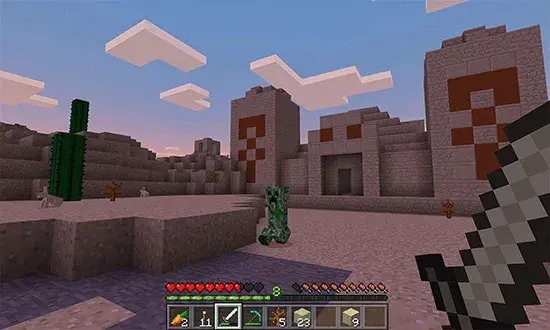
Enabling cheats allows advanced testing without long-term consequences. This is especially useful when kids want to practice without consequences. Parents should understand that enabling cheats for practice encourages experimentation and learning. When kids experiment in different game mode settings, they learn cause and effect naturally.
For multiplayer learning, Server commands are often controlled by administrators, and permissions determine access levels. An IP number superseded error may appear when servers update or restart, which is a normal technical event. Knowing this builds emotional resilience along with technical skills.
Conclusion
Minecraft commands serve as an effective bridge between play and logical thinking. Kids don’t just type commands they learn how systems respond. By understanding the output box, recognizing how most commands rely on structured logic, and realizing that Minecraft is built on source code previously written by real developers, kids start thinking like creators.
At Codeyoung, where 1,000+ certified mentors have guided 50,000+ students through 3.5 million+ live 1:1 classes globally, educators observe that game-based learning platforms like Minecraft make programming concepts tangible, with 90%+ of students showing improved school performance after starting coding practice. One of the most valuable aspects is how complex concepts like logic and problem-solving become interactive and engaging. Instead of boring theory, students build real games, animations, and websites, which makes learning feel exciting and meaningful. The live one-on-one classes with expert mentors give children personalized attention, helping them grow confident and curious with every session. It’s not just about coding it’s about helping kids develop creativity, confidence, and future-ready skills in a way that feels natural and empowering.
Frequently Asked Questions
What are some simple commands in Minecraft?
Beginner-friendly commands include: /gamemode creative (unlimited blocks for building), /time set day (change time instantly), /weather clear (remove rain), /tp @p 0 100 0 (teleport to coordinates), and /give @p diamond 64 (receive items). These commands teach cause-and-effect and sequencing without complex syntax.
How to explain Minecraft to a 5 year old?
Minecraft is like digital LEGO where children build anything they imagine houses, castles, entire cities using blocks. They can explore worlds, collect resources, care for animals, and create structures limited only by creativity. Commands add a layer where typing specific instructions makes instant changes, introducing early coding concepts through gameplay.
What are some cool hacks in Minecraft?
Essential building commands: /give (instant access to blocks), /fill (create large structures quickly), /clone (duplicate builds), /tp (navigate large worlds), and /time set (control lighting for design). These commands remove resource limitations, allowing children to focus entirely on creative expression and design experimentation.
1. Fly forever
/effect give @p levitation 10 1
2. Spawn a giant zombie army
/summon zombie ~ ~ ~
This command repeatedly spawns zombies at your location. Use carefully in controlled environments.
3. Freeze time
/gamerule doDaylightCycle false
4. Become immortal
/effect give @p regeneration infinite 255 true
This effect grants continuous health regeneration, making survival significantly easier during creative experiments.
What is the coolest Minecraft command?
Advanced commands like /summon ender_dragon demonstrate command power by spawning the game's final boss, while /fill and /clone enable massive architectural projects completed in seconds rather than hours. Command blocks combining multiple commands create automated systems, teaching logic sequences and cause-and-effect chains similar to programming.
/summon ender_dragon
You just summoned the FINAL BOSS into your backyard.
Your peaceful house → instantly becomes a disaster movie.
Other insanely cool ones:
/fill → create giant structures instantly
/clone → copy buildings like copy-paste
/execute → ultra hacker level control
How to do simple commands in Minecraft?
Children enable cheats in world settings, press / to open chat, type the command exactly (spelling and spacing matter), and press Enter. Minecraft provides automatic suggestions while typing, helping children learn correct syntax. Mistakes show error messages explaining what went wrong teaching debugging skills through immediate feedback. Follow this simple ritual:
Step 1: Enable cheats
Step 2: Press / on keyboard
Step 3: Type command
Step 4: Press Enter
Step 5: Watch reality break
Example:
/give @p diamond_sword
This instantly adds the specified item to your inventory.