Robotics for Kids: What It Is, What They Build, and Why It Matters in 2026
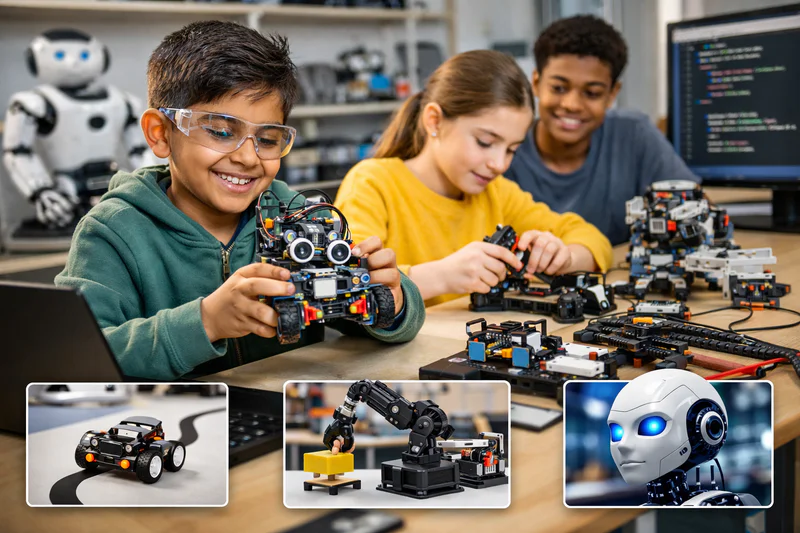
Most children who encounter robotics for the first time have the same reaction. They write a few lines of code, upload it to a small machine, and watch it move across a table exactly as they instructed. The response is immediate and visceral: I made that happen.
That moment captures what makes robotics for kids distinct from any other STEM activity. Code becomes physical. Abstract instructions become observable actions in the real world. An if-else statement isn't a rule on a screen, it's a robot that turns left when it detects an obstacle and continues forward when it doesn't. The feedback loop is direct, immediate, and impossible to misunderstand.
This guide covers what robotics education for children involves in 2026, what children build at different ages and stages, how robotics connects to coding and long-term STEM pathways, what to look for in a robotics programme, and how to assess whether your child is ready to start.
Key Takeaways
Robotics education combines coding, engineering design, and physical problem-solving in a single integrated activity that no purely digital subject can replicate.
Children aged 8 and above can engage meaningfully with entry-level robotics kits; serious programming-focused robotics is most productive from around age 10 to 11.
The coding skills used in robotics (sequences, loops, conditionals, sensor-based logic) are identical to those used in Scratch and Python, making robotics a powerful complement to coding education.
Robotics consistently ranks among the highest-engagement STEM activities for children precisely because the physical feedback makes abstract programming concepts immediately visible.
In 2026, robotics skills connect directly to engineering, AI, and automation careers, sectors projected to see the most significant employment growth over the next decade.
What Is Robotics Education for Kids, and How Does It Work?
Children's robotics education combines three disciplines that are usually taught separately: programming (giving instructions to a machine), engineering (building and assembling physical components), and problem-solving (designing a robot's behaviour to achieve a specific goal). The integration of these three is what makes robotics educationally distinctive.
At the entry level, children work with pre-built or semi-built robot kits that they programme using visual block-based interfaces. As they advance, they build more of the mechanical systems themselves, write code in text-based languages like Python, and tackle open-ended engineering challenges where there is no single correct solution.
How is robotics different from regular coding education?
In coding education, the child writes a programme and sees the output on a screen. In robotics, the output is physical. This difference is more significant than it sounds. A programme that moves a sprite on a screen makes abstract concepts visible digitally. A programme that moves a robot across a surface makes them visible in physical space, responding to real-world variables like friction, uneven surfaces, and sensor noise. The debugging process is also different: when a robot doesn't do what you expected, the child must diagnose whether the problem is in the code, the physical assembly, or the environment. This multi-variable troubleshooting develops a richer and more transferable problem-solving capability.
What Do Children Actually Build in Robotics at Each Age?
Robotics output varies dramatically by age and kit type. Here is a realistic picture of what children produce at each stage, from first kits through to advanced competitive robotics.
Robotics Projects and Capabilities by Age Group in 2026
The progression in this table is not a strict ladder, many children at age 10 skip the simpler kits and begin with something like VEX IQ if they already have strong coding foundations. Prior coding experience is the most reliable predictor of how quickly a child can progress through robotics levels, because the programming logic is the same, only the physical interface changes.
For a look at how robotics relates to a child's broader coding journey, see the complete guide to coding for kids.
How Robotics and Coding Reinforce Each Other
Robotics and coding are not competing activities. They are genuinely complementary, and children who develop both simultaneously build a richer technical capability than those who develop either alone.
The core programming concepts are identical. A loop that repeats a movement in robotics is the same concept as a loop in Python. A conditional that checks a sensor value is the same concept as an if-else statement in Scratch. A child who has learned loops in Scratch understands them intuitively when they encounter them in a robotics platform. A child who has debugged their robot's movement logic understands loop and conditional behaviour at a level that improves their Python debugging too.
The difference is the dimension of application. Coding develops abstract computational thinking. Robotics grounds those abstractions in physical cause-and-effect. Both reinforce the other, and children who work in both consistently show faster conceptual consolidation than those who work in only one domain.
For the specific connection between coding and engineering thinking, see Why Robotics Courses Spark Interest in Engineering at a Young Age and 10 Reasons Why Kids Should Learn Robotics.
Interested in building your child's coding foundation alongside robotics? Codeyoung's live 1:1 coding classes for ages 6 to 17 develop exactly the programming skills that make robotics work. Book a free trial class today.
What Age Should Children Start Learning Robotics?
The practical answer is 8 for entry-level robotics, with the most productive window for serious programming-focused robotics starting from age 10 to 11.
Children under 8 can engage with sequencing-focused robot toys (like Code-a-Pillar or LEGO Education's youngest products), but these are more aligned with pre-coding logical thinking development than with genuine robotics. They're valuable, but they're different in character from programmable robot kits.
Children aged 8 to 10 are ready for kits like the micro:bit or mBot, where they write block-based code on a computer and see their instructions executed by a physical device. This is where robotics starts feeling genuinely empowering rather than playful.
From age 10 onwards, children with coding experience can work with more sophisticated kits that require multi-sensor programming, mechanical assembly, and iterative design. This is where robotics most directly develops the engineering thinking that distinguishes it from pure software coding.
Do children need coding experience before starting robotics?
Not for entry-level robotics. Kits at the age 8 to 10 level use block-based interfaces that require no prior coding knowledge. From age 10 onwards, prior coding experience (even 3 to 6 months of Scratch) accelerates progress significantly because the programming concepts are already familiar. A child without that foundation can certainly start robotics at 10 or 11, but they'll spend more time on the programming side and less on the engineering and design side in the early stages.
Robotics and STEM Careers: The Long-Term Connection
In 2026, robotics skills are not just educationally valuable, they are career-relevant in a direct and near-term way. The World Economic Forum estimates that automation and robotics will displace certain categories of manual work while simultaneously creating significant demand for workers who can design, build, programme, and maintain automated systems.
The career paths most directly connected to children's robotics education include robotics engineering (designing autonomous systems), mechatronics (the integrated engineering of mechanical and electronic systems), AI-integrated automation (programming machine-learning systems for physical robots), aerospace engineering, and surgical robotics research. All of these are high-demand, well-compensated fields in 2026 with projected growth over the coming decade.
More broadly, the combination of coding and engineering thinking that robotics develops is relevant across a wider range of STEM careers than either alone. A software engineer who understands physical systems is more valuable in product development. A mechanical engineer who can write code for their own test systems is more productive in research. The dual literacy that robotics education produces has compounding value across disciplines.
For a broader view of the STEM career landscape for children developing technical skills now, see STEM Careers for Kids: What Jobs Will They Be Ready For?
What Should Parents Look for in a Robotics Programme for Kids?
The robotics education market contains everything from excellent structured programmes to expensive kit purchases that sit unused after the first month. These are the quality signals worth looking for.
Programming is central, not peripheral. A robotics programme where children primarily assemble and test without writing their own code is a construction activity, not robotics education. The programming component, writing instructions that determine the robot's behaviour, should occupy a substantial part of every session.
Children build something they designed. The difference between following a step-by-step assembly guide and designing a robot to solve an open-ended challenge is the difference between instruction-following and engineering. Good robotics programmes move toward the open-ended challenge format as children progress.
Debugging is normalised. If a robot doesn't do what the child programmed it to do, the response should be diagnosis and iteration, not frustration and replacement. A programme that treats errors as failures rather than data points is producing the wrong relationship with problem-solving.
Age-appropriate kits matched to the child's level. A sophisticated kit that requires adult-level electronics knowledge for an 8-year-old produces frustration, not learning. The kit should be challenging but navigable with guidance at the child's current developmental stage.
Connection to broader coding education. The strongest robotics programmes explicitly connect what children are doing in robotics to the programming concepts they're developing elsewhere. This cross-domain reinforcement produces stronger conceptual consolidation than treating robotics as a standalone activity.
For what the first Codeyoung robotics session looks like in practice, see What Students Build in Their First Robotics Course with Codeyoung.
Frequently Asked Questions About Robotics for Kids
What is robotics for kids and how does it differ from coding?
Robotics for kids is an educational activity that combines programming, physical engineering, and problem-solving using programmable robot kits. It differs from coding in that the output is physical: the programme controls a machine that moves and responds to its environment rather than a programme that produces output on a screen. The programming concepts are the same as in coding (sequences, loops, conditionals, variables), but the physical feedback loop makes them more immediately tangible and provides an additional engineering dimension that pure coding doesn't.
What robotics kit is best for a child starting out in 2026?
For children aged 8 to 10, the micro:bit (inexpensive, versatile, programmable in Python and block code) and the mBot (wheeled robot with sensors, block-coded via Scratch-like interface) are the strongest beginner options in 2026. For ages 10 to 12, LEGO Mindstorms EV3 remains excellent for its build quality and curriculum support. For ages 12 and above with coding experience, the VEX IQ kit provides a more sophisticated engineering challenge. Budget matters: micro:bit kits start under $30, while LEGO Mindstorms and VEX range from $150 to $350.
How does robotics education help children academically?
Robotics reinforces several academic skills simultaneously. Programming logic directly supports mathematics, particularly algebraic thinking and computational reasoning. Engineering design supports physics concepts (force, friction, motion). The iterative design process (design, build, test, revise) models the scientific method directly. Research from Carnegie Mellon's Robotics Institute found that children who participated in structured robotics programmes showed improved performance in both mathematics and science assessments compared to control groups receiving standard instruction.
Do children need to know coding before starting robotics?
Not for entry-level robotics at ages 8 to 10, which use block-based interfaces that introduce coding concepts through the robotics context. For more advanced robotics from age 10 onwards, prior coding experience (especially Python or Scratch) accelerates progress because the programming concepts are already familiar. The physical assembly and engineering aspects of robotics are independent of coding background. A child who has never coded but loves building things can start robotics and develop coding skills through the robotics context rather than separately.
Can girls succeed in robotics as well as boys?
Yes, without qualification. Research consistently shows that performance gaps in robotics, where they exist, reflect differential early exposure and encouragement rather than any difference in capability. Girls who receive equivalent instruction and encouragement in robotics perform identically to boys. The 1:1 instruction format is particularly effective for girls in robotics for the same reasons it is in coding: it removes the group dynamics that sometimes suppress girls' willingness to experiment and make mistakes. Many of the most accomplished young robotics engineers in competitions like FIRST are girls.
What is FIRST Robotics and is it right for older children?
FIRST (For Inspiration and Recognition of Science and Technology) is a global robotics competition organisation with programmes for ages 6 to 18. FIRST LEGO League is appropriate from age 9 to 14. FIRST Tech Challenge is for ages 12 to 18. FIRST Robotics Competition (FRC) is the most advanced level, for ages 14 to 18, and produces full-scale competition robots programmed in Java. FRC in particular provides extraordinary engineering experience and is highly regarded by university engineering programmes in the USA. It requires significant time commitment and typically involves a school or community team rather than solo participation.
Is robotics more expensive than coding education?
Entry-level robotics has a hardware cost that coding doesn't, since you need physical kits. Entry-level kits range from $25 for a micro:bit to $350 for LEGO Mindstorms. More advanced kits for older children can cost $300 to $800. This is a one-time cost rather than a recurring one, and many kits last for years. Instruction costs are comparable to coding instruction when delivered through live classes. Schools and community programmes sometimes provide kit access, reducing the hardware cost for families.
What is the connection between robotics and AI in 2026?
In 2026, AI and robotics are increasingly integrated at the advanced level. Machine learning models are used to enable robots to recognise objects, navigate environments, and make decisions based on visual input rather than pre-programmed rules. For children aged 14 and above with strong Python and coding foundations, beginning to explore AI-integrated robotics through tools like TensorFlow Lite on Raspberry Pi provides direct preparation for the most in-demand intersection of technical skills in the current technology landscape.
How does Codeyoung's approach prepare children for robotics?
Codeyoung's coding curriculum builds the programming foundations that make robotics most productive. Children who develop Python proficiency, understanding of conditionals, loops, and functions, and systematic debugging habits through coding arrive at robotics instruction with the tools to focus on the engineering and design components rather than spending most of their robotics sessions learning basic programming. The two disciplines work best together, and Codeyoung's coding instruction specifically prepares children for the programming demands of advancing robotics work.
What do children learn from building robots that they can't learn from coding alone?
Three things specifically. First, physical systems thinking: understanding how mechanical components interact, how friction affects movement, how sensor noise creates inconsistency in real-world feedback. Second, multi-variable debugging: when a robot behaves unexpectedly, the problem might be in the code, the assembly, the environment, or all three simultaneously. This multi-variable diagnosis develops more complex troubleshooting than software debugging alone. Third, engineering iteration: building something physical, seeing it fail for a physical reason, modifying the design, and testing again is a cycle that produces a distinctly practical kind of problem-solving persistence.
When Code Moves the Physical World, Learning Gets Real
The best argument for robotics education is the one children make themselves when their robot does something for the first time. The delight is immediate and unrehearsed. They wrote those instructions. They built that machine. It is doing what they told it to do.
That experience of direct physical agency over a programmed machine is one of the most powerful ways to build a child's technical confidence and identity. It makes abstract programming concepts concrete. It introduces engineering thinking in a hands-on, immediately rewarding form. And it connects the child's current learning to fields that will define the economy and technology landscape they'll enter as adults.
Explore Codeyoung's coding programmes to build the programming foundations that make robotics most productive, or book a free trial class to see what 1:1 coding instruction looks like in practice.
Build the coding skills that make robotics powerful.
Codeyoung's live 1:1 coding classes for children aged 6 to 17 develop the Python and programming foundations that connect directly to robotics, AI, and engineering. Free first session, no commitment required.