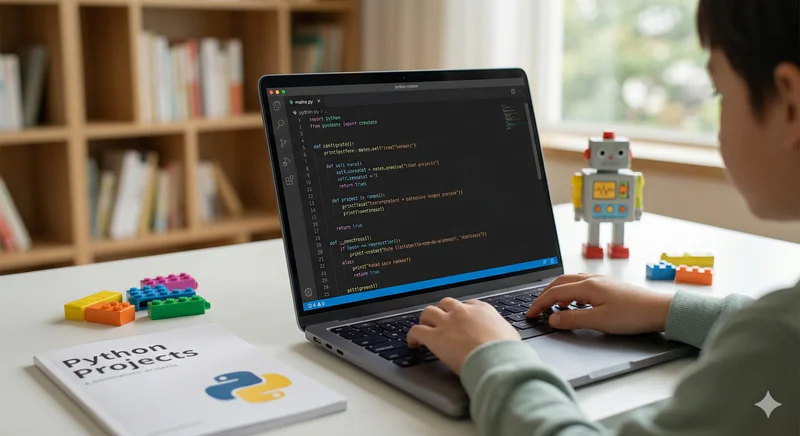
Python Projects for Kids: 8 Beginner Projects That Build Confidence
There is a specific moment that almost every child hits when learning Python. The tutorials make sense. The exercises produce correct answers. But when the instructor says "okay, now you start something on your own," the screen goes blank and nothing happens.
That moment isn't a sign of failure. It's a sign that the child has learned concepts in isolation and hasn't yet had the experience of combining them into something complete. That experience only comes from finishing a real project.
The Python projects for kids in this guide are chosen specifically to close that gap. Each one is sized for a beginner, teaches a specific combination of Python concepts, and is completable within a realistic timeframe. None of them require external libraries for the basic version. All of them can be extended once the core is done.
Key Takeaways
The best beginner Python projects combine 2 to 4 concepts (variables, loops, conditionals, functions) in a single working programme.
All 8 projects in this guide work with standard Python, no external libraries needed for the basic version.
Completing a project is more important than building the most complex version of it: a finished simple game teaches more than an abandoned complex one.
Projects connected to the child's own interests (sport, music, games, animals) produce significantly more persistence than generic tutorial projects.
Each project in this guide has a natural extension path, once the basic version works, there is always a clear next step to make it better.
Before You Start: Setting Up Python in 2026
All 8 projects in this guide run with a standard Python installation. No paid software, no accounts, no additional setup beyond these two steps.
Download Python 3.x from python.org (free). The current version in 2026 is Python 3.13 or above. Always install the latest 3.x version rather than older releases.
Choose an editor. For beginners, Thonny (free, beginner-focused, shows variables and execution clearly) is strongly recommended. For children who want a professional environment from day one, VS Code with the Python extension (both free) works excellently.
All projects below can also be run in a browser with no installation using Replit (replit.com, free tier). This is particularly convenient for children who switch between devices.
For a full introduction to Python as a first language and how it fits into the broader coding journey, see Python for Kids: The Complete Parent and Student Guide 2026.
The 8 Best Beginner Python Projects for Kids
Project 1: Number Guessing Game
Level: Complete beginner | Age: 10+ | Completion time: 1 to 2 sessions
What it does: The programme picks a random number between 1 and 100. The player guesses. The programme responds "too high," "too low," or "correct!" until the player wins. A counter tracks how many guesses it took.
Python concepts covered:
import randomandrandom.randint()Variables to store the secret number and guess count
whileloop to keep the game going until correctif / elif / elsefor "too high" / "too low" / "correct" logicinput()andint()to get and convert the player's guess
Why this project works: Five of Python's most used concepts appear in about 15 lines. The game is immediately playable and shareable. Most children want to immediately lower or raise the range after finishing it, which introduces them to the idea of extending their own code.
Extend it: Add difficulty levels (Easy: 1–50, Hard: 1–500). Add a high-score tracker that saves the best number of guesses. Build a two-player version where one player sets the number and the other guesses.
Project 2: Personal Quiz Generator
Level: Complete beginner | Age: 10+ | Completion time: 2 to 3 sessions
What it does: The child writes 5 to 10 questions and answers on a topic they choose (their favourite sport, animal facts, movie trivia). The programme asks each question, accepts the player's answer, keeps score, and gives a result at the end ("Expert!" / "Keep studying!").
Python concepts covered:
Lists to store questions and answers
forloop to iterate through questionsString comparison with
.lower()for case-insensitive checkingScore variable updated conditionally
f-strings for formatted output
Why this project works: The child writes the content as well as the code. This double creative investment produces unusually high engagement. Children who build this quiz about their own interests consistently share it with family and friends, which is the most motivating outcome in early coding education.
Extend it: Shuffle the question order using random.shuffle(). Add a timer per question. Build a multiple-choice version where incorrect options are displayed alongside the right answer.
Project 3: Mad Libs Story Generator
Level: Complete beginner | Age: 10 to 12 | Completion time: 1 to 2 sessions
What it does: The programme asks the player for several words (a noun, a verb, an adjective, a name, a place) and then inserts them into a pre-written funny story template, producing a unique and usually ridiculous story.
Python concepts covered:
Multiple
input()calls to collect different types of wordsString variables and f-strings for template assembly
Multi-line strings with
"""triple quotes"""Print formatting for readability
Why this project works: Zero chance of a frustrating blank result, as long as the programme runs, it produces something funny. The immediately entertaining output makes this one of the best first projects for children who are nervous about coding or who have had discouraging experiences before.
Extend it: Write multiple story templates and let the player choose one. Add a loop so the player can generate multiple stories without restarting. Save the output to a text file using Python's file-writing functions.
Project 4: Simple Calculator
Level: Early beginner | Age: 10 to 13 | Completion time: 2 to 3 sessions
What it does: The player enters two numbers and chooses an operation (add, subtract, multiply, divide). The programme calculates and displays the result. A loop lets the player perform multiple calculations without restarting.
Python concepts covered:
Float conversion with
float()for decimal supportConditional branching with
if / elif / elseDivision-by-zero error handling with a basic check
while Trueloop with a break condition for repeated useFunctions: refactoring each operation into a named function
Why this project works: Simple enough to build quickly, but rich enough to introduce functions naturally. The division-by-zero check introduces the concept of defensive programming: anticipating inputs that would break the code. That instinct is fundamental to writing robust programmes.
Extend it: Add a square root or power function. Build a history list that stores all calculations in the session. Refactor using a dictionary to map operation names to functions.
Project 5: Word Frequency Counter
Level: Early beginner | Age: 11 to 14 | Completion time: 2 to 4 sessions
What it does: The player pastes a piece of text (a paragraph from a book, a song, a speech). The programme counts how many times each word appears and displays the top 10 most common words with their counts.
Python concepts covered:
String methods:
.split(),.lower(),.strip(),.replace()Dictionaries to store word counts
Sorting with
sorted()and a lambda keyList slicing to get the top 10
Formatted table output with f-strings
Why this project works: Dictionaries are one of the most widely used Python data structures, but they're also one of the concepts beginners find most abstract. The word counter makes dictionaries immediately concrete: the word is the key, the count is the value. After building this project, most children never again find dictionary syntax confusing.
Extend it: Add a list of common words to exclude ("the", "a", "and"). Read text from a file instead of pasting. Visualise the results with matplotlib as a bar chart.
Project 6: To-Do List Manager
Level: Early intermediate | Age: 11 to 14 | Completion time: 3 to 5 sessions
What it does: A command-line app that lets the user add tasks, view all tasks, mark tasks as complete, and delete tasks. Tasks are saved to a text file so they persist between sessions.
Python concepts covered:
Lists for in-memory task storage
File reading and writing with
open(),.read(),.write()Functions for each action (add, view, complete, delete)
Menu loop using
while Trueand a dictionary of commandsException handling for missing file on first run
Why this project works: This is the first project that persists data: the list saves to a file and reloads when the programme restarts. The child has built something genuinely useful that they might actually use. File handling is a concept that many beginners defer, but it becomes natural the moment it's applied to something with obvious real-world value.
Extend it: Add due dates and sort tasks by deadline. Add priority levels. Build a simple interface using the tkinter library for a graphical window instead of a command-line menu.
Project 7: Text-Based Adventure Game
Level: Early intermediate | Age: 11 to 14 | Completion time: 5 to 8 sessions
What it does: A story-based game where the player makes choices at each decision point. The narrative branches based on choices, leading to multiple possible outcomes. The child writes the story.
Python concepts covered:
Functions for each scene or room
Return values to navigate between scenes
Nested conditionals for branching logic
A simple inventory list passed between functions
Game state managed through variables rather than global state
Why this project works: Functions calling other functions is the concept that separates early beginners from genuine intermediate coders. A text adventure makes this architecture necessary rather than optional, without proper function structure, the game becomes an unmanageable tangle. The child learns programme architecture because the project demands it, not because it was assigned as an exercise.
Extend it: Add a save/load system using file handling. Include a simple combat system with random number generation. Build a map system so the player can revisit locations.
Project 8: Birthday Countdown App
Level: Early beginner / Early intermediate | Age: 10 to 13 | Completion time: 2 to 3 sessions
What it does: The player enters a birthday (or any future date). The programme calculates exactly how many days, hours, and minutes are left until that date and displays a personalised countdown message.
Python concepts covered:
The
datetimemodule for date manipulationDate arithmetic (subtracting dates to get a timedelta)
Integer division and modulo for converting seconds to days/hours/minutes
Conditional messages based on time remaining
f-strings with number formatting
Why this project works: The datetime module introduces the concept of Python's standard library: the huge collection of pre-built tools that come with Python. Once a child has used datetime, they understand that they don't need to build everything from scratch. That realisation opens the door to every other library. The result is also immediately personal and shareable.
Extend it: Track multiple birthdays stored in a dictionary. Add a loop that checks daily using time.sleep(). Build a simple calendar view showing all upcoming birthdays in the next 30 days.
What Python Concepts Do These Projects Cover Together?
These 8 projects aren't chosen arbitrarily. Together they cover every core Python concept a beginner needs before moving to intermediate work with Pygame, Flask, or data science libraries. Here is the coverage map.
Core Python Concepts Covered Across the 8 Projects
A child who has completed all 8 projects has encountered every concept they need to begin Pygame game development, simple web development with Flask, or Python data work with CSV files and matplotlib. They're not an intermediate developer yet, but they have the foundations.
For more project ideas at the intermediate level, including Pygame games and API-connected applications, see Mind-Blowing Python Projects for Kids and Coding Projects for Kids: 10 Ideas That Build Real Skills.
Want your child to work through these projects with a qualified Python instructor who adapts every session to their pace? Codeyoung's 1:1 live Python classes are available from age 10. Book a free trial class, no commitment.
How Should Kids Approach a New Python Project?
One of the most useful habits a child can build alongside coding is a simple project planning practice. Professional developers call it decomposition: breaking the full project into its smallest independent parts and building each one separately before combining them.
For the number guessing game, the decomposition looks like this:
First, get the programme to generate a random number and print it (just to check it works)
Then, add an input that asks for a guess
Then, add the "too high / too low / correct" logic
Then, wrap it in a loop so the game continues until correct
Then, add the guess counter
Then, remove the debug print that revealed the secret number
Each step is completable and testable independently. If step 3 doesn't work, the child knows the problem is in the conditional logic, not in the random number generation (step 1 confirmed that works) and not in the loop (step 4 hasn't been added yet). This incremental building-and-testing approach is how professional developers work, and teaching it from the first project produces better debugging habits than anything else.
Common Python Errors Beginners Hit in These Projects
Knowing the most common errors in advance doesn't prevent them, but it does help children interpret them rather than being defeated by them. These are the errors that appear most often in beginner projects.
TypeError: can only concatenate str (not "int") to str, Trying to combine a string and a number without converting. Fix: usestr(number)to convert, or use an f-string (f"Your score is {score}") instead of+concatenation.ValueError: invalid literal for int() with base 10, The player typed something that isn't a number when the programme expected one. Fix: add input validation that checks the input before converting it.IndentationError, Python's indentation requirements are strict. A single space off and the programme fails. Fix: use consistent 4-space indentation throughout, and check that everything inside a loop or function is indented by the same amount.NameError: name 'x' is not defined, Using a variable before it has been assigned a value, or misspelling the variable name. Fix: check spelling carefully, Python is case-sensitive, soScoreandscoreare different variables.IndexError: list index out of range, Trying to access a list position that doesn't exist. Common in the quiz project when the loop counter gets ahead of the list length. Fix: usefor item in listrather than index-based access where possible.
For the complete picture of how Python concepts build from these beginner projects to intermediate and advanced work, see the Python for Kids complete guide.
Frequently Asked Questions: Python Projects for Kids
What is the easiest Python project for a complete beginner?
The Mad Libs story generator (Project 3) is the most forgiving first project because it cannot produce a confusing or broken output, as long as the programme runs, it generates a funny story. The number guessing game (Project 1) is a close second and is slightly more educational because it introduces loops and conditionals in combination. For a child who has had discouraging experiences with coding before, start with Mad Libs. For a child starting fresh, start with the guessing game.
How old does a child need to be to start these Python projects?
Projects 1, 2, and 3 are well-suited to children aged 10 to 11 with no prior Python experience, assuming they are comfortable readers and confident typists. Projects 4 through 6 work best from age 11 to 12, when function concepts start feeling intuitive. Projects 7 and 8 are accessible from around age 11 but are most productive for children aged 12 to 14. All ages are guides rather than hard limits: a mature 9-year-old with a strong Scratch background can comfortably tackle Project 1 or 2.
Do these Python projects need any special software or accounts?
No accounts required and no paid software needed. The only requirement is Python 3.x installed from python.org (free) and a basic text editor or IDE. Thonny (free download) is the most beginner-friendly IDE and is specifically designed for students learning Python. All 8 projects also run in Replit's browser-based environment (free tier) without any local installation.
What should a child try after completing all 8 projects?
After these 8 projects, a child has solid beginner Python foundations and is ready to branch into a specialisation based on their interests. For game development: the Pygame catch game or a Pong clone. For web development: a simple Flask web app that runs in the browser. For data work: a matplotlib bar chart using data the child collects themselves. For AI: a simple text classifier using scikit-learn. The right next step depends entirely on what the child finds most motivating.
My child can run the code but can't explain what it does. Is that okay?
It's common at the beginner stage, but it's worth addressing rather than moving on. The test is modification: ask the child to change one specific thing about the programme without help. If they can do it, they understand it at the level needed. If they can't, the concept needs more time. The most reliable way to build genuine understanding is to have the child type the code themselves from scratch rather than copying it, and to explain each line to the instructor or parent as they go.
Is it better to follow a tutorial or build from scratch?
A good approach for most beginners is to follow a tutorial for the first version of a project, then close the tutorial and attempt to rebuild it from memory. The first pass builds familiarity. The second pass builds understanding. If the child can rebuild a project from memory after one tutorial run, the concepts are genuinely theirs. If they can't, it means the concepts need more consolidation before moving on.
How does Codeyoung use Python projects in its teaching?
Every Codeyoung Python session is built around a project the child is actively developing. Instructors introduce new concepts in the context of a feature the child wants to add to their current project rather than as isolated exercises. The 8 projects in this guide are representative of what Codeyoung students build during their first 3 to 6 months of Python instruction. A Codeyoung instructor won't just help the child run the code, they'll make sure the child understands each part and can extend it independently. Book a free trial class to see this approach in action.
What Python resources are best for kids learning on their own in 2026?
For structured learning: Python.org's official beginner tutorial, freeCodeCamp's Python course (free), and "Automate the Boring Stuff with Python" by Al Sweigart (free online). For video learning: Corey Schafer's Python tutorial series on YouTube is exceptionally clear and well-paced. For practice problems: Codewars and Exercism both offer age-appropriate Python challenges once the basics are in place. None of these replace live instruction for most children, but all are useful supplements between sessions.
Start Small. Finish It. Move to the Next One.
The 8 projects in this guide span about 6 months of consistent weekly practice for a child aged 10 to 12 starting from zero. They're not a complete Python education. They're the foundation that makes a complete Python education possible.
A child who has finished all 8 has debugged their own errors, combined multiple concepts in a single working programme, written code that persists data between runs, and built something they chose to make and are proud of. That combination of technical capability and creative ownership is exactly what separates children who continue coding for years from those who complete a few tutorials and move on.
Start with Project 1. Finish it before moving to Project 2. Extend it at least once before moving on. The discipline of completeness at the early stage pays dividends at every stage that follows.
Explore Codeyoung's Python AI/ML track and Python game development programme to see where these foundations lead, or book a free trial to start the first project with an expert instructor.
Start your child's first real Python project today.
Codeyoung's live 1:1 Python classes for children aged 10 to 17 guide every project from first concept to finished, working code. First class is free, no commitment required.