How to Teach Kids to Code at Home: A Step-by-Step Parent Guide
The number one thing parents say when they want their child to learn coding is "I wish I could help, but I don't know anything about it." It's a reasonable concern. It's also largely irrelevant.
Teaching kids to code at home does not require you to know Python, understand algorithms, or have any background in technology. What it requires is choosing the right tool for your child's age, creating a consistent time for practice, being genuinely interested in what they produce, and knowing when to step back and let a qualified instructor take over. This guide covers all four, step by step, for parents starting from zero in 2026.
Key Takeaways
Parents don't need any coding knowledge to support a child's early coding education: the right tools are designed to be self-explanatory for children.
The most important parental contribution is consistency: a regular 20 to 30-minute session two or three times a week produces far more progress than occasional long sessions.
Age-appropriate tools matter more than any other single decision: the wrong tool for the age produces frustration and disengagement regardless of effort.
Showing genuine curiosity about what your child builds is more motivating for most children than any reward or incentive system.
Home coding practice works best as a complement to live 1:1 instruction, not a replacement for it: a qualified instructor handles the teaching while parents handle the environment.
Step 1: Choose the Right Tool for Your Child's Age
This is the most important decision you'll make at the start. An age-mismatched tool is the leading cause of children giving up on coding early. A 7-year-old in a Python tutorial spends their entire session confused by syntax rather than learning programming concepts. A 12-year-old on Scratch Jr is bored within five minutes. The right tool makes the first session genuinely satisfying; the wrong one makes it feel like failure.
Age-Appropriate Coding Tools for Home Learning in 2026
One practical note: all of the tools in this table are free. You don't need to purchase software or pay for a platform to start. The cost of getting started is zero.
For a detailed guide on the Scratch-to-Python progression and when to make the transition, see Scratch Programming for Kids: The Complete Beginner's Guide.
Step 2: Set Up the Environment
The physical and logistical setup matters more than most parents expect. A well-prepared coding environment reduces friction and keeps sessions focused on learning rather than troubleshooting.
Device: A laptop or desktop is strongly preferred over a tablet for anything above Scratch Jr. The keyboard and mouse make coding significantly more comfortable and accurate. If you only have a tablet for a child under 9, Scratch runs in tablet browsers but isn't ideal. For children 10 and above, a proper keyboard is important.
Screen size: A screen that's large enough to see code comfortably. For Python especially, small phone screens are impractical. A 13-inch or larger laptop display works well.
Bookmarks: Save the tool your child uses as a browser bookmark so getting started is a single click rather than a search each time. Small frictions compound across sessions, removing them matters.
A dedicated folder: Create a folder on the desktop called "My Projects" where your child saves their work. Seeing their projects accumulate over weeks and months is genuinely motivating.
No distractions: During the coding session, close other browser tabs, silence notifications, and (for younger children) have a parent or older sibling nearby but not interrupting. The session should feel like focused creative time.
Step 3: What Should the First Session Actually Look Like?
The first session sets the tone for everything that follows. If it goes well, the child associates coding with satisfaction and wants to come back. If it produces frustration without resolution, they form exactly the opposite association. Here is how to structure it.
How long should a child's first coding session be?
Shorter than you think. A successful 20-minute first session that ends with something working is worth more than a 60-minute session that ends in frustration. For children aged 7 to 9, aim for 20 to 25 minutes. For children aged 10 to 12, 30 to 35 minutes. Stop before concentration fades rather than pushing through. The goal of the first session is one thing: a child who wants to come back. That's it.
For a 7-year-old on Scratch, a good first session looks like this:
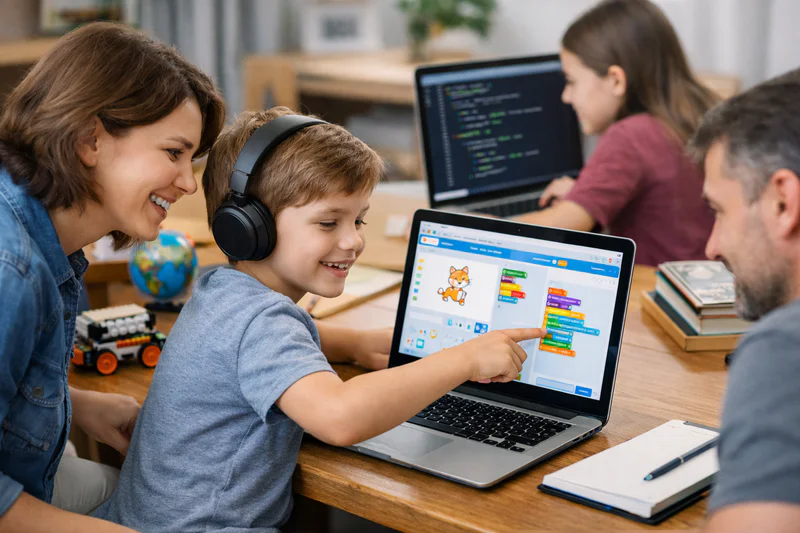
Open Scratch and explore for 3 minutes. Let them click around, see what's there. Don't explain anything yet. Let them discover that clicking the green flag makes something happen.
Ask one question: "What animal would you want to make move?" Let them choose. This immediately makes the session theirs rather than yours.
Help them find the sprite that fits. If they want a cat, show them where the sprites library is. If they want a dinosaur, show them how to draw their own with the paint editor. 5 minutes maximum on this.
Guide them to add three motion blocks. "Move 10 steps", "turn", "when space key pressed". Watch what happens. Ask "what would happen if we changed this number?"
Stop while it's going well. Don't keep going until they're bored. End with a working sprite that responds to their input and a question: "What do you want to add next time?"
That last question is the most important thing you say in the whole session. It orients the child toward returning rather than treating the session as complete.
Want to skip the guesswork and have a qualified instructor handle the teaching? Codeyoung's live 1:1 coding classes are available for children aged 6 to 17 with a free first session. You focus on supporting. They handle the instruction.
Step 4: Build a Sustainable Coding Routine
Consistency produces more progress than intensity. A child who codes for 25 minutes three times a week for six months will significantly outpace one who does occasional two-hour sessions. The routine removes the decision friction: coding isn't something you do when you feel like it, it's something you do on Tuesday afternoon and Thursday morning.
For most families, two sessions per week of 25 to 45 minutes (depending on age) is the sustainable sweet spot. One session feels too infrequent for concepts to consolidate. Three or more can feel like an obligation for children who also have other activities and school commitments.
Sample Weekly Coding Routine by Age Group
What Is the Parent's Role During a Home Coding Session?
This is where most well-intentioned parents inadvertently undermine progress. The instinct when a child is struggling is to help, to show them how to fix the problem, to explain the concept they're missing, to take the keyboard and demonstrate. This is almost always counterproductive.
A child who watches their parent fix the problem has not learned how to fix the problem. They've watched someone else do it. The most valuable thing a child can experience in a coding session is working through confusion to a solution under their own power. It feels harder than being helped. It produces far more durable learning.
How should parents respond when their child gets stuck?
Ask questions rather than providing answers. "What do you think is happening?" "What have you tried so far?" "What does the error message say?" "What would happen if you changed just this part?" These questions activate the child's own problem-solving rather than replacing it. When they reach a solution through this process, they own it. When you give them the solution, you own it. The difference in confidence and retention is significant.
For situations where the child is genuinely blocked and the parent also doesn't know the answer, the right response is to look it up together: "Let's search for 'how to make a Scratch sprite bounce off the edge' and see what we find." This models exactly the skill that professional developers use constantly, and it removes the idea that not knowing the answer immediately means you're bad at coding.
When Should You Move From Home Practice to Professional Instruction?
Home coding practice is a strong start and a valuable supplement to professional instruction. It is not, for most children, a long-term substitute for it. Here is how to know when to bring in a qualified instructor.
When the child has plateaued. A child who has been coding at home for 2 to 3 months and is no longer learning new concepts or building more complex projects has reached the natural limit of self-directed home learning. A qualified instructor will identify exactly what's missing and introduce the next concepts in the right order.
When concepts are beyond what you can explain. Variables, functions, loops, objects, at some point, the child needs instruction that goes beyond "let's try this and see what happens." A qualified instructor explains the why behind concepts in age-appropriate language.
When motivation is fading. A child whose coding enthusiasm was strong in the first month but is visibly declining by month three is a strong candidate for live instruction, where a skilled instructor adapts projects to the child's specific interests and keeps the challenge level engaging.
When they're ready to build real projects. The step from hobby coding to genuinely capable coding requires structured curriculum and consistent expert feedback. If the goal is for your child to build portfolio-worthy projects before they leave school, live instruction is the path.
For a detailed guide on choosing the right programme when the time comes, see How to Choose the Right Coding Course: An Age-by-Age Guide and Online Coding Classes for Kids: What to Look for Before You Enrol.
What to Do if Your Child Loses Interest
Most children go through at least one period of reduced enthusiasm for coding, usually in the first two to three months before a first complete project is finished. The project is harder than they expected, progress feels slow, and the gap between what they want to build and what they can currently build is frustrating. This is a normal and important part of the learning process. How parents respond in this window significantly affects whether the child pushes through or gives up.
Don't pressure, but don't drop it either. Removing coding from the schedule the moment enthusiasm dips removes the opportunity for the breakthrough that usually follows the dip. Maintain the routine at reduced intensity (shorter sessions, lower expectations) rather than abandoning it.
Change the project. Sometimes the problem is not coding itself but a specific project that felt exciting at the start and now feels tedious. Switching to a new project on a topic the child is more excited about right now can reset enthusiasm quickly.
Show them something inspiring. A YouTube video of a child their age building a game, a website, or an AI programme is often more motivating than any parental encouragement. Seeing what's possible is a powerful reset button.
Reduce the session length temporarily. A 15-minute session where something small but satisfying gets completed is better than a 45-minute session where nothing feels finished.
For the complete picture of coding education from home practice through to professional instruction, see the complete guide to coding for kids.
Frequently Asked Questions: Teaching Kids to Code at Home
Can I teach my child to code if I don't know how to code myself?
Yes, at least for the early stages. The tools designed for children aged 6 to 10 (Scratch, Code.org, Scratch Jr) are self-explanatory and don't require parental expertise to navigate alongside your child. The parent's role at this stage is environment creation and encouragement rather than instruction. For children aged 11 and above working in Python or other text-based languages, the technical gap between parent and child starts to matter more. At that point, transitioning to a qualified instructor is the most productive step rather than continuing to attempt teaching from a position of no knowledge.
What is the best free coding tool for kids to use at home in 2026?
Scratch (scratch.mit.edu) is the strongest free tool for children aged 7 to 11, offering a full block-based programming environment in any browser with no installation required. Python is free to download at python.org and is the best free text-based language for children aged 10 and above. Code.org provides structured course-based coding activities at no cost and is well-suited to initial exploration. All three are completely free, widely used, and produce genuine learning outcomes.
How do I keep my child motivated to code at home?
The most reliable motivator is project completion. A child who finishes something, even something small, is more motivated to code the next day than one who has been working on something unfinished for three weeks. Build in regular milestones: a working version after five sessions, a new feature added every two sessions. Show genuine interest in what they've built by asking specific questions about specific parts. And keep sessions short enough that they end before enthusiasm fades, so they always finish wanting more rather than feeling relieved it's over.
Is it better to follow a curriculum or let kids code freely at home?
A guided starting point produces faster initial progress than completely free exploration. For the first month, using a structured tutorial or project guide gives the child the foundational concepts they need to then explore freely and productively. After 4 to 6 weeks of structured learning, most children have enough vocabulary to begin directing their own projects. The combination, structured start, free exploration once the basics are in place, produces the best outcomes. Pure free exploration from session one often stalls when the child doesn't yet know enough to know what to try next.
What should my child build first?
For ages 7 to 9 on Scratch: a game involving an animal or character they like. Something with movement, a score, and a win condition. For ages 10 to 12 on Python: a text-based quiz or guessing game. Interactive, produces visible output, and teaches input, conditionals, and loops in one project. For ages 12 and above on web development: a personal page about something they're interested in. The subject matter should always come from the child's existing interests, not from a generic template.
How do I help my child when they get a coding error they can't fix?
Teach them to read the error message first. In Python, error messages usually tell you exactly where the problem is and what kind of error it is. In Scratch, the visual feedback of what the programme is actually doing versus what they wanted it to do is the error signal. After reading the error, the next step is to isolate: identify the smallest part of the code that is producing the problem and focus only on that. If they're still stuck after 5 minutes, search the specific error message online together. Most coding errors in children's projects have been encountered and solved thousands of times before.
At what age should children start using a real keyboard for coding?
Children who are comfortable typing at their own pace can start keyboard-based coding (Python, HTML) from around age 10. Slow typing isn't a disqualifying barrier at this age, as the cognitive demands of learning code are much more significant than the physical demands of typing. Speed develops naturally with practice. The main concern is that very slow typing can make text-based coding feel frustrating rather than creative; if this is happening, staying on Scratch for another 6 months while typing improves is a sensible adjustment.
Should I use an online coding course or let my child learn from YouTube tutorials?
YouTube tutorials have genuine value for motivated, self-directed older learners (ages 13 and above). For younger children and for anyone at the beginner stage, structured courses or live instruction produce significantly better outcomes. The main limitation of YouTube tutorials is that they cannot respond to the specific child's confusion, correct specific errors, or adapt to the child's pace. A structured course at least has a coherent sequence. A live instructor does all of this in real time. YouTube works best as a supplement when a child wants to explore a specific topic beyond what their main course covers.
How do I know my child is actually learning from home coding sessions?
Ask them to explain what their programme does in their own words. If they can describe the logic clearly, they understand it. If they can only demonstrate it (show you what happens when they press a button) without being able to explain why it works that way, the understanding is superficial. A second check: ask them to make a small modification to their project without your help. If they can do it independently, the relevant concepts are genuinely internalised. If they immediately need step-by-step guidance, the concepts are still in the "following instructions" stage rather than the "understanding" stage.
How does Codeyoung support children who are already coding at home?
Codeyoung's coding programme works well alongside home practice. The live 1:1 sessions handle concept introduction and structured skill development, while home sessions provide the additional practice time that accelerates progress. Many Codeyoung families use sessions once or twice a week with the instructor and additional independent coding between sessions. The instructor knows what was covered in the last session and can set specific mini-goals for the child to work on independently before the next one. Book a free trial class to see how the two approaches work together.
You Don't Need to Know Code to Help Your Child Learn It
The most important thing parents provide in their child's early coding education is not technical knowledge. It is consistency, encouragement, and genuine interest in what the child produces. The tools handle the teaching at the early stages. Your role is to show up, create the environment, and ask "what did you make today?" with real curiosity.
As your child's coding advances beyond the beginner stage, the right next step is a qualified instructor who can build on the foundation you've helped establish at home. The home practice and the professional instruction are complementary, not competing. Children who have both consistently outperform those who have only one.
When the time comes to add live instruction, explore Codeyoung's coding programmes for children aged 6 to 17, or book a free trial to see what professional 1:1 instruction looks like alongside home practice.
Ready to add expert instruction to your child's home coding practice?
Codeyoung's live 1:1 coding classes for ages 6 to 17 build on whatever foundation your child already has. Expert instructors, flexible scheduling, and a completely free first session.