How to Explain Python to a Child: Concepts, Analogies, and First Steps
"What exactly is Python?" is one of the questions parents ask most often before enrolling a child in a coding class. It's also a question children ask themselves when they first hear the word, usually with mild confusion about why a programming language is named after a snake.
The honest answer is that explaining Python to a child is not as hard as it sounds, because Python was specifically designed to be readable. Its creator, Guido van Rossum, built it around one principle: code should read as close to plain English as possible. A Python programme that checks whether a score is high enough to win literally says if score >= 100:. There isn't much to translate.
This guide gives parents the plain-language explanations, real-world analogies, and first concepts that make Python immediately accessible to a child aged 10 and above. No technical background required to read it or to use it.
Key Takeaways
Python is a programming language: a set of instructions a computer understands, written in a format much closer to plain English than most other languages.
Every Python concept has a real-world equivalent that makes it immediately intuitive, variables are labelled boxes, loops are repeated routines, functions are named recipes.
The best time to explain Python is while the child is writing it, not before. Concepts land when they're applied to something working, not when they're defined in the abstract.
Children don't need to understand every Python concept before writing useful code, they can build real things with variables, a loop, and a conditional in their first session.
Parents don't need to understand Python to support their child learning it, genuine interest in what the child builds is more valuable than technical knowledge.
What Is Python? The Plain-Language Explanation for Parents and Kids
Python is a programming language. A programming language is a set of instructions that a computer can understand and execute. When a child writes Python code, they are giving the computer a precise list of steps to follow, and the computer does exactly what those steps say, nothing more and nothing less.
Here is the simplest possible Python programme:
print("Hello, world!")Run this, and the computer displays the words "Hello, world!" on screen. That's it. The instruction is print(), which tells the computer to display whatever is inside the brackets. The text in quotes is what gets displayed. Simple, direct, and immediately visible.
Python differs from most other programming languages in that it reads very close to English. Compare a simple conditional in Python versus Java:
Python vs Java: The Same Logic in Two Languages
Both do exactly the same thing. Python uses less punctuation, less boilerplate, and reads more like a sentence. This is not a coincidence, it's by design. And it's why Python is the language most children find accessible as their first text-based coding environment.
Why is it called Python?
Not because of the snake. Guido van Rossum named it after Monty Python's Flying Circus, the British comedy group. He was a fan and wanted a short, memorable name. The snake logo came later and has nothing to do with the original name choice. Children who are curious about the name often find this genuinely funny, which makes the first explanation of Python more memorable.
The Best Analogies for Explaining Python Concepts to Children
Abstract programming concepts become intuitive the moment they're mapped to something from everyday life. These are the analogies that consistently produce the "oh, I get it" moment for children encountering each concept for the first time.
Variables: labelled boxes in a storage room
A variable is a named container that holds a value. The name is the label; the value is what's inside.
Analogy: Imagine a storage room full of boxes. Each box has a label on the outside: "score", "player_name", "lives_remaining". When you want to know how many lives the player has left, you go to the box labelled "lives_remaining" and look inside. When the player loses a life, you open the box and change the number. The label stays the same; only what's inside changes.
In Python: lives_remaining = 3 creates a box labelled "lives_remaining" and puts the number 3 inside. lives_remaining = lives_remaining - 1 opens the box, subtracts one from what's inside, and puts it back.
Loops: a morning routine
A loop is an instruction that repeats a set of steps a specified number of times (or until a condition is met).
Analogy: Think about a morning routine. Every school day: wake up, brush teeth, eat breakfast, pack bag, leave. That's a loop that runs Monday to Friday: the same steps, repeated five times. In code, instead of writing the steps out five times, you write them once and tell the computer to repeat them five times.
In Python: for day in range(5): followed by the steps inside the loop runs those steps exactly 5 times. The for loop is like saying "for each of the 5 school days, do this."
Conditionals: a decision tree on a school trip
A conditional runs a specific block of code only if a particular condition is true.
Analogy: Before a school trip, the teacher says: "If it's raining, we'll go to the museum. Otherwise, we'll go to the park." That's a conditional. The decision (museum or park) depends on a condition (is it raining?).
In Python: if is_raining: followed by the museum plan, then else: followed by the park plan. Python checks the condition and runs the right block based on whether it's true or false.
Functions: a named recipe
A function is a named, reusable block of code. You define it once, give it a name, and then call it by name whenever you need it.
Analogy: A recipe is a function. "Make pancakes" is a named set of steps: get flour, add eggs, mix, heat pan, pour, flip. When someone says "make pancakes," you follow all those steps without having to list them out each time. The name "make pancakes" triggers the whole sequence.
In Python: def make_pancakes(): defines the function. Anywhere else in the programme, writing make_pancakes() runs all the steps inside it. Change the recipe once, and every place that calls the function uses the updated version.
Lists: a shopping list or a playlist
A list is an ordered collection of items stored in a single variable.
Analogy: A shopping list. "milk", "eggs", "bread", "apples", four items in a specific order. You can add something to the list, remove something, check what's in it, or go through each item one by one. A Python list works exactly the same way, but instead of groceries, it can hold numbers, words, or any combination of values.
In Python: shopping = ["milk", "eggs", "bread", "apples"] creates a list with four items. shopping[0] gives you the first item ("milk"). shopping.append("cheese") adds cheese to the end.
Strings: text in a speech bubble
A string is a sequence of characters, any text enclosed in quotes.
Analogy: A string is like the text inside a speech bubble in a comic. The speech bubble holds words that can be read, copied, combined with other speech bubbles, or displayed. A string in Python is text the programme can work with: display it, compare it, split it into words, or combine it with other strings.
In Python: name = "Alice" creates a string. print("Hello, " + name + "!") combines three strings to display "Hello, Alice!". Better still: print(f"Hello, {name}!") uses an f-string to embed the variable directly.
How to Introduce Python to a Child for the First Time
The best introduction to Python is not a definition. It's a demonstration that produces something the child finds either useful or amusing within the first five minutes. Here is a sequence that works reliably for children aged 10 and above with no prior Python experience.
Step 1: Open Python and print something personal (2 minutes)
Open the Python interpreter or Thonny and type:
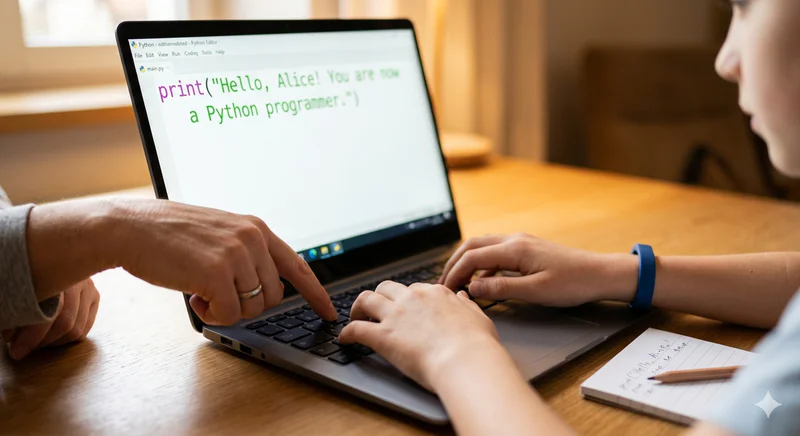
print("Hello, [child's name]! You are now a Python programmer.")Run it. The screen displays their name. Small, but the point lands: you wrote an instruction, and the computer did exactly what you said. That's programming.
Step 2: Ask for input and respond (5 minutes)
Extend it to:
name = input("What is your name? ")
print(f"Hello, {name}! Welcome to Python.")
Now the programme asks the child for their name and uses it in the response. This introduces input(), variables, and f-strings in one short programme. Ask the child to run it and type their name. Then ask: "What would happen if we changed the message?"
Step 3: Add a decision (5 minutes)
Extend it further:
name = input("What is your name? ")
age = int(input("How old are you? "))
if age >= 10:
    print(f"Great, {name}! You're old enough to learn Python.")
else:
    print(f"Almost there, {name}! Come back in a couple of years.")
Now the programme makes a decision based on their age. Introduce the concept: "This is called a conditional. The computer checks the age, and depending on whether it's 10 or above, it says something different. Just like the school trip example, if raining, museum; otherwise, park."
Step 4: Add a loop (5 minutes)
Try something that shows the value of loops:
for i in range(5):
    print(f"This is line number {i + 1}")
Without the loop, printing five numbered lines would require five separate print statements. With the loop, it's two lines. Ask: "What would you change to print 100 lines instead of 5?" The answer, change 5 to 100, is immediately obvious, and the child has just understood why loops are powerful.
For a complete list of beginner Python projects that build naturally from these first concepts, see Python Projects for Kids: 8 Ideas to Build Confidence.
What Are the Most Common Questions Children Ask About Python?
These are the questions that come up most often in the first few sessions, along with honest, plain-language answers.
"Why does Python care about spaces?"
Python uses indentation (the spaces at the start of a line) to know which instructions belong together. Everything indented inside an if statement runs only when that condition is true. Everything indented inside a for loop runs on every repetition. A single missing space produces an IndentationError, which can feel very unforgiving to beginners.
The useful analogy: indentation is like paragraph structure in writing. Sentences that belong in the same paragraph are grouped together visually. Python groups instructions the same way. Once a child understands that indentation is structure rather than style, it stops feeling arbitrary.
"Why do strings need quotes but numbers don't?"
Because Python needs to know what kind of data it's handling. A number is something to calculate with. Text is something to display or compare. The quotes are Python's way of knowing: "this is text, not a number or a variable name." Without quotes, Python thinks you're referring to a variable. name means "the variable called name." "name" means "the text 'name' literally."
"What does def mean?"
def is short for "define." When you write def make_greeting():, you're defining (creating) a function called "make_greeting." You're writing a recipe and giving it a name. The indented lines below it are the steps. Whenever you write make_greeting() later in your code, Python follows the recipe. The def defines it once; every call uses it.
"What does return do?"
A function with a return statement hands a value back to wherever it was called from. Analogy: you ask your friend to calculate 15% of 80. They work it out (12) and hand you back the answer. The return is the handback. Without it, the function runs its steps but keeps the result to itself: the caller gets nothing back. With return 12, the answer comes back and you can use it in your next line of code.
The best way to understand Python is to write it, ideally with a qualified instructor who can adapt every explanation to how your child thinks. Book a free trial class at Codeyoung and see these concepts explained live, for your specific child.
What Python Looks Like as Children Progress Beyond the Basics
One of the concerns parents have after seeing beginner Python is whether it actually leads anywhere significant. The answer is yes, and the distance between beginner Python and professional Python is smaller than it appears, because the language itself doesn't change. The same for loop that prints five lines in a beginner's programme is the same construct used to process millions of rows in a data scientist's pipeline.
Here is what Python looks like at each stage beyond the basics, so parents can understand where the journey leads.
What Python Looks Like at Each Learning Stage
The table makes one thing clear: Python learned at age 11 is not a toy language that gets replaced by "real" Python at university. The beginner, intermediate, and professional stages all use the same language. Each stage adds depth and breadth, but nothing learned earlier becomes obsolete.
For the complete picture of how Python learning unfolds from beginner to advanced, see the Python for Kids complete guide. For how Python connects to AI careers, see How Early Python Learning Can Shape Their Future Careers.
How Should Parents Talk to Their Child About Learning Python?
Parents who aren't technical sometimes worry that their lack of knowledge undermines their ability to support a child learning Python. It doesn't, but the framing matters. Here are specific approaches that help.
Ask "what does this part do?" rather than "do you understand it?" The first question invites the child to explain, which reinforces their own understanding. The second question invites a yes/no answer that tells you nothing. A child who can explain what a
whileloop does in their own words understands it. One who can only run the code without explaining it doesn't, yet.Celebrate specifics, not generics. "You figured out how to make the score update without resetting the whole game" is more motivating than "great job." Specific praise names what the child achieved technically and reinforces their identity as someone who solves programming problems.
Connect Python to things they already know. If they love sport, point out that Python is used to analyse match statistics, build sports apps, and power fantasy league platforms. If they love games, note that Python powers indie game development. If they love music, Python is used in audio processing and music generation. The connection between their interest and the language makes the learning feel purposeful rather than abstract.
Normalise not knowing. When they hit a concept they can't explain, say "let's look it up together" rather than treating it as a failure. Professional developers look things up constantly: this is not a sign of incompetence, it's a sign of how programming actually works.
For more on the parent's role in a child's home coding practice, see How to Teach Kids to Code at Home: A Parent Guide.
Frequently Asked Questions: Explaining Python to Children
What is Python in simple terms for a child?
Python is a set of instructions written in a language that computers understand and that humans can read clearly. When you write a Python programme, you're telling the computer exactly what to do, step by step, in a format that reads close to plain English. The computer follows your instructions precisely and immediately. If you tell it to display a message, it displays it. If you tell it to repeat something ten times, it repeats it ten times.
What age is right for a child to start learning Python?
Most children are ready for Python between ages 10 and 11, when they can read comfortably, type with reasonable confidence, and follow multi-step logical processes. Children aged 12 and above with no prior coding experience can start Python directly. Children aged 9 to 10 who have a strong foundation in Scratch (6 to 12 months of experience) can also begin Python, as the conceptual groundwork is already in place. The key readiness markers are reading fluency, typing comfort, and the ability to think about cause and effect in a sequence.
How is Python different from Scratch?
Scratch uses visual blocks that snap together to form instructions. Python uses typed text that follows specific syntax rules. Both teach the same programming concepts, loops, conditionals, variables, functions, but in different formats. Scratch removes the typing barrier, making it ideal for younger children. Python requires reading and typing but has no ceiling on what children can build: professional software, AI systems, and data science tools all use Python. Scratch becomes limiting around age 11 to 12; Python does not.
What is the first thing a child should type in Python?
print("Hello, world!") is the traditional first Python line, and it's still the best starting point. It requires one concept (the print function), produces an immediate visible result (text on screen), and demonstrates the core principle: you write an instruction, the computer executes it. From there, adding input() to ask for the child's name and using it in the response creates the first interactive programme in about three additional lines.
My child asks why Python cares about indentation. What do I say?
Indentation is Python's way of showing structure. Instructions indented under an if statement only run when that condition is true. Instructions indented under a for loop run on every repetition. Python enforces this visually rather than with curly brackets (like Java uses), which makes programmes cleaner to read but requires careful attention to spacing. A useful response: "Indentation is how Python organises ideas into groups, like how a recipe has steps for the filling and steps for the pastry, and they're kept separate because they belong to different parts."
What is a Python library, and how do you explain it to a child?
A library is a collection of pre-written code that Python programmes can use without writing it themselves. The analogy that works best: a library is like a toolbox full of specialist tools. You don't build a screwdriver from scratch every time you need one, you open the toolbox and take it out. import random opens the random numbers tool. import datetime opens the dates and times tool. Libraries mean children can build impressive things quickly without understanding everything that happens behind the scenes, exactly like using a screwdriver without understanding metallurgy.
Should children learn Python theory before writing code?
No. The most effective way to learn Python is to write it from the first session. Concepts are introduced in the context of a working programme the child is actively building, not in the abstract before any coding begins. A child who has written a number guessing game understands loops viscerally, they have experienced the loop making their game work. The same concept explained in the abstract before any coding is a definition the child may remember briefly and then forget. Code first, explain the concept in context second.
What is the hardest Python concept for children to understand?
Functions with return values are consistently the most challenging concept for children in the beginner stage. The difficulty isn't the syntax, it's the abstract concept of a function handing a value back to the code that called it. The analogy that works best is the calculator friend: "You ask your friend to calculate 15% of a number. They work it out and hand you back the answer. That's a return value: the function does the work and passes the result back." Once children write a function that calculates something and returns the result, the concept usually clicks permanently.
How does Codeyoung explain Python to children in its sessions?
Codeyoung's instructors introduce each Python concept through a problem the child wants to solve in their current project. Rather than defining a loop abstractly and then practising it in exercises, the instructor waits until the child needs a loop in their game, "we need the game to keep asking for guesses until the player gets it right", and introduces the while loop as the solution to that specific problem. Concepts that arrive as solutions to problems the child cares about are retained much more durably than concepts introduced as subjects to study. Book a free trial class to see this approach in your child's first session.
Python Is Easier to Explain Than You Think
Every Python concept has a real-world equivalent. Variables are labelled boxes. Loops are repeated routines. Conditionals are decision trees. Functions are named recipes. Lists are shopping lists. None of these analogies require technical knowledge to use, and all of them produce the "oh, I get it" moment more reliably than a formal definition.
The most important thing parents can understand about explaining Python to their child is that the explanation works best in real time, while the child is writing code that does something interesting. Abstract concepts become concrete the moment they're applied. The first time a loop makes something happen five times in a row, loops aren't abstract anymore. The first time a conditional makes a game respond differently based on a score, conditionals click.
For a complete guide to Python's learning journey, see the Python for Kids complete guide. For the first projects a child can build to put these concepts into practice, see Python Projects for Kids: 8 Ideas to Build Confidence.
Ready to see Python explained in action, for your child specifically?
Codeyoung's instructors adapt every explanation to the individual child, using their interests, their current project, and their own way of thinking to make Python concepts click. First class is free, no commitment required.