Game Design for Teens: Turn Your Gaming Passion into Coding Skills
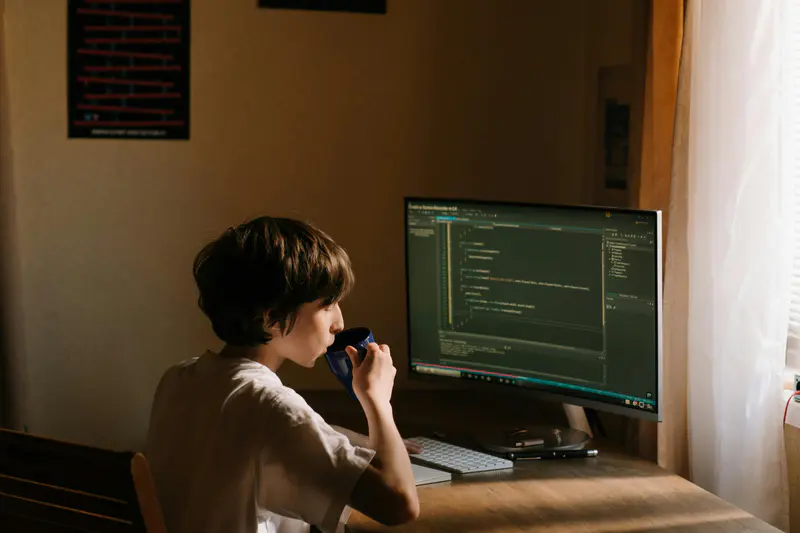
If you’re a teen who loves games, or a parent who wants to make screen time more useful, here’s some good news: the time spent playing video games can be the first step toward real coding skills. Instead of only playing games, kids can learn how to build them. This is how gaming connects to real-life skills, helping students see coding as an interesting skill to grow in.
But know what? 30–60% of students struggle with coding initially, but with a correct project-based learning program like CodeYoung, students create over 100,000 coding projects, and a fun fact, many of which include building their own games. That’s where game design for students becomes powerful. It turns interest in life into real skills. Through game development, kids don’t just learn programming games; they create, try new ideas, and understand how technology shapes the digital world.
Today, game design combines storytelling, art, logic, and code into one exciting journey. It is creative, technical, and highly engaging, with a strong connection between gaming and real computer programming.
Why Game Design Is the Perfect Entry Point for Teen Coders
Traditional coding lessons can feel abstract, so 91% teachers have already started gamifying education to level up their lessons, where kids design their own video games, and everything feels purposeful. They already understand game mechanics, scoring systems, and character movement. That intuitive understanding makes learning logic easier.
With coding games for teens, every change in the program shows results right away. Change the speed? You see it instantly. Adjust the rules? The game updates immediately.
Here’s why game design works so well:
Teens are highly motivated because they already love games
They get visual feedback through animation and movement
They see instant results from every line of code
Instead of memorizing rules, students solve real problems inside their own projects. This helps them build confidence quickly.
From Player to Creator: Making the Mindset Shift
There’s a big difference between playing video games and building them.
When teens shift from player to creator, they begin asking:
Why does this level feel challenging?
How does the scoring system work?
What makes this character fun to control?
This shift develops critical thinking and a deeper interest in how technology works. Teens start to explore systems, not just outcomes. That curiosity fuels long-term growth.
At Codeyoung, this mindset is reinforced through mastery-based learning. After delivering 3.5 million+ live classes, the focus remains on helping students demonstrate real understanding before moving forward, which is why 85%+ complete their courses.
Real Skills You'll Learn Along the Way
Through game design development, teens build real-world skills that go far beyond gaming.
Logical Thinking
When a character jumps, the game checks:
“If spacebar pressed → apply upward force → detect landing → reset jump.”
That’s conditional logic in action — the same thinking used in real computer programming.
Debugging
If a character falls through the platform, teens investigate collision settings and adjust the physics rules. This is real software troubleshooting — identifying the problem, tracing the cause, and fixing it step by step.
Project Planning
Before building a game, teens outline:
Objective
Player actions
Win/lose conditions
This mirrors real-world product planning used in software and technology teams.
Collaboration and Feedback
Teens test each other’s games, suggest improvements, and refine ideas. That process builds communication and teamwork skills.
Understanding the Basics of Video Game Design for Teens
Many people think video game design is only about coding. But in reality, it includes many different skills working together.
Video game design for teens teaches planning and structure. Even simple games need a clear idea, rules, and a strong visual style.
At the center of it, game design principles include:
Teens learn that successful games need a good balance between creativity and structure.
Roles in Game Development: Find Your Fit
The gaming industry includes many career paths:
Game designer
Programmer
Artist
Sound designer (handling music)
Tester
Through game development, teens can try the same tools professionals use. They don’t need to pick a specialization immediately. Early exposure helps them discover genuine interest.
Best Tools and Platforms for Game Development for Teens
Here’s how teens typically progress from beginner to advanced game development tools:
Choosing the right platform depends on experience and goals. The focus should be steady progress, not complexity.
Beginner-Friendly Game Engines
Platforms like Scratch use simple block coding and drag-and-drop tools. These help beginners create browser-based games without worrying about difficult syntax.
They are perfect for learning the basics before moving to advanced tools.
Intermediate Options
As teens improve, they start using industry-standard tools like Unity or Unreal Engine. These platforms use real coding languages and follow professional industry practices.
This stage builds strong technical skills and prepares teens for serious game dev projects.
Your First Game Project: A Step-by-Step Guide
Starting your first game doesn’t require perfection. It requires action.
Choosing a Simple Game Concept
Start small:
Maze games
Endless runners
Simple quiz games
Clear mechanics help students focus on learning structure rather than complexity.
Example: Build a Simple Maze Game
Step 1 : Define the Goal
Player reaches the exit without touching walls.
Step 2: Core Mechanic
Arrow keys move the character.
Step 3: Basic Rules
If player touches wall → reset position
If player reaches exit → show “You Win!”
Step 4: Add One Improvement
Add timer or score.
Example:
Version 1
Character moves
One level
Basic win condition
Version 2
Add background music
Add moving obstacles
Add scoring system
Building Your Prototype
When you create your first version:
Focus on one mechanic
Keep visuals simple
Write clean code
Test frequently
Small wins matter. Completing a basic playable version builds a strong foundation.
Testing and Getting Feedback
Testing improves both the game and the creator.
Encourage friends or other students to try it. Honest feedback highlights bugs and improvement areas. This mirrors real industry workflows.
Coding Languages Used in Video Game Design
Different programming languages power different game engines. Once teens understand how games are structured, the next step is understanding the programming languages that power them.
Python for Beginners
Python has a friendly syntax, which makes it great for beginners learning logic and structure. It is widely used to teach core programming concepts.
C# and JavaScript for Game Engines
C# is used in Unity. JavaScript helps create browser-based games and interactive web experiences.
Both languages help teens connect creative projects to real-world development.
Free Resources and Courses for Teen Game Designers
Teens don’t need expensive setups to begin.
Platforms like Khan Academy offer beginner-friendly tutorials. Many game dev courses focus on guided practice rather than theory.
Some game design camps provide immersive one- or two-week experiences, allowing teens to dive deep with personalized attention.
A good course provides:
Clear structure
Practical projects
Supportive community
Real-world context
Turning Your Game Projects into a Portfolio
Finished projects become proof of ability. Colleges and even top universities appreciate applicants who show interest in computer science and take initiative towards it. A collection of playable games demonstrates both creativity and persistence.
Through game design for teens, students build tangible results, not just theory.
Careers in Game Development: Where This Path Can Lead
Early exposure to game development opens doors across the industry.
Possible paths include:
Game production
Software development
UX and graphic design
Simulation and AI systems
Even if students don’t pursue the gaming industry, the skills they build, logic, collaboration, and structured thinking, apply across the professional world.
Through game design, students don’t just learn to code. They learn how to think, build, and innovate.
And who knows? The video games they start building today could shape their future career tomorrow.
FAQs
1. Is game design for learners suitable for beginners?
Yes. Game design for learners is especially beginner-friendly because most platforms start with visual tools such as block coding and drag-and-drop interfaces before introducing advanced programming languages. This allows aspiring learners to understand core concepts like logic, sequencing, loops, and conditions without feeling overwhelmed by complex syntax. As confidence grows, they gradually transition into writing real code using beginner-friendly languages like Python or JavaScript.
2. Do young developers need advanced math to learn game development?
No. Early game development focuses more on logical thinking, structure, and problem-solving than advanced mathematics. Students begin by learning how game mechanics work, such as movement rules, scoring systems, and simple condition checks. While advanced 3D game engines may eventually require concepts like geometry or physics calculations, beginners can build meaningful and creative games without strong math skills. As they progress, math becomes a helpful tool rather than a barrier, and it is introduced gradually alongside their growing coding confidence.
3. Can building games help with future careers?
Absolutely. Game design for aspiring creators builds problem-solving, collaboration, and technical confidence, valuable in many career paths beyond gaming. Colleges and even top universities value students who show practical experience beyond classroom theory. The project-based learning helps reflect understanding of computer programming, logical thinking, and persistence in a portfolio of aspiring creators.
4. Do beginner game designers need prior coding experience to start game design?
No. Many budget friendly courses, designed for game art for aspiring creators begin with visual tools such as block coding or drag-and-drop interfaces. These allow beginners to understand logic, sequences, and conditions without worrying about complex syntax. Once students grasp the basics, they gradually transition to scripting languages like Python, C#, or JavaScript. This step-by-step progression makes game development accessible even for complete beginners.
5. How many hours per week should teens practice game design?
For beginners, 2–4 hours per week is enough to make steady progress. The goal should be completing small projects rather than spend long hours without direction. Building one simple game per month allows learners to apply new concepts, test ideas, and receive feedback. Consistency matters more than intensity when developing strong coding and design skills.