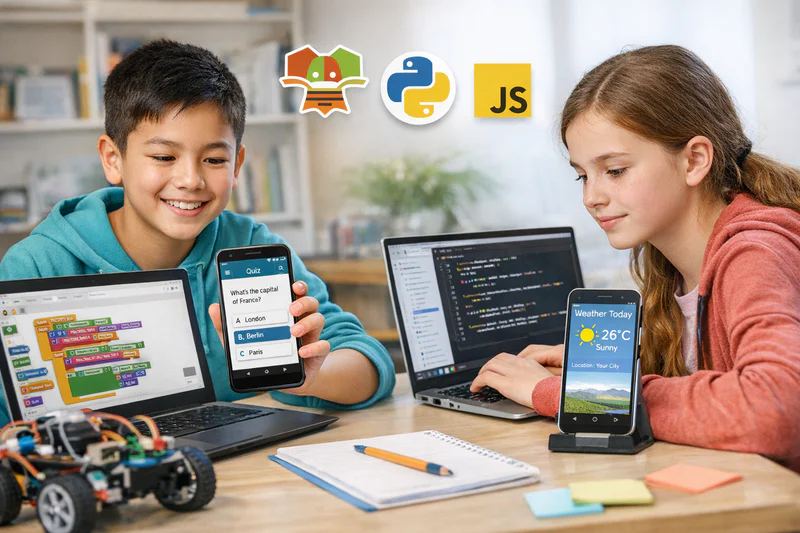
App Development for Kids: Can Children Really Build Their Own Apps?
Every child uses apps every day. Games, tools, calculators, timers, quizzes. Most children have never considered that the things they use were built by someone who started exactly where they are now: with no experience, a working computer, and curiosity about how things are made.
App development for kids is more accessible than most parents assume. The tools available today, from MIT App Inventor to Python-based frameworks, allow children aged 10 and above to build real, functional apps that run on actual devices. Not toy versions. Not simulations. Real applications their family can download and use.
This guide covers what children actually learn through app development, the right tools and ages, how a typical learning journey unfolds, and what parents should look for when choosing a programme.
Key Takeaways
Children aged 10 and above can build functional apps using tools like MIT App Inventor, and those aged 13 and above can move to Python or JavaScript-based app development.
App development teaches logic, design thinking, user experience, and problem-solving alongside the technical coding skills.
MIT App Inventor lets beginners build real Android apps using a drag-and-drop interface, making it ideal for children who aren't yet comfortable with text-based code.
The jump from app development to professional mobile development is shorter than most parents realise, especially for children who start young.
Codeyoung's app development programme guides children through building and publishing real apps in a structured 1:1 live format.
What Do Kids Actually Learn Through App Development?
The obvious answer is coding. But parents who look closely at what their children gain from a well-taught app development programme are usually surprised by how much sits alongside the technical skills.
Building an app requires a child to think about a problem worth solving, design a solution that another person can use, write the logic that makes it function, test it, fix what breaks, and refine what feels awkward. That process touches logical thinking, design, communication, persistence, and self-directed problem-solving. All from building something with a screen and a set of tools.
What programming concepts do kids learn in app development?
App development introduces the full core set of programming fundamentals in a context children find meaningful. Variables and data storage (saving a user's score or name). Conditionals (if the user taps this button, do this). Loops (repeat an action until a condition is met). Functions (reusable blocks of logic). Event handling (what happens when the screen is tapped or the phone is shaken). For older students, object-oriented programming concepts emerge naturally when an app has multiple screens or data types to manage.
Skills Kids Build Through App Development
The Tools Kids Use for App Development at Different Ages
The right tool depends entirely on the child's age, prior experience, and the type of app they want to build. Using an advanced tool with a beginner creates frustration. Using a beginner tool with an older, motivated student creates boredom. Getting the match right is what allows early confidence to develop.
App Development Tools for Kids by Age and Level
MIT App Inventor deserves special attention for the 10 to 14 age group. It was developed at MIT specifically to make mobile app development accessible to beginners, and it does this without sacrificing genuine capability. Children have built weather apps, fitness trackers, language learning tools, and games using App Inventor, all of which are real, functional applications that run on Android devices. The MIT App Inventor programme at Codeyoung covers this track for children who want to go from zero to a working app as efficiently as possible.
Want your child to build their first real app with a qualified 1:1 instructor guiding each session? Book a free trial class at Codeyoung and see the first session in action.
What Age Is Right for Kids to Start App Development?
The practical starting point for app development is around age 10, with the right tool. Younger children can certainly engage with simple programming concepts, but the specific combination of skills that app development requires (reading interface descriptions, understanding layout logic, thinking through multi-step user flows) tends to click most reliably from age 10 onwards.
App Development Readiness by Age and Prior Experience
One thing parents sometimes overlook: children who start with MIT App Inventor and then move to Python or JavaScript for app development find the transition much smoother than those who start text-based from scratch. App Inventor builds the conceptual framework of how apps work. The second tool just teaches them a new syntax for expressing the same ideas.
What Does a First App Actually Look Like?
Parents understandably wonder whether children's first apps are meaningful or just exercises dressed up as projects. The honest answer depends on the programme. In a well-structured 1:1 app development course, a child's first complete app is genuinely functional and personally designed. It won't have the polish of an App Store product, but it will work, and the child will have made real decisions about how it behaves.
Here are examples of realistic first apps for different age groups and tools:
Age 10 to 11, MIT App Inventor: A quiz app about a topic the child chooses, with multiple questions, a scoring system, and a results screen. Fully functional on any Android device.
Age 11 to 12, MIT App Inventor: A simple calculator, a conversion tool (currency or units), or a personal habit tracker with a database to save entries between sessions.
Age 12 to 13, Thunkable: A two-screen app with user login, stored preferences, and a simple content feed. Could be a recipe app, a book list, or a sport stats tracker.
Age 14 to 15, Python or JavaScript: An API-connected app that pulls live data (weather, news headlines, sports scores) and displays it in a clean, navigable interface.
Each of these represents real engineering decisions: what data to store, how to handle user input, how to navigate between screens, and what to show when something goes wrong. Children who build these apps have genuinely solved problems, not just followed steps.
How App Development Connects to Broader Coding and Career Paths
App development is not a standalone skill. It sits at the intersection of several technical and creative disciplines, and children who develop it are building a foundation that supports multiple future directions.
On the technical side, app development introduces UI/UX thinking, data persistence, API integration, and eventually backend systems. A child who builds apps is working with the full stack of concerns that professional software engineers deal with every day. The terminology changes between tools and languages, but the underlying logic does not.
On the career side, mobile development is one of the most consistently in-demand skills in the technology job market. The Bureau of Labor Statistics projects software developer roles (which include mobile developers) to grow 25% by 2032. Children who develop a portfolio of real apps before they reach university are starting from a position of genuine advantage, regardless of which specific path they ultimately pursue.
There is also a practical dimension that parents in entrepreneurial households particularly appreciate. App development is one of the shortest paths from an idea to a product that other people can use. A teenager with strong app development skills can build and publish something independently. That capacity for independent creation is valuable in ways that go well beyond any specific job title.
Explore Codeyoung's app development programme alongside the MIT App Inventor track to find the right starting point for your child's age and goals.
How Does App Development Compare to Other Coding Paths for Kids?
Parents choosing a coding track for their child often ask whether app development, Python programming, or web development is the "best" choice. The honest answer is that the best choice is the one that aligns with what the child wants to make. But for parents who want a framework for thinking it through, here is how the paths compare on the dimensions that matter most.
App Development vs Other Coding Paths for Kids
Many children at Codeyoung pursue more than one track over time, because the skills genuinely compound. A child who learns app development alongside Python finds that the logic they developed in one context accelerates their learning in the other.
Frequently Asked Questions About App Development for Kids
Can a child really build a real app, or is it just a simulation?
Children can and do build real, functional apps. Using MIT App Inventor, a child aged 10 or above can create an Android app that installs and runs on an actual phone. It won't look like a professionally designed App Store product, but it will work, respond to user input, store data, and do what the child designed it to do. That's a real app, not a simulation.
What is MIT App Inventor and is it good for kids?
MIT App Inventor is a free, browser-based platform developed by MIT that lets children build Android apps using a block-based drag-and-drop interface similar to Scratch. It's well-suited to children aged 10 to 14 because it removes syntax pressure while still teaching genuine app logic: screens, components, events, data storage, and device features like the camera, GPS, and sensors. Apps built in App Inventor can be downloaded and run on any Android device.
Do kids need to know coding before starting app development?
For MIT App Inventor, no prior coding experience is required. The interface is visual and intuitive enough that a motivated beginner can build their first working app within the first few sessions. For Python or JavaScript-based app development, a basic foundation in the relevant language is strongly recommended first. Jumping into framework-level coding without understanding variables, functions, and conditionals typically produces frustration rather than progress.
What is the difference between app development and web development for kids?
App development produces software that runs as a native application on a phone or tablet, either installed from an app store or sideloaded directly. Web development produces websites and web apps that run in a browser. The underlying logic is similar, but the tools, deployment methods, and user experience considerations differ. Apps tend to feel more tangible to children because they live on a device they hold. Web projects are more shareable because any browser can access them without installation.
At what age can a child publish an app to the Google Play Store?
The Google Play Store requires account holders to be at least 18 years old, so children typically publish apps through a parent's developer account. Google Play developer registration costs a one-time $25 fee. Apps built in MIT App Inventor can also be shared without the Play Store by downloading the APK file directly. Apple's App Store has a higher technical bar and cost, making it less practical for beginner developers of any age.
How long does it take for a child to build their first complete app?
With consistent 1:1 instruction, most children aged 10 to 12 using MIT App Inventor complete their first functional single-screen app within 5 to 8 sessions. A multi-screen app with data storage typically takes 10 to 15 sessions. The timeline depends on session frequency, the complexity of the app the child wants to build, and how much independent practice happens between lessons. Children who practise between sessions progress noticeably faster.
Is app development a good extracurricular for college applications?
A portfolio of self-built apps is a genuinely strong differentiator for college applications, particularly for students applying to computer science, engineering, or product design programmes. Unlike course certificates, apps demonstrate initiative, technical ability, and the capacity to complete independent projects. Admissions reviewers can see the app, use it, and evaluate what the student actually built rather than simply taking their word for it.
Can girls do well in app development, or does it skew towards boys?
Girls perform just as well as boys in app development when given the same quality of instruction and encouragement. Research consistently shows that apparent gender gaps in coding and technology reflect differences in exposure and confidence, not ability. Many of the most innovative apps built by Codeyoung students have come from girls who described themselves as "not a computer person" before starting. The practical, design-oriented nature of app development often appeals strongly to children who find abstract coding exercises less engaging.
What devices does a child need for app development at home?
For MIT App Inventor, a laptop or desktop computer with a modern browser is all that is required for building. Testing the app on a real device requires an Android phone or tablet with the MIT AI2 Companion app installed (free). No Android device? The built-in emulator lets children test apps directly in the browser. For Python or JavaScript-based app development, a laptop is sufficient, and most frameworks include emulators for testing without a physical device.
How does Codeyoung's app development programme work?
Codeyoung's app development programme is delivered as 1:1 live sessions with a qualified instructor. The curriculum starts with MIT App Inventor for younger or less experienced students, then progresses to more advanced tools as skills develop. Each session includes active coding time, instructor-guided debugging, and a project milestone to reach before the next session. Students leave the programme with a portfolio of real apps and the skills to continue building independently.
Your Child Has an App Idea. The Tools Exist to Build It.
App development is one of the most motivating coding paths for children because the output is immediate, tangible, and shareable. A child who builds an app has made something their family can install on a phone and use. That experience of being a creator, of having made something real that works in the world, is one of the most powerful outcomes coding education can produce.
The skills it develops are real. The career relevance is real. And for a motivated child with the right instruction, the first working app is closer than most parents expect. Often within the first month.
Explore Codeyoung's app development programme for children aged 10 to 17, or book a free trial session to see what the first class looks like.
Ready for your child to build their first real app?
Codeyoung offers personalised 1:1 live app development classes for children aged 10 to 17. MIT App Inventor, Python, and more, taught by expert instructors with flexible scheduling. The first class is completely free.