10 Fun Web Projects Kids Can Build in Under 30 Minutes
Coding does not need to feel hard or slow for kids. A good coding project for kids can be small, quick, and exciting. Many students lose interest when results take too long to appear, so quick projects matter. These free coding projects show instant results on the screen, which builds confidence and helps kids stay interested. When children see their ideas turn into games or simple apps, coding starts to feel fun and achievable. Kids like to talk about their projects with friends, share their stuff, and guess what they can build next, which keeps them motivated.
This guide focuses on easy coding projects that use simple language and clear steps. No heavy setup or complex software is needed. This is exactly what beginners want. Most projects work in a browser and introduce basics of web development, logic, and programming in a stress free way. Kids can build simple games, small websites, or fun tools. These projects give instant feedback and help them learn how coding works. Parents feel at ease since kids learn real skills easily. There’s no pressure or tricky account setup involved.
All projects are beginner-friendly. They are great for home learning, school classes, or self-practice. These project ideas help kids play, create, and learn at the same time. The goal is simple. Make coding fun for students. Show that programming can be enjoyable and learned step by step. It’s not something to fear.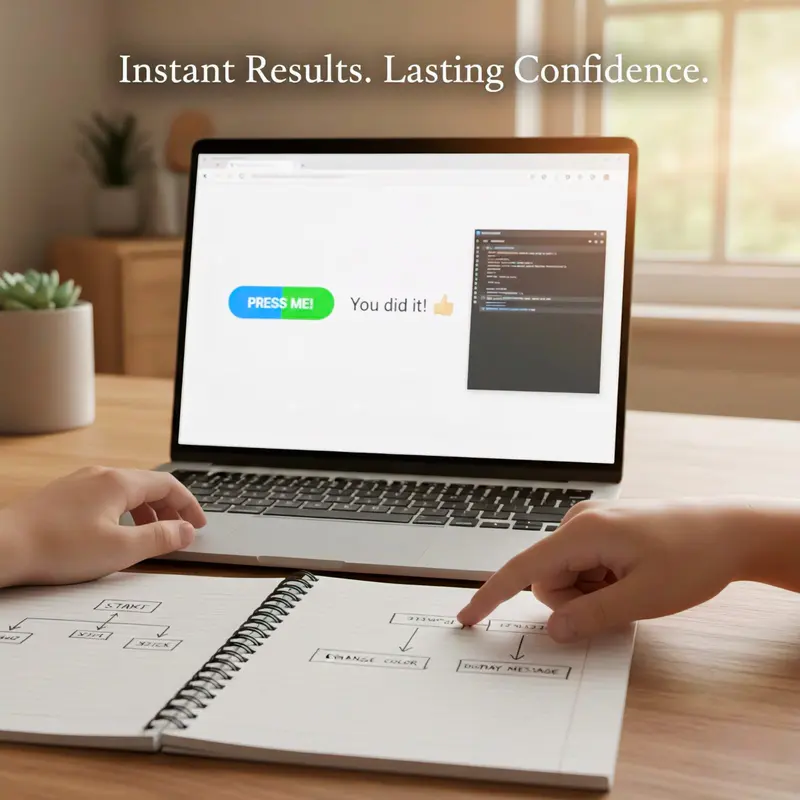
Why Quick Wins Matter: Easy Coding Projects for Beginners
Starting a coding project for kids can feel scary if it looks too hard. When kids write a few lines of code and watch a button move or a color change, they understand they can control the computer. These quick wins make programming feel pretty easy. Instead of getting stuck in theory, kids learn by creating small games, simple websites that stay within a clear range of skills they can manage.
Quick projects also help kids stay interested and keep going. A short free coding project fits into a class, after-school time, or home learning. Kids test ideas, break things, and fix them, which helps them solve problems and understand structure. They begin to see how data moves through the program, even without using a full database.Using simple and clear steps turns coding into play. Over time, these small wins grow into real skills and a strong interest in programming.
Setting Up Your Workspace in 2 Minutes
You do not need to install heavy software to start. You can create web development projects using free online tools.
Websites like CodePen or JSFiddle allow you to write code directly in your browser. They are amazing resources because you can see your changes instantly. If you prefer working offline, you can use a simple text editor like Notepad on Windows or TextEdit on Mac. Just save your files with an .html extension. That is totally all you need to start your first program. This simple setup removes barriers so you can focus on the coding projects, and your creativity instead of worrying about tools or a database setup.
Web Development Basics Explained in Simple Language for Kids
Web development sounds complex, but for kids, it starts with three simple ideas. Content, style, and action. HTML handles content. CSS controls style. JavaScript adds action. Together, they help kids create websites and apps that respond to users and handle simple requests from a click or tap.
Kids do not need to memorize rules. They learn by testing. Change a line,refresh the page and see what happens. This trial and error process helps them understand how a computer follows instructions, how functions work together, and how data flows through the program in a clear process.
These projects feel real because kids use websites every day. When they build one themselves, they connect code to real life. They see how buttons, text, and games work behind the scenes. This understanding prepares them for future topics like Data analysis, Python and even Machine learning, where they will work with larger data sets and more advanced logic.
Top 10 Fun Coding Projects for Instant Results
These projects are designed to finish fast. Each one gives visible results. Kids can customize colors, text, and style. They can share projects with friends or family. Encourage them to experiment and remix their thoughts.
Project 1: The “About Me” Digital Poster

This is a perfect first coding project for kids. It uses simple HTML. Kids write their name, hobbies, favorite games, or music. They can add colors and emojis.
This project teaches structure. Kids learn how text appears on a webpage. They understand how content connect.
Example: A child creates a page with their name, favorite game, and a bright background color. They show it to friends and feel proud.
Project 2: A Color-Changing Button
It is a simple project that introduces interaction through action and result. In this project, kids create a button that changes color when clicked, helping them understand how user actions affect a website. Using a few lines of code and basic functions, students learn cause and effect in web development. They can try new colors, add text like “Click Me,” and explore ideas freely.
Project 3: The Secret Message Decoder
This is a fun project for kids that feels like a game. Children type a message, and the code changes it by reversing text or swapping letters. This simple idea helps students understand how data works and how small rules can change results. Using a simple language, kids learn basic programming skills like input, output, and logic. The project helps beginners find coding interesting through puzzles and creative problem solving.
Project 4: The Animal Sound Board
In this project, students create buttons for animals like a cat or dog and play sounds when clicked. This project helps kids understand how code connects actions to results using simple structure. It works especially well for younger learners and beginners who enjoy sound and interaction.
Kids can expand the idea by adding images, music, or turning it into a drum or music board. This projects, teaches basic programming logic, and shows how small ideas can turn into an interactive app.
Project 5: A Mini Quiz Game
A quiz is a great way to test knowledge and coding skills. In this project, you create a few questions. The user selects an answer, and the program tells them if they are right or wrong.
This introduces conditional logic. If the answer is "A", say "Correct." If the answer is "B", say "Try Again." It is a fundamental concept in computer science. Kids can make quizzes about their favorite movies, games, or school subjects. It turns a study session into a game.
Project 6: A Digital Greeting Card
Why buy a card when you can code one? This project involves using HTML and CSS to design a beautiful card for a birthday or holiday.
Kids can use CSS to add borders, colors, and centered text. They can add a comment in the code to explain who the card is for. This project focuses on design and layout. It shows students that coding is also an art form. You can email the link to grandparents or friends, making it a truly personal gift.
Project 7: Emoji Mood Tracker
Feelings change, and this app helps track them. Kids create a row of emojis representing different moods like happy, sad, sleepy, excited,etc.
When they click an emoji, the screen displays a message like "I am glad you are happy." This strengthens event handling. This project makes kids feel emotionally relevant. It is a simple tool, but it teaches how to capture user input and respond to it meaningfully.
Project 8: Random Joke Generator
Everyone loves a good laugh. This project builds a button that displays a new, random joke every time it is clicked.
This introduces the concept of randomness and arrays (lists). The child creates a list of jokes. The computer picks one at random. It explains how functions work to perform specific tasks. This is one of those free coding projects that creates endless entertainment. Kids will love showing this to their class.
Project 9: Click Counter Game
How fast can you click? This game counts how many times a button is pressed. It is a basic introduction to variables.
A variable is like a container that holds a number. Every time you click, the number goes up by one. It teaches kids how software remembers things. You can add a timer to make it a challenge. See who can get the highest score in 10 seconds.
Project 10: Simple To-Do List
This is a simple project. Kids build a simple web page where they can type a task and add it to a list.
This mimics real-world development. It deals with adding elements to a page dynamically. It helps kids organize their tasks or homework. Seeing that they can build a tool that actually helps them solve a problem is a huge confidence booster. It moves beyond just games and into useful utility apps.
Moving from Block-Based Coding to Real HTML/CSS
Many kids start with Scratch or block based coding. Moving to text based programming languages like HTML or Python can seem scary at first, but kids are not supposed to master everything at once. These web projects bridge that gap in a clear and friendly way.
Block coding teaches the logic like loops, variables, and statements. Web projects use that same logic but with real text. You are not throwing away what you learned. You are translating it into something new. These coding projects show that typing code is just as creative as dragging blocks. Kids begin to generate real results on the screen while keeping the same logical thinking they already understand. Hope this transition helps you decide to explore deeper programming with confidence.
Tips for Completing Your First Web Project Fast
To ensure these coding projects stay fun, keep it simple. Do not try to build Flappy Bird on your first day. First, start small.
Focus on one feature: Just make the button work first. Make it look pretty later.
Use resources: There are many free code snippets online. It is okay to copy and paste to understand how it works.
Ask for help: If you get stuck, ask parents or check for tutorials.
Celebrate: When it works, show it off.
If you are interested in hardware later, you can try a Raspberry Pi. But for now, sticking to web project ideas is the fastest way to learn.
From Simple Games to Flappy Bird Style Projects
Once kids feel comfortable, they might ask what is next. That question is basically a sign of growing confidence. This is where simple games lead to bigger ideas. Projects inspired by flappy bird or similar games help kids combine multiple features into one project.
These projects teach timing, loops, and basic game logic. Kids understand how games respond to players and how code updates the screen again and again. Behind the scenes, they also start to understand how scores or states could later connect to a simple database, even if they are not using one yet. Even if the game stays basic, the learning is deep.
A flappy bird style project does not need perfect graphics. It just needs working logic. When kids build even a simple version, they feel proud of what they generate with their own code. That feeling pushes them to explore more programming languages and keeps their creativity growing over time.
Conclusion
Coding does not need to be complex or intimidating to matter. A coding project can be small, easy, and still powerful. These coding projects show children that they can write code, create games like a snake game, build a password generator, or design a simple website in a short time. Parents can offer suggestions, but kids should lead the process so learning stays fun and meaningful. When children enjoy creating, they build skills, and curiosity. These small project ideas often spark a long-term interest in programming, turning today’s simple project into tomorrow’s game, app, or website.