
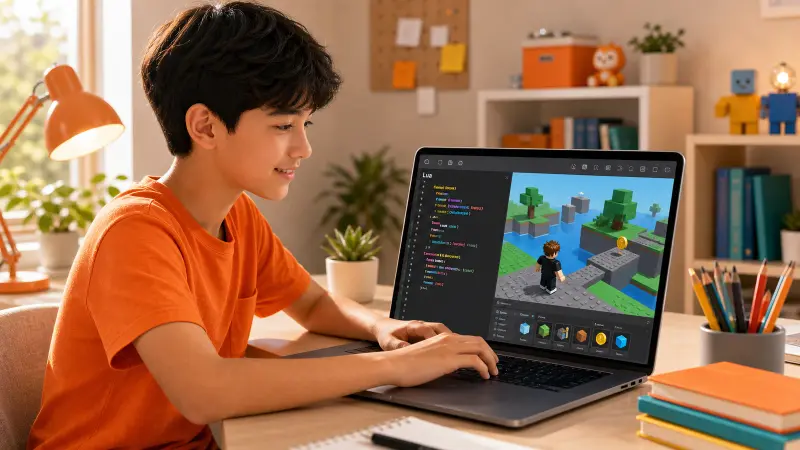
Key Takeaways
Roblox games are built using a scripting language called Luau, which is a unique and improved version of the Lua programming language.
Luau is designed to be accessible for beginners, making it a suitable first text-based coding language for children interested in game development.
While the core Roblox platform uses languages like C++, all in-game logic, from character actions to game rules, is exclusively controlled by Luau scripts.
Learning pathways for Luau range from free online tutorials to structured, personalized instruction, which can significantly accelerate a child's learning process.
Why is understanding Roblox's code important for young creators?
The Roblox platform has become a massive creative space, with millions of daily active users not just playing games, but actively building them. For parents and young creators, a frequent and foundational question arises: what language powers these interactive worlds? Knowing the answer is the first step in moving from a player to a creator, transforming imagination into a game others can experience.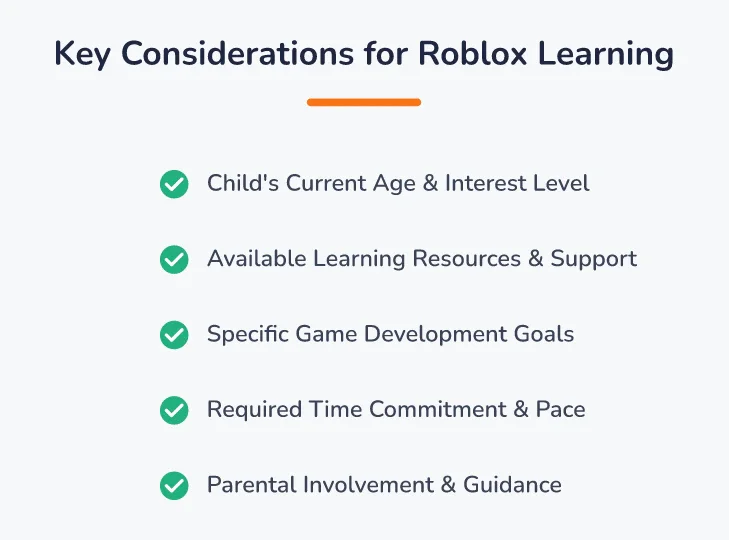
Key Considerations for Roblox Learning: Child's Current Age & Interest Level, Available Learning Resources & Support, Specific Game Development Goals, Required Time Commitment & Pace, Parental Involvement & Guidance.
Understanding the specific coding language used in Roblox is critical for setting realistic learning goals. It helps parents find the right resources, courses, and support systems for their child. Choosing to learn the correct language from the start prevents wasted time and frustration, ensuring a child's initial enthusiasm for game development is nurtured into tangible skills. This guide provides a clear, comprehensive answer, detailing not just the name of the language but why it's used and how a young learner can get started.
At Codeyoung, learning goes beyond lessons. With 50,000+ students taught across 45+ countries, fully live 1:1 classes, teachers chosen from less than 1% of applicants, and an 85%+ course completion rate, we focus on making concepts easy to understand and enjoyable to learn.
What coding language does Roblox use?
The primary coding language used within Roblox Studio for creating games is Luau. Luau is an open-source, gradually-typed scripting language that Roblox developed from Lua. Roblox released it under the MIT Licence in November 2021, and it has since been adopted beyond Roblox by studios including Remedy Entertainment (Alan Wake 2), Digital Extremes (Warframe) and Giants Software (Farming Simulator 2025). For a child or any aspiring developer building an experience on the platform, Luau is the language they must learn to control game mechanics, design user interfaces, and create interactive elements.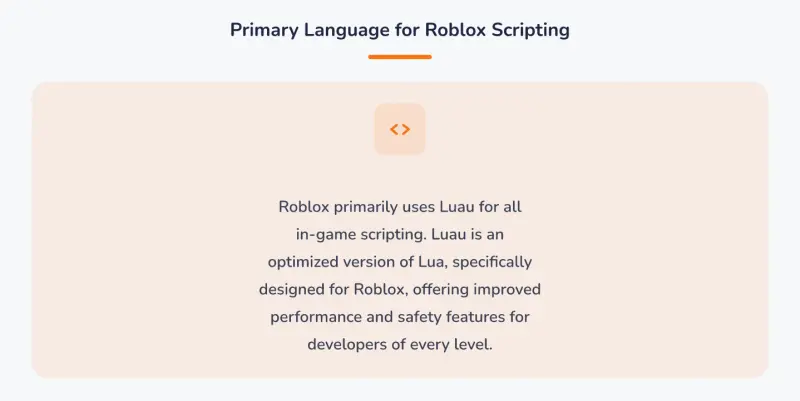
Primary Language for Roblox Scripting: Roblox primarily uses Luau for all in-game scripting. Luau is an optimized version of Lua, specifically designed for Roblox, offering improved performance and safety.
Luau is a dialect of Lua, specifically derived from Lua 5.1, but with significant enhancements made by Roblox engineers. According to its documentation, Luau is a fast, small, embeddable scripting language enhanced with features like a type-checking system and improved performance, making it ideal for the massive scale of the Roblox platform. This means that while it shares the simple syntax and lightweight nature of Lua, it also includes modern programming features that help manage large, complex game projects. The language was officially deployed on Roblox on August 27, 2019, to better serve the needs of its growing developer community.
Some parents may hear that Lua is an older language and worry that it is not a useful skill for their child to learn. However, this concern is unfounded. The core principles a child learns while scripting in Luau, such as variables, conditional statements (if-then-else logic), loops (for, while), and functions, are universal to almost all programming languages. For example, understanding how to write a function in Luau to make a player jump higher is conceptually identical to writing a function in Python to process data or in JavaScript to animate a button on a website.
Luau provides a practical, engaging environment to master these foundational concepts, making it a strong stepping stone to more complex languages later on.
It is important for parents to understand the distinction between the platform's code and the game creation code. The Roblox application and engine itself are built using high-performance languages like C++. However, when a creator opens Roblox Studio to build a game, they interact exclusively with Luau. To make an analogy, think of the Roblox engine as the engine of a car. It's a complex, powerful piece of machinery built by expert engineers using C++. The game developer, however, is the driver.
They don't need to know how to build the engine; they just need to use the controls provided: the steering wheel, pedals, and shifter. In this scenario, Luau is the set of controls that allows the developer to tell the powerful engine what to do.
Luau is the only language for scripting in-game experiences; developers cannot use other languages like Python or JavaScript directly for this purpose. This focus on a single, accessible language is a key reason why Roblox has become such a popular entry point for young coders. You can learn more about the specifics in this guide on the Roblox Studio coding language.
A concrete example of a Luau script is one that makes a part change color when a player touches it. The code would look something like this:
local part = script.Parent

part.Touched:Connect(function(otherPart)
 -- Check if the object that touched the part is a player's character
 local humanoid = otherPart.Parent:FindFirstChild("Humanoid")
 if humanoid then
 part.BrickColor = BrickColor.new("Bright red")
 end
end)
This simple script demonstrates key concepts like variables (local part), events (.Touched), functions, and conditional logic (if humanoid then). A child can write this code in a few minutes and immediately see a result in their game, which is a highly motivating feedback loop.
Luau provides creators with the tools to manage nearly every aspect of their game. Its capabilities include:
Game Mechanics: Defining rules, character abilities, and win/loss conditions. For example, a script could reduce a player's health when they touch a lava block. A more advanced example is creating a custom weapon system where a Luau script detects a mouse click, creates a laser blast projectile, calculates its trajectory, and determines if it hit another player to deal damage.
Player Interaction: Creating buttons, menus, and on-screen displays that players can use. A Luau script can make a door open when a player clicks a button next to it. For instance, a developer could write a script for a shop menu where clicking a "Buy Sword" button checks if the player has enough in-game currency (a variable), and if so, subtracts the cost and clones a sword tool into the player's inventory.
Dynamic Environments: Making the game world feel alive by controlling moving platforms, changing weather, or spawning non-player characters (NPCs). A popular use of Luau is scripting a day-night cycle. A script can gradually change the
ClockTimeproperty in theLightingservice, which smoothly transitions the skybox from day to night and can even trigger other events, like making streetlights turn on or spawning nocturnal enemies.Data Management: Saving player progress, inventory, or high scores so they can return to the game later. This is often done using Roblox's
DataStoreService. A Luau script can save a player's data, like their level and coins, when they leave the game and load it back in when they rejoin, creating a persistent experience that keeps players coming back.
Scripting with Luau is the fundamental way creators build interactive logic and define events within a Roblox experience.
The official Roblox documentation emphasizes that scripting is essential for adding custom behavior, offering tutorials on core concepts like variables, functions, and loops to get new developers started. This makes Luau not just a tool, but a complete educational ecosystem for learning programming concepts with immediate, visual results.
How can a child start learning to code for Roblox?
For parents considering how to introduce their child to Roblox coding, the first step is to assess the right learning pathway. While some children can begin with text-based coding like Luau around age 8, readiness depends more on reading comprehension and logical thinking skills than on age alone. Learning to code through Roblox offers significant cognitive benefits, sharpening a child's problem-solving abilities, systematic reasoning, and creativity as they design and debug their own games. Exploring Roblox coding for kids can provide more context on these developmental advantages.
There are several distinct paths a young learner can take. Consider two different child profiles. First, there is 10-year-old "Sam the Self-Starter." Sam is an avid Roblox player, has strong reading skills, and enjoys figuring things out on his own by watching YouTube videos. For Sam, the self-study path using the free official Roblox Developer Hub tutorials and community forums is a great fit. He has the intrinsic motivation to overcome problems and will thrive with the freedom to explore at his own pace.
In contrast, there is 9-year-old "Chloe the Collaborator." Chloe is highly creative and has fantastic ideas for games, but she becomes easily frustrated when she gets stuck on a technical problem for more than a few minutes. For Chloe, a self-study approach would likely lead to her giving up. She would benefit immensely from a structured, guided program with a live instructor. The immediate feedback and encouragement from a mentor would help her push through difficult bugs and keep her creative momentum going.
Self-study using free online resources and Roblox's own tutorials is a viable option for highly motivated, self-directed children. Structured online video courses offer a more linear curriculum but lack real-time feedback. For many children, guided coding classes provide the ideal balance of structure and support, ensuring they overcome challenges and stay engaged.
A common concern parents have is that paying for a class focused on a single game platform like Roblox might be too narrow. They wonder if these skills are transferable. The answer is a definitive yes. The core concepts taught are universal. For instance, in a Roblox class, a student learns about event-driven programming by making a part react to a .Touched event. This is the exact same programming paradigm used in web development, where a programmer makes a button react to an onClick event. The syntax is different, but the logical foundation is identical.
Learning Luau in Roblox is a powerful way to master these abstract concepts in a fun, tangible way before applying them to other languages like Python or JavaScript.
A high-quality coding program for children is defined by its project-based curriculum, experienced instructors, and personalized feedback.
At Codeyoung, the curriculum is built around these principles. With a foundational belief in personalized education, every session is a 1:1 live class conducted on Zoom, allowing instructors to tailor the pace and content directly to the student's needs. This focused attention is delivered by top-tier educators; fewer than 1% of teacher applicants are hired after a rigorous process that vets for technical skill, communication, and empathy. This ensures every child is paired with a mentor who can truly guide their learning.
Let's walk through a specific scenario of what a child might experience in a structured, 8-week program.
Weeks 1-2: Foundations. The student meets their instructor and gets a tour of Roblox Studio. They learn to manipulate parts, properties, and the camera. Their first coding project is writing a simple script to change a part's color and transparency, learning about variables and basic commands.
Weeks 3-4: Logic and Events. The curriculum introduces conditional logic (if/then/else statements) and events. The student builds a simple "obby" (obstacle course) with a "kill brick" that resets the player if they touch it. They also script a disappearing platform using loops and the
wait()function.Weeks 5-6: Functions and Game Loops. The student learns to write their own functions to create reusable code. They build a more complex project, like a sword that deals damage or a tool that allows them to create blocks in the game. They learn how to organize their code for bigger projects.
Weeks 7-8: Capstone Project. The student combines all their skills to work on a capstone project of their choosing, with the instructor acting as a guide and mentor. This could be a multi-level obby with checkpoints, a basic simulator game where players click to earn currency, or a custom-designed showcase of their own models and scripts.
When evaluating a program, parents should look for key features that promote genuine understanding and skill-building.
Project-Based Learning: Does the course have students build complete, playable game projects? A great program moves beyond isolated exercises to capstone projects, like creating an "obby" (obstacle course) or a custom simulator game. For example, instead of just a lesson on variables, a project-based lesson would have the student create a variable to store a player's score and then build a system where touching a coin increases that score.
Live, Interactive Instruction: Is there a live instructor who can answer questions in real-time? Pre-recorded videos cannot adapt when a child gets stuck on a bug or has a unique creative idea they want to implement. A live instructor can look at the student's screen, identify the typo in their code, and explain the error, a process that can take seconds but might frustrate a self-learner for hours.
Practice and Reinforcement: What tools are provided for practice between sessions? Codeyoung complements live instruction with its proprietary Noah AI practice platform, allowing students to solidify concepts at their own pace.
Advanced Pathways: What comes next after mastering the basics? For students who excel at Luau and game development, a clear next step could be a more versatile language. Codeyoung's 'AI & Machine Learning with Python' course, for instance, provides a path for older students (ages 10-16) to apply their coding logic to advanced fields.
Ultimately, the best approach depends on the child's individual learning style. A free trial class can be an excellent way to gauge a program's fit, offering a glimpse into the teaching methodology and curriculum before making a commitment.
Frequently Asked Questions
What coding language does Roblox use for scripting?
Roblox uses a scripting language called Luau to control all in-game logic and experiences. Luau is a specialized and enhanced version of the Lua programming language, created by Roblox to be fast, simple, and powerful for game development within Roblox Studio. All interactive elements a player sees, from working buttons to character behaviors, are controlled by Luau scripts.
Is Luau difficult for kids to learn?
No, Luau is widely considered a beginner-friendly language, making it an excellent starting point for children new to text-based coding. Its syntax is simpler and more forgiving than languages like C++ or Java. Because scripting in Roblox provides immediate visual feedback - a script makes a block change color or a character jump - it keeps young learners engaged and helps them grasp fundamental coding concepts quickly.
Compared to another beginner-friendly language like Python, Luau’s main advantage for young learners is its integration with a 3D game engine. For example, to teach the concept of a for loop, a Python tutorial might show how to print numbers from 1 to 10 in a text console. This is functional but not very exciting. In Roblox, a child can use that same for loop to generate a flight of stairs, create a row of falling dominoes, or spawn ten zombie NPCs that chase the player. This direct, visible impact makes abstract coding concepts feel concrete and powerful.
Can I use Python or Java for Roblox game development?
You cannot use Python, Java, or C++ to write the in-game scripts that control game logic inside Roblox Studio. While Roblox's own engine is built with other languages, Luau is the exclusive and designated language for creators to build experiences on the platform. Roblox made this choice for several critical reasons, including security, performance, and API stability. For example, by sandboxing all user code to Luau, Roblox ensures that a script from a game cannot access a player's personal files or compromise their computer. This creates a safe environment for everyone.
Furthermore, since Roblox controls the Luau language, they can optimize it specifically for the engine, ensuring that even games with thousands of scripts run smoothly for millions of players. Understanding the purpose of the scripting language Roblox uses is key to starting development correctly.
What's the difference between Lua and Luau?
Luau is derived from Lua 5.1 and is designed to be backwards-compatible with it, adding features created by Roblox on top of that baseline. The main additions in Luau are a gradual type system for catching errors, new built-in functions specific to the Roblox engine, and significant performance optimizations. A key feature is the type system. For example, a developer can add a "type annotation" to a variable, like local score: number = 0. This tells the script editor that the score variable should only ever hold a number.
If the developer later makes a mistake and tries to assign text to it, such as score = "one hundred", the editor will immediately underline the error, preventing a bug before the game is even run. In standard Lua, this kind of error would go unnoticed until it caused a crash during gameplay, making Luau much more reliable for building large, complex games. In short, Luau is a modern, more robust version of Lua tailored specifically for creating large-scale games on the Roblox platform.
What is the first step to creating games in Roblox?
Mastering Luau for Roblox game development opens a world of creative possibilities for young learners. By understanding this accessible scripting language and choosing the right learning path, children can confidently build, innovate, and share their unique visions within the expansive Roblox universe. The most effective first step is to begin with a foundational project, whether through a tutorial or a guided class, that turns a simple idea into a working piece of a game.
For example, a perfect first step is following the official Roblox tutorial to create a script that changes a part's properties. In this initial project, a learner doesn't build a whole game. Instead, they accomplish a small, concrete goal: insert a block, add a script to it, and write one or two lines of Luau code to make that block transparent and non-collidable. This simple task, which can be completed in under 15 minutes, teaches the entire core workflow of Roblox development: creating an object, attaching behavior with a script, and seeing an immediate result.
This small victory is incredibly empowering and provides the confidence needed to tackle the next, slightly larger project.