
Most parents read the Share button on Scratch as a visibility switch. It is also a licence. The Scratch Foundation's own guidance says that "everything shared on Scratch is licensed under a Creative Commons license", and the Community Guidelines put it more directly still: "when you share something on Scratch, you are giving permission to all Scratchers to use your work in their creations, too."
That is not a hidden catch. Remixing is the point of Scratch and it is one of the best things about it. It is simply worth knowing before your child presses the button, along with three settings that are easier to get right beforehand than afterwards. Everything below comes from the Scratch Foundation's own published guidance.
Key Takeaways
- Share means public to everyone, including people who are not logged in. There is no friends-only setting.
- Sharing grants a reuse licence. Other Scratchers may take your child's code, art and sound, with credit and a meaningful change.
- Photos of your child are banned as profile icons, by Scratch's own rule, not just as advice.
- A gaming handle counts as personal information. The guideline names usernames and links to outside sites explicitly.
- Unsharing is one click in My Stuff and it is reversible. Nothing your child built is lost.
What does the Share button actually do?
Two things at once, and only one of them is obvious.
The obvious one is publication. A project your child creates while logged in stays private until it is shared; the Scratch Foundation notes that "logged in users can create projects and keep them just to themselves". Share it and it appears on the site with a public page, a comment thread and a remix button.
The less obvious one is licensing. Shared projects carry a Creative Commons Attribution-ShareAlike licence, which means another Scratcher may open your child's project, take the sprite art, lift a script, and build something new on top of it. The Community Guidelines frame it as a two-way street: "You are encouraged to use anything you find on Scratch in your own creations, as long as you provide credit to everyone whose work you used and make a meaningful change to it."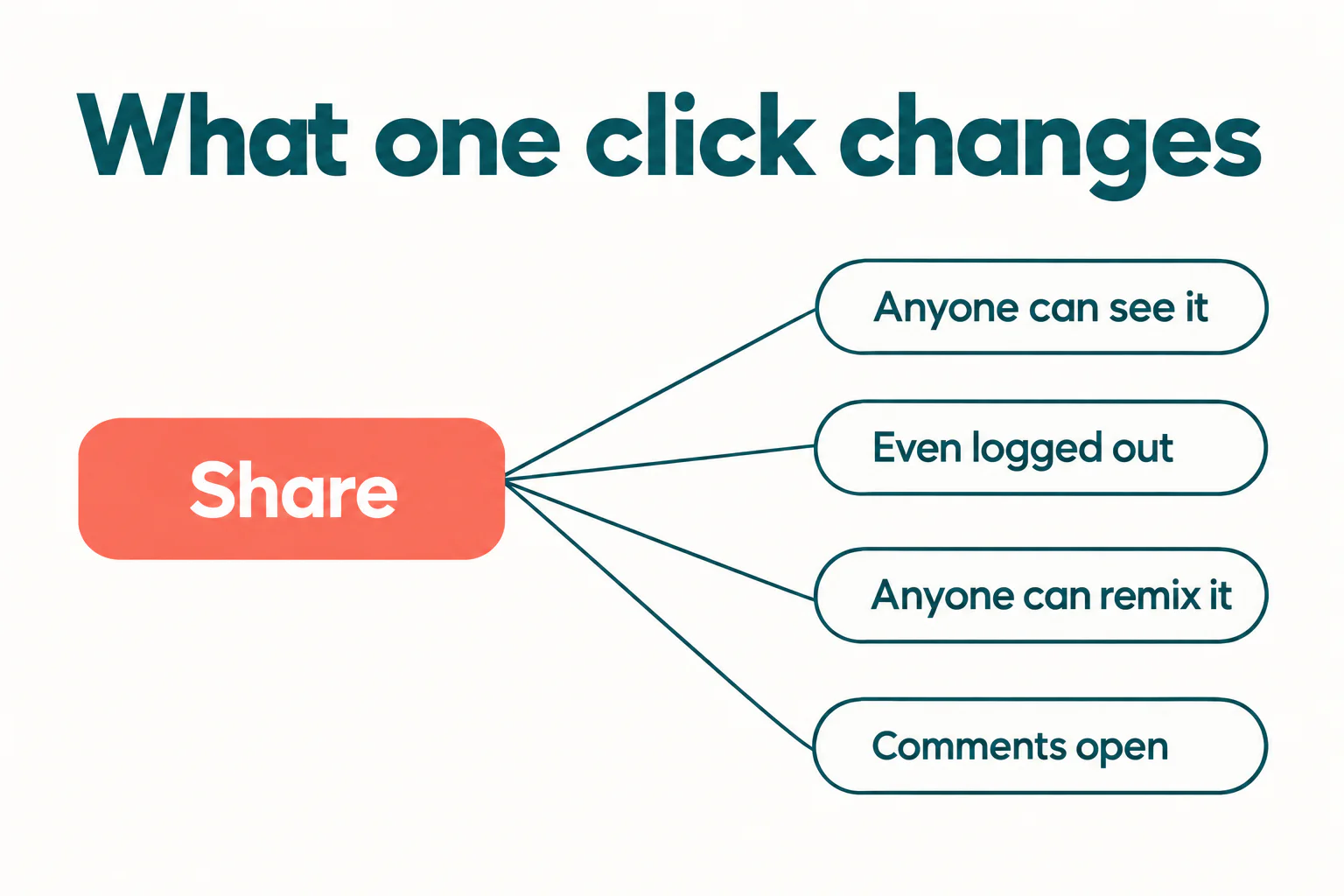
For a child who has spent three weeks on a game, "someone can remix this" can land badly the first time it happens. It helps to frame it before it does: a remix is a compliment with a credit line attached, and your child has been doing the same thing to other people's projects since the day they started. Our guide to Scratch project ideas for beginners is built on exactly that borrow-and-build loop.
Who can see a shared project?
Everyone. Not every Scratcher, not every logged-in user: everyone with a browser.
The Scratch Foundation states it without qualification: "everything shared (from comments to studios to shared projects) are public and visible to anyone logged in or not." There is no friends-only mode, no classroom-only mode, and no unlisted link. A Scratch project has exactly two states, private to the account or public to the internet.
This is the single fact most worth telling a child directly, because it changes what belongs in a project. A birthday message naming a school, a sprite drawn from a family photo, a "my town" backdrop: all fine in a project that is never shared, all public the moment it is.
What counts as personal information?
Considerably more than a phone number, and this is where well-meaning children trip. The Community Guidelines spell out the list:
"Don't give out any information that could be used for private communication, in person or online. This includes sharing real last names, phone numbers, addresses, hometowns, school names, email addresses, usernames or links to social media sites, video chatting applications, or websites with private chat functionality."
Read the last clause again, because it is the one nobody expects. A username on another platform counts. A child who writes "add me on Roblox, I'm skyfox2015" in the project notes has broken the same guideline as one who posts an address, and for a coherent reason: both give a stranger a private channel to that child. Scratch's moderation is built around keeping conversation on Scratch, where it can be seen and reported.
The same logic explains a rule that catches almost every parent off guard. Scratch does not allow a photo of your child as their profile icon. The Foundation's wording: "We don't allow users to post photos of themselves for their icon, in order to follow our Community Guideline about keeping personal information private." The suggested alternative is charming and worth passing on, which is to search Scratch for an "icon creator" project and draw an avatar instead. Icons must be under 512 KB and smaller than 500 by 500 pixels.
Want your child learning Scratch with a teacher who is actually watching the screen with them? Codeyoung runs live 1:1 classes, so questions get answered in the moment rather than a week later.
Book a Free Demo Class →Which three settings should you check first?
Do these once, before the first share, and the rest of the online community becomes far lower stakes.
- Turn comments off on the project, if your child would rather not field them. The Foundation notes that Scratchers "can choose to turn off comments on their profile and on individual projects that they share", and that comments can always be turned back on. This is per-project, so your child can have a chatty project and a quiet one.
- Read the project notes and credits together. This is where personal information actually leaks, far more often than inside the code. It is also where the credit for any remixed material belongs.
- Check the profile. The "About Me" and "What I'm Working On" boxes are free text and your child filled them in at ten years old. Last name, school and town are the three to look for.
None of these is a lock. Scratch is a moderated public community rather than a walled garden, and treating it as one is the realistic position. The upside of that is genuine: a real audience is why children keep building. If your child is weighing what to make next, choosing a first Scratch game is a better use of the energy than worrying about the comments.
What happens if a project gets reported or removed?
Less drama than children fear. Reports go to the Scratch Team, who review them and act, and the normal outcome for a guidelines breach is that the project is unshared rather than deleted, with the creator asked to fix the content before sharing again. The project itself stays in the account.
Scratch's instruction on what to do when you see something wrong is worth teaching as a rule in its own right: "Please use the 'Report' button rather than engaging in fights, spreading rumors about other people's behavior, or otherwise responding to any inappropriate content." Report, do not reply. That one habit prevents most of the ways a child gets drawn into something unpleasant online.
And your child can always unshare a project themselves. Under My Stuff there is an unshare option on every shared project, it is one click, and the Foundation confirms "when ready, you can always share again." Knowing the exit exists makes the entrance much easier.
What should you tell your child about remixing?
That credit and change are both required, and that neither is optional politeness.
The guideline is "provide credit to everyone whose work you used and make a meaningful change to it." Two tests, and children routinely satisfy one and skip the other. Re-uploading somebody's game with the title changed fails the meaningful-change test even with perfect credit. Rebuilding half the game and saying nothing fails the credit test even though the work is real.
The practical version for a nine-year-old: write in the notes whose project you started from and what you added. That sentence satisfies both tests and takes fifteen seconds. It is also, incidentally, good engineering practice, and it is the same instinct that makes a child's code readable later. We cover the other half of that habit in teaching children to debug their own work.
Is it worth sharing at all?
Yes, and the reason is not sentimental. Scratch launched its online community alongside the editor in 2007, built on what the team calls the four P's of creative learning: projects, peers, passion and play. The audience is not a bolt-on feature. It is the part that turns a finished project into a reason to build the next one.
Children who share get bug reports, suggestions and remixes, and those are the first code reviews they will ever receive. Children who never share tend to finish fewer things, because nothing external is waiting for the finish. The guidelines exist so that the trade is a good one, and read honestly they are six sensible rules rather than a warning label.
Check the notes, check the profile, decide about comments, and let them press the button.
Codeyoung teaches Scratch in live 1:1 classes with a dedicated teacher, so your child builds real projects and gets feedback while they are still in the room. Book a free demo class and see how your child works with a teacher before committing to anything.
Book a Free Demo ClassSources checked 5 November 2026: the Scratch Community Guidelines as published by the Scratch Foundation, and "Getting Started in the Online Community", the Scratch Foundation's own guide, shared under CC BY-SA 4.0. Platform settings change, so confirm anything safety-critical on scratch.mit.edu itself.