
A child who can hold a two-step loop in her head, predict what it will do, and fix it when it misbehaves can still be beaten by a missing colon. Not because she does not understand the colon. Because finding it means hunting across a keyboard she does not know, and by the time she finds it she has forgotten what she was building. That gap is why parents ask whether a child should learn to type before coding, and the honest answer is more specific than yes or no.
Typing does not gate understanding. It gates expression. A nine-year-old can learn sequence, repetition, conditions and debugging with almost no keyboard involved, and holding them back from all of that until they pass a typing course costs months of the thing they were interested in. But the moment they move to a text language, slow typing stops being invisible and starts being the reason they quit. Here is how to get the order right.
Does typing matter for learning to code?
It matters for writing code. It does not matter much for learning to think like a programmer, and those two things are separable for several years. That separation is the whole answer, because it means the question is not which comes first but how they run in parallel.
Think of it the way you would think about reading and handwriting. A six-year-old can follow a complicated story read aloud long before she can write one down. Nobody withholds stories until the handwriting arrives. Coding works the same way: comprehension runs ahead of production, and block coding exists to let a child work at the level of their thinking rather than the level of their fingers.
What the research on keyboards and writing actually found
There is a useful piece of evidence here, and it is about writing rather than code, so it is worth stating precisely. Connelly, Gee and Walsh studied children's compositions in the British Journal of Educational Psychology in 2007, comparing work produced by hand against work produced on a keyboard. Children who had received no explicit touch-typing instruction produced keyboarded scripts that were, in developmental terms, up to two years behind their handwritten ones. The researchers concluded that explicit keyboarding instruction is needed before a word processor delivers what it promises.
The mechanism is what transfers. Transcription speed, whether by hand or by keyboard, competes for the same limited attention that planning and reviewing need. When getting the letters down is effortful, there is less left for deciding what to say. Anyone who has watched a child type one-fingered has seen this directly: the sentence they were composing evaporates somewhere around the fourth word.
Code is denser than prose in exactly the way that makes this worse. A line of Python contains brackets, colons, underscores and quotation marks, most of which sit in the awkward corners of the keyboard. This is a teaching observation rather than a research finding, but it is a consistent one: in our classes, the character that most often defeats a new Python learner is not a concept. It is the underscore.
Why block coding exists, and what it removes
Block coding is often described as a gentle introduction, which undersells it. Dragging blocks removes an entire category of failure. There is no syntax to mistype, no missing colon, no unbalanced bracket, and no error message that says something a ten-year-old cannot parse.
What is left is the actual difficulty of programming: working out what should happen, in what order, how many times, and under what condition. Those ideas are hard, they are the transferable part, and a child can meet all of them with a mouse. When they later open Python, the concepts are already familiar and only the typing is new, which is a much smaller problem to solve than both at once. Our guide to whether to start with Scratch or Python goes into that transition in more detail.
Rushing a child into typed syntax before they are ready is the most common way to lose them, and it usually looks like progress at the time.
Not sure which level your child should start at? A free trial class with a Codeyoung teacher shows you exactly where they are and what they are ready for next, before you commit to anything.
Book a Free Trial →When does typing start to matter? An age guide
The table below reflects what we see in 1:1 classes rather than a published standard, and individual children move through it at their own pace. The pattern itself is reliable even when the ages shift by a year or two.
| Age | What they are usually building | Is typing the limit? | What to do about it |
|---|---|---|---|
| 5 to 7 | Block coding, sprites, simple sequences | No. A mouse does almost everything | Ignore typing entirely. Nothing they want to build depends on it |
| 8 to 10 | Scratch projects with loops and variables | Rarely, apart from naming things | Start ten minutes a day as its own habit, unconnected to coding |
| 11 to 13 | First text language, usually Python | Yes. This is where it bites | Typing fluency should already be in place. If it is not, expect frustration |
| 14 to 17 | Real projects, multiple files, version control | Assumed, and invisible when present | Weak typing shows up as slow debugging rather than slow writing |
The middle row is the one to plan around. Somewhere between eleven and thirteen, most children want to write real code, and a child who arrives there with fluent hands has a completely different experience from one who does not. The work to make that true happens in the two years before, quietly, ten minutes at a time. Our guide on whether a child is ready to start coding covers the other readiness signals worth checking.
How to tell whether typing is your child's real problem
Sit behind them for ten minutes while they work and watch one thing: where their eyes are.
A child who looks at the keyboard while typing cannot see the screen while typing. So the error appears, the red underline shows up, the autocomplete offers the right answer, and none of it is witnessed. They finish the line, look up, and discover a problem they have no memory of creating. Then they have to reconstruct it from scratch. That loop, repeated four times in a session, is what makes a child say coding is boring.
Three other signals worth noting:
- They can explain out loud exactly what the program should do, and still cannot get it written.
- Their bugs are overwhelmingly typos rather than logic errors. Missing colons, mismatched quotes, a capital letter where none belongs.
- They do fine in Scratch and stall in Python, with no change in how well they reason about the problem.
Any two of those together, and the bottleneck is the keyboard rather than the concepts. Note the opposite case carefully, because it is just as common: a child whose bugs are all logic errors does not need typing practice. They need to slow down and trace the program, and typing drills will only take time away from that.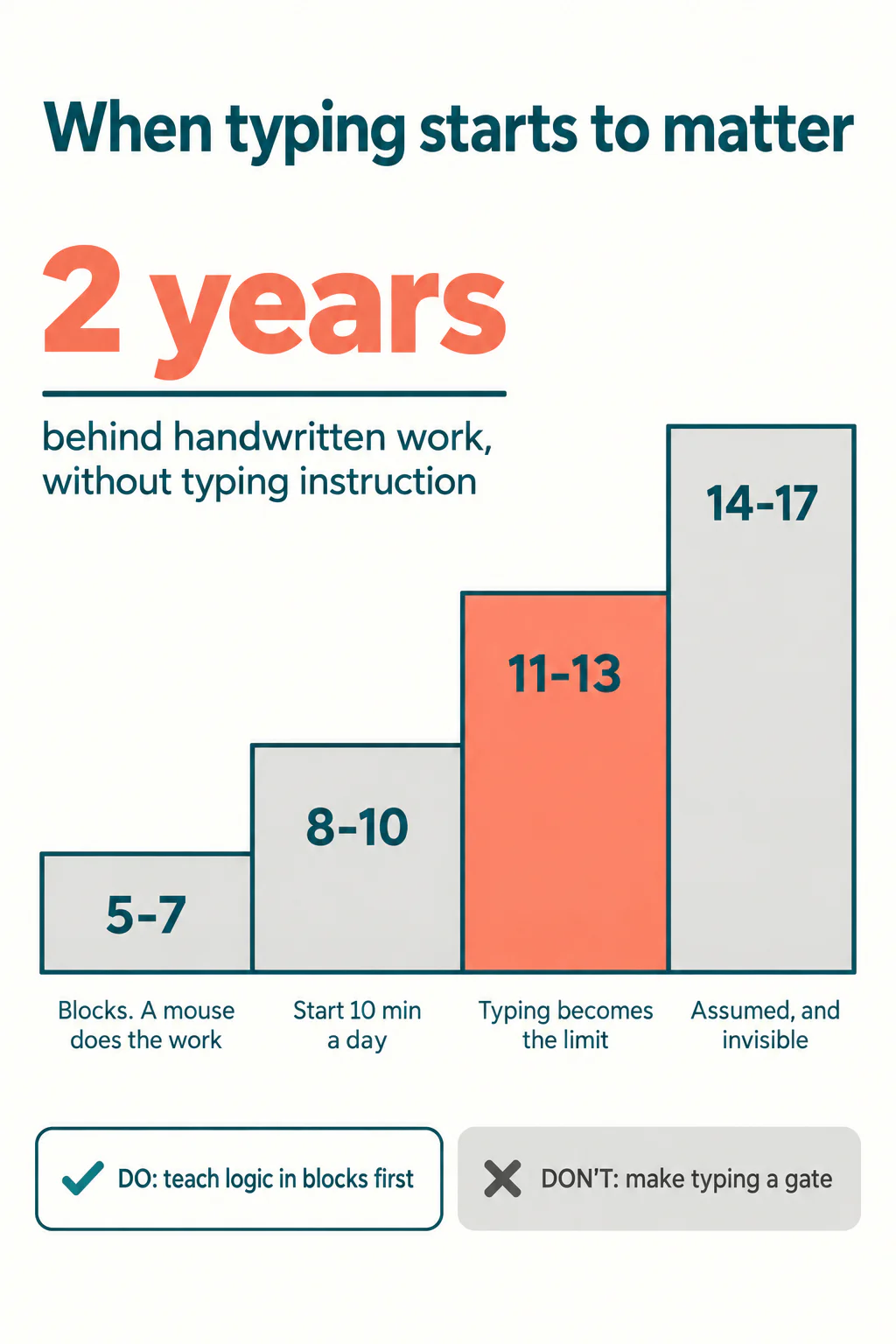
What helps, in fifteen minutes a day
Typing is one of the few skills where small and boring genuinely beats ambitious. Fifteen minutes is plenty, and stopping while they are still willing matters more than finishing a lesson.
- Fingers on the home row, eyes on the screen. This is the only rule that matters and the only one children resist. Covering the keyboard with a light cloth for the first fortnight settles it faster than reminders do.
- Accuracy before speed. A fast typist with poor accuracy is slower than a careful one, because every mistake costs a correction. Speed arrives on its own once the habit is right.
- Practise the characters code uses. Most typing programmes drill ordinary prose. Set aside two minutes for brackets, colons, semicolons, underscores and quotation marks, which are the ones that actually appear in a program.
- Keep it separate from coding time. If typing practice eats the coding session, the child learns that coding means drills. Ten minutes before school, coding at the weekend.
- Change the editor, not just the child. Larger font, bracket matching turned on, and an editor that flags a missing colon as you type. These remove a real share of the frustration immediately and cost nothing.
That last point is worth taking seriously. A great deal of what looks like a typing problem is a tooling problem, and adjusting the editor helps tonight rather than in three months.
When typing practice is a waste of time
Three situations where it is the wrong intervention. A seven-year-old happily building in Scratch does not need it, because nothing they want to do is blocked by it. A child whose difficulty is logic rather than syntax does not need it, and giving it to them delays the real work. And any child for whom typing drills have become the reason they stopped coding altogether has been badly served: the drills were supposed to protect the interest, not replace it.
There is a fourth case worth naming, newer than the others. A child who has discovered that an AI assistant will produce the code for them has no incentive to build typing fluency, and the typing is the least of what they lose. We wrote separately about what to do when a child submits AI-generated code, and the short version is that the test is whether they can change it, not whether they can produce it. A child who cannot type cannot easily change anything, which quietly makes the AI shortcut more attractive. Two problems that look unrelated turn out to reinforce each other. The broader question of whether children should still learn to code at all is worth reading alongside it.
Where this leaves you
Do not make typing a gate. A child who has to earn their way into coding through a typing course usually loses interest before the course ends, and there was never a reason to sequence them that way. Teach the logic in blocks, where the keyboard is almost irrelevant, and let typing build quietly beside it in ten-minute pieces.
Then watch for the handover, somewhere around eleven or twelve, when they want to write real code. A child whose hands are ready meets only one new difficulty at that point instead of two. That is the whole benefit, and it is a large one. If you are unsure where your child currently sits, a teacher can usually tell inside one session, which is exactly what our Scratch classes are built to establish. The underlying evidence on transcription speed is set out in Connelly, Gee and Walsh (2007).
Codeyoung runs 1:1 live online classes for children aged 6 to 17, with a teacher who adapts the pace to your child rather than a fixed syllabus. The first class is free, so you can see how they respond before deciding.
Book a Free Trial