
Key Takeaways
- Building your first Python AI chatbot for kids involves understanding its core conversational loop to process input and generate simple responses.
- Python is the preferred language for creating AI chatbots due to its straightforward syntax, vast libraries, and supportive community.
- Key steps include structuring your code, imbuing the chatbot with a distinct personality, and implementing safe guardrails for secure interactions.
- You can easily identify and resolve common Python chatbot errors, then expand its functionality with creative project ideas.
How can I get started with python chatbot programming?
To get started with python chatbot programming, your child only needs a computer with an internet connection and a desire to create. The initial focus should be on learning foundational concepts like variables, if/elif/else statements, and while loops before writing any chatbot code, ensuring a strong base for more complex projects.
Building a simple chatbot is an engaging way for kids to see programming concepts come to life. The global conversation market was projected to grow to $15.7 billion by 2024, according to DataCamp, which shows how prevalent this technology is becoming. The only true prerequisites for a child are access to a computer and a curious mindset. No expensive software or hardware is needed to begin writing their first lines of Python.
Success in coding often depends on mastering the fundamentals. Many young learners get discouraged not because the subject is difficult, but because they miss a key building block. Essential concepts for a chatbot project include variables to store information, if/elif/else statements to make decisions, and while loops to keep the conversation going. Taking the time to understand these core ideas is a critical step that makes building projects like a chatbot much more achievable. For parents looking for guidance, understanding how early Python learning can shape future careers provides valuable context for this first project.
A personalized learning plan can make a significant difference. Codeyoung's approach begins with a placement diagnostic to understand a student's current skill level. This ensures that the curriculum meets them where they are, reinforcing fundamentals if needed before moving on to advanced topics like AI and machine learning. This project is a fantastic first step into programming that any child can take with the right guidance.
Some parents worry that their child might struggle with Python chatbot programming if they have no prior coding experience, fearing the project is too advanced for a true beginner. However, the beauty of starting with a chatbot is that it uses only the most fundamental Python concepts, and success comes from breaking the project into very small, manageable steps. Codeyoung has taught over 50,000 children across 15+ countries with an 80%+ course completion rate, demonstrating that with the right guidance and a personalized learning path, even absolute beginners can build engaging projects.
Why Python is the popular choice for building AI chatbots?
Python is a popular choice for building AI because its syntax is clean, readable, and often compared to plain English, which makes it less intimidating for new learners. This simplicity allows children to focus on the logic of their program rather than wrestling with complicated code structures. The language's design philosophy emphasizes code readability, a principle that helps beginners write programs that are easier to understand and debug.
The language is backed by a massive and supportive global community. When a young coder encounters a problem, it is very likely that someone else has faced the same issue. This means that answers, tutorials, and code examples are abundant and easy to find online through forums and documentation. This active community contributes to a rich ecosystem of tools and libraries that simplify complex tasks, making Python an excellent starting point for those curious about the reasons kids should learn Python now.
Beyond its beginner-friendly nature, Python is the dominant language in data science and machine learning. This makes it a practical skill with long-term value for academic and professional pursuits. As learners advance, they can tap into this powerful ecosystem.
- Readable Syntax: Python's code structure is designed for clarity. According to its own guiding principles, "Readability counts," which is why a statement like
if user_age > 10:is immediately understandable to a child as noted in its official documentation. - Extensive Libraries: Python offers a vast collection of pre-written code, called libraries, that handle complex tasks. For AI, libraries like NLTK, spaCy, and TensorFlow allow developers to implement sophisticated language processing features without starting from scratch.
- Industry Standard: Major technology companies use Python extensively for AI research and development. Learning Python gives kids a direct connection to the tools and practices used by professionals in the field.
When choosing a first programming language for a child interested in AI, parents sometimes wonder whether Python is truly the best choice or if alternatives like JavaScript or Scratch might be more appropriate. For younger children or those completely new to logic and sequencing, a visual language like Scratch can be an excellent foundation before transitioning to text-based code. However, for children ready for real-world programming syntax, especially those with career-oriented goals in AI and data science, Python offers unmatched long-term value due to its dominance in those fields. A balanced recommendation is to start with Python if the child is at least 10 years old and shows interest in building practical, professional-style projects, while younger or less experienced learners might benefit from a few months with block-based coding first.
How do you build your first Python chatbot's core loop, step by step?
This tutorial will guide you and your child through creating the basic structure of a chatbot. This core loop is the engine that keeps the conversation going. We will use only basic Python commands, making it accessible for absolute beginners.
Step 1: Greet the User
First, your chatbot needs to introduce itself. The print() function is used to display text on the screen. It’s a simple and effective way to start the interaction and give the user instructions.
Open a text editor or a Python environment and type the following line of code. When you run this single line, you should see the greeting message appear. This confirms your setup is working correctly.
print("Hello! I am a simple chatbot. Type 'bye' to exit.")
Step 2: Create a Continuous Conversation Loop
To make the chatbot conversational, it needs to listen continuously. A while True: loop will run forever until it is explicitly told to stop. This creates the experience of an ongoing chat.
All the code that handles the conversation will go inside this loop. In Python, indentation (the space at the beginning of a line) is very important. Any code that is part of the loop must be indented underneath the while True: line.
while True:
    # Conversation logic will go here
Step 3: Get User Input
Now the chatbot needs to get a message from the user. The input() function prompts the user to type something and then waits for them to press Enter. We will store their message in a variable, which is a named placeholder for data.
Let's call our variable user_message. Adding this line inside your while loop allows the program to capture what the user says in each turn of the conversation.
user_message = input("> ")
Step 4: Add Logic with if/elif/else Statements
This is where the chatbot's "intelligence" comes from. We use if, elif (short for "else if"), and else statements to check for specific keywords in the user_message. The chatbot can then provide a specific response for each recognized keyword.
We will start with two simple keywords: "hello" and "how are you". The .lower() method is used to convert the user's input to all lowercase, which makes our keyword matching case-insensitive. This way, "Hello", "hello", and "HELLO" will all trigger the same response.
if "hello" in user_message.lower():
    print("Hi there!")
elif "how are you" in user_message.lower():
    print("I'm a bot, so I'm doing great!")
else:
    print("I don't understand that.")
Step 5: Create an Exit Condition
The while True: loop would run forever without a way to escape. We need to add a condition that breaks the loop. We'll check if the user's message is "bye". If it is, we will print a goodbye message and then use the break command to exit the loop.
This if statement should be the first check inside your loop, so the bot doesn't try to respond to "bye" with its default "I don't understand" message.
if user_message.lower() == "bye":
    print("Goodbye!")
    break
This simple structure is the core of all conversational AI. In Level 1 of Codeyoung's 'AI & Machine Learning with Python' course, learners build upon this foundation to create a full 'AI Chatbot GUI' desktop application with a graphical interface. As a next step, you can explore some of the best Python libraries for building an AI chatbot to add more advanced features.
Organizations like Code.org have long emphasized the importance of making computer science accessible and engaging for all students, and building a chatbot is one of the most motivating first projects because children see immediate, conversational results from their code. According to Code.org's research and advocacy, hands-on projects that connect to real-world applications significantly boost student engagement and persistence in learning programming. This core loop tutorial embodies that principle by transforming abstract concepts like loops and conditionals into a tangible, interactive experience that kids can share with friends and family.
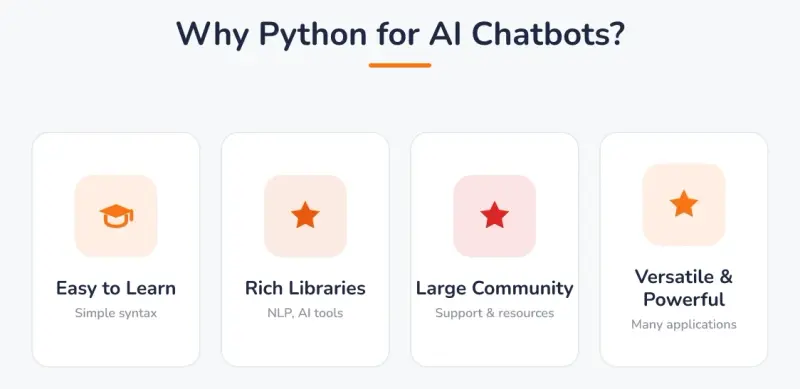
Why Python for AI Chatbots?: Easy to Learn (Simple syntax), Rich Libraries (NLP, AI tools), Large Community (Support & resources), Versatile & Powerful (Many applications).
How can you give your Python chatbot a personality and safe guardrails?
A chatbot with the same response every time can feel robotic. A simple way to add personality is to give it multiple possible answers for a single prompt. You can store these responses in a Python list and use the random module to pick one. This small change makes the conversation feel more dynamic and engaging for a child. For example, instead of always saying "Hi there!", the bot could randomly choose between "Hello!", "Hi!", and "Hey there!".
The else block in your code is crucial for a good user experience. It acts as a catch-all for any input the chatbot does not recognize. Instead of crashing or staying silent, it can provide a helpful default response like, "I'm not sure how to answer that. Can you ask me something else?". This teaches kids the importance of handling unexpected situations in their code, a key concept in software development.
Programming a chatbot also introduces the concept of guardrails: setting rules to ensure it responds safely and appropriately. This involves thinking about what a user might type and programming the chatbot to avoid unhelpful or unsafe replies. This foundational practice is a part of responsible AI development. The process helps children shift from just 'using AI' to 'understanding AI', as they must build the rules and think critically about their creation's potential outputs. For more on this, parents can review guides on how to teach kids about ChatGPT and generative AI.
This hands-on approach to building and refining a chatbot aligns with a broader educational goal. Organizations like Code.org emphasize teaching digital citizenship and the ethical implications of technology alongside programming skills, a curriculum focus they highlight. When children build their own AI, they gain a deeper appreciation for the thought and responsibility required to create helpful and safe technology for everyone.
Codeyoung's rigorous instructor selection process, where only about 0.1% of over 1,000 teacher applicants are hired after background, technical, empathy, and communication checks, ensures that students receive expert guidance not just on writing code, but on understanding the broader implications of what they build. When teaching chatbot personality and guardrails, our instructors help children think critically about user experience, ethical AI design, and edge cases, turning a simple coding exercise into a lesson in responsible technology development. Every 1:1 session is fully live on Zoom and recorded, so families can revisit these important discussions about AI safety and design principles anytime.
What are the common Python chatbot errors, and how can kids fix them?
When learning to code, running into errors is a normal and valuable part of the process. Debugging, or fixing these errors, is a skill that programmers use every day. Framing errors as puzzles to be solved rather than failures can help a child build resilience and problem-solving skills. Below is a table of common errors a young coder might see while building their first Python chatbot.
| Error Name | What It Means | How to Fix It |
|---|---|---|
IndentationError | Python uses whitespace to define code blocks. This error means a line of code has the wrong number of spaces at the beginning. | Check that all lines inside your while loop and if/elif/else statements are indented consistently, usually with four spaces. |
SyntaxError | This means you have typed something that isn't valid Python code. It's like a grammatical mistake in a sentence. | Look for missing colons (:) at the end of while or if statements, or mismatched parentheses () or quotation marks "". |
NameError | This error happens when you try to use a variable that hasn't been created yet or you have a typo in its name. | Make sure the variable name is spelled correctly everywhere it's used. For example, check that user_mesage is spelled user_message. |
This is where 1:1 tutoring provides immense value. Research has found that students with individual tutors can outperform their peers, partly because an expert can provide immediate, personalized help with frustrating bugs. At Codeyoung, our 1:1 online classes offer this direct support. An instructor can quickly spot a small error like a missing colon that might frustrate a beginner for hours, turning a moment of frustration into a learning opportunity.
What are some project ideas to extend your first Python AI chatbot?
Once your child has built the basic chatbot, they can expand its capabilities with new features. This is a great way to practice the skills they have learned and explore new programming concepts. The key is to start with small, achievable goals that build on the existing code.
These extensions encourage kids to think creatively about what their chatbot can do. Each new feature requires them to solve a small problem, such as converting text to numbers for the calculator or managing a list of questions and answers for the quiz. This project-based approach keeps learning fun and demonstrates the practical power of coding.
- Calculator Bot: Program the chatbot to recognize phrases like "add 5 and 3". The bot would need to extract the numbers, perform the addition, and print the result. This introduces concepts like string manipulation and data type conversion.
- Joke-Telling Bot: Create a list of jokes and answers. When the user types "tell me a joke", the bot can use the
randommodule to pick a random joke from the list and share it. - Simple Quiz Bot: Build a bot that asks a series of multiple-choice questions. It would store the questions and correct answers, check the user's input, and keep track of their score.
This is just the beginning of a learning pathway. At Codeyoung, students progress from this simple text-based bot to building much more complex applications. In the 'AI & Machine Learning with Python' course, later projects include creating AI-powered recommendation systems, interactive data dashboards, and even a 'Yoga Pose Detection' application that uses computer vision to analyze a person's posture.
Your child has now built a working chatbot, taking their first real step from being a user of technology to a creator. This foundational project uses core programming concepts like loops and conditional logic, which are the building blocks for more advanced software. The experience of making a computer respond to their commands provides a powerful sense of accomplishment. This foundational project opens the door to more complex ideas in AI, and the next step is learning how to make the chatbot smarter with data and more advanced Python tools.
Frequently Asked Questions
What age is appropriate for a child to start building a Python chatbot?
Most children aged 10 and above can begin building a simple Python chatbot if they have a basic understanding of programming fundamentals like variables and loops. Younger children may also succeed with proper guidance and a patient, personalized approach. Codeyoung's placement diagnostic helps identify the right starting point for each individual learner.
Do I need to purchase any special software for my child to build a chatbot?
No, you do not need to purchase any special software. Python is completely free to download and use, and there are many free online coding environments like Replit or Google Colab where children can write and run their chatbot code. All your child needs is a computer with internet access to get started.
How long does it typically take for a child to build their first working chatbot?
A child with basic Python knowledge can build a simple text-based chatbot in as little as one or two focused coding sessions, often totaling just a few hours. The timeline varies based on the child's prior experience, learning pace, and the complexity of features they want to add. The initial version will be simple, but it provides a strong foundation for adding more sophisticated features over time.
Can my child use a chatbot project for a school science fair or competition?
Yes, a Python chatbot makes an excellent science fair or coding competition project. Children can demonstrate the core loop, explain the logic behind keyword recognition, and showcase any personality or advanced features they have added. Many students extend their chatbot with unique themes, graphical interfaces, or integration with AI libraries to make their project stand out.
Will learning to build a chatbot help my child with other programming projects?
Absolutely, building a chatbot reinforces essential programming concepts like loops, conditionals, input/output, and string manipulation that apply to virtually all coding projects. The problem-solving skills and debugging practice gained from chatbot development transfer directly to other areas like game development, web applications, and data analysis. It also introduces children to AI and natural language processing, opening doors to more advanced computer science topics.