
Most courses sold as AI courses for kids teach children to use AI rather than to understand it. Those are different products, and the gap between them is the single most useful thing to check before paying for anything.
A course where your child writes prompts into a chatbot teaches operation. A course where your child feeds a model thirty examples, watches it misclassify the thirty-first, and works out why, teaches the mechanism. The second is harder to build and much harder to market, which is why there is far less of it.
Seven options are below, five of them free. Each entry says what it actually teaches, the age it genuinely suits, and what it does not cover, so you can tell which of the two things you are buying.
How these were chosen
Four criteria, applied to every option.
- Does the child build or train something, rather than watch and answer quizzes.
- Is the age range honest, measured by the abstraction required and not by the marketing copy.
- Does it run in a browser, because installation is where home learning most often stops.
- Is it still maintained. Every link here was checked on 6 October 2026.
Quick comparison
| Course | Cost | Ages | Format | Teaches |
|---|---|---|---|---|
| Machine Learning for Kids | Free | 10+ | Browser, Scratch-based | How a model is trained |
| Day of AI (MIT RAISE) | Free | 11 to 18 | Self-paced curriculum | Concepts and ethics |
| AI4K12 | Free | 5 to 18 | Framework and resources | A progression map, for adults |
| Scratch | Free | 6 to 10 | Browser | The prerequisites, not AI |
| Code.org | Free | 6 to 18 | Self-paced | CS basics, light AI units |
| iD Tech | Paid | 13 to 18 | Camp and online | Intensive project work |
| Codeyoung | Paid, free first class | 6 to 17 | Live 1:1 | Python and ML, paced to the child |
Machine Learning for Kids, the one that teaches the mechanism
Free, browser-based, and the strongest single recommendation here for a child over about 10. It runs on top of Scratch, so no Python is needed, and it does the thing almost nothing else does: the child supplies training examples, trains a model, and then tests it.
The teaching moment is the failure. A child trains a model to tell happy messages from sad ones using twenty examples, then types something it has never seen and watches it get the answer wrong. That is the entire concept of training data and generalisation, learned in ten minutes from a thing they built.
What it does not do: explain neural networks, or produce anything that looks impressive to a relative. It is a teaching tool rather than a showcase. Start here anyway.
Day of AI, the best free curriculum
From MIT's RAISE initiative, free, and designed for classroom delivery across roughly ages 11 to 18. The strongest part is the coverage of how AI systems affect people: bias, data collection, and where automated decisions go wrong. Most children's AI material avoids this entirely or reduces it to a slogan.
Best used: by a parent or teacher willing to lead sessions. It is a curriculum, not a self-serve course, and a child left alone with it will usually not finish.
AI4K12, which is for you rather than your child
AI4K12 publishes the "Five Big Ideas" framework for K-12 AI education, and it is the clearest map available of what a child should understand at which stage. Free.
Being direct about it: this is a resource for adults. Handing it to a child achieves nothing. Read it if you want to judge whether a paid course has real coverage or is a tour of chatbot features, because it gives you the vocabulary to ask.
Scratch, which is the prerequisite rather than the course
Scratch teaches no AI. It is on this list because sequencing, conditionals and variables are what a child needs before any AI course makes sense, and a child who cannot yet build a working Scratch project will not get much from training a model.
For ages 6 to 10 this is the right starting point, and it is free. The honest version of "when should my child start AI" is often "after a year of this". Where it leads next is covered in Scratch versus Python.
Not sure which level your child should start at? A free trial class with a Codeyoung teacher shows you exactly where they are and what they are ready for next, before you commit to anything.
Book a Free Trial →Code.org, the gentlest entry point
Free, very well built, and the easiest thing on this list to start on a wet afternoon. The AI content is lighter than the computer science content, so treat it as a route into programming that touches AI rather than an AI course.
Its real strength is that nothing breaks and nothing needs installing, which matters more than it sounds for a child working alone.
iD Tech, for a teenager who already codes
Paid, ages roughly 13 to 18, and currently running an AI and Machine Learning Academy with NVIDIA alongside its wider camp programme. The format is intensive: a concentrated block of project work rather than weekly lessons.
That suits a specific child, namely one who can already program and wants to go deep for a fortnight. It suits a beginner much less well, because an intensive format gives a struggling child nowhere to catch up.
Timing note for anyone considering it: registration for Summer 2027 opens on 8 November 2026, and camp places at the popular locations go early. If this is the route, the decision needs making in November rather than in spring.
Codeyoung, and when it is not the answer
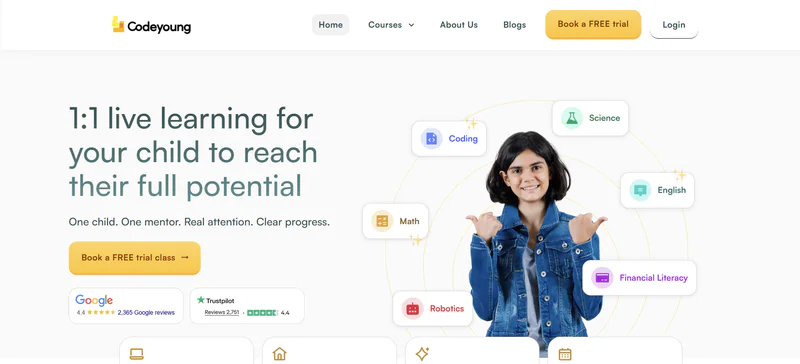
We run live 1:1 classes for ages 6 to 17, covering Python through to machine learning, with the first class free. Pricing depends on the programme and is quoted after that trial.
What 1:1 buys is adjustment. A teacher notices the week your child has stopped following and changes the next session, which is the thing no self-paced course can do. Our Python, AI and machine learning track is the relevant one here.
When it is not the answer: if your child reliably finishes things they start on their own, begin with Machine Learning for Kids and Day of AI and spend nothing. Plenty of children need the content rather than the accountability, and paying for the second when you needed the first is the commonest waste in this market. Start free and upgrade if they stall, rather than the reverse.
How to choose, in three questions
- Can your child already build a working Scratch project? If not, that is the work. Scratch or Code.org, and revisit AI in a year.
- Do they finish things without being chased? If yes, the free options are genuinely sufficient and you should try them first. If no, what you are buying is structure, and you should buy it deliberately rather than buying more content.
- Do you want them to understand AI or to use it well? Both are legitimate. For understanding, train a model: Machine Learning for Kids. For using it well, the skill is framing a question, which prompt writing for kids covers, and using AI for homework the right way covers the boundary that actually matters at school.
For the wider picture on what to expect at each stage, AI and machine learning for kids is the broader parent guide, and 20 AI project ideas is the place to go once a course finishes and the question becomes what to build next.
Where to start this week
If your child is over 10 and has used Scratch, open Machine Learning for Kids tonight. It is free, it needs no account setup beyond the basics, and within half an hour they will have trained something and seen it fail, which tells you more about whether this interests them than any amount of comparison. If they are under 10, the honest answer is that the AI course can wait and the Scratch project cannot.
Codeyoung runs 1:1 live online classes for children aged 6 to 17, with a teacher who adapts the pace to your child rather than a fixed syllabus. The first class is free, so you can see how they respond before deciding.
Book a Free TrialAll seven platforms were checked live on 6 October 2026, including Machine Learning for Kids and Day of AI. Course availability and pricing change, so confirm with the provider before enrolling.